

 Reply With Quote
Look at:
http://www.mozilla.org/unix/customizing.html
or copies mine from ftp://ftp.overmeer.hn.org and change the font and size. Place the file userChrome.css in chrome directory of ~./mozilla/
Edwin
NL


When I change the Serif font in Mozilla's Preferences\Appearance\Fonts i.e. from "serif" to "Times" the menu font in Mozilla changes to Times too. (If I change this to "Arial" the menus go back to normal again, as with "serif".) Also the menu font is very small which is a pain with higher resolutions. Anyone know a fix for these problems?
I am running a newly installed Knoppix 3.2 (28-04-2003) system.
Look at:
http://www.mozilla.org/unix/customizing.html
or copies mine from ftp://ftp.overmeer.hn.org and change the font and size. Place the file userChrome.css in chrome directory of ~./mozilla/
Edwin
NL
Thanks for the help, but I cannot try it yet, because now I have new problem.
I tried reinstalling Mozilla, but after using synaptic to uninstall, apt-get complains about some broken packages when I try to install it back again. I am at work right now so I cannot give you the exact error message, but I will post it later today.
Moved my Mozilla install problem here.
 Posting Permissions


Intel Core i7-3770K 3.5 GHz Processor
$39.00

Intel Core i5-4590T 2 GHz 5 GT/s LGA 1150 Desktop CPU Processor SR1S6
$10.99

INTEL CORE I9-10940X X-SERIES PROCESSOR | 3.30GHZ | SRGSH
$179.99

LAST BATCH *Brand New-Sealed* AMD Ryzen 9 9950X3D2 Dual Ed. 4.3GHz 16Core AM5
$768.00

Intel Xeon E3-1230 v3 SR153 3.3GHz Quad Core LGA 1150 CPU Processor
$14.49
Intel Core i7-6700 SR2L2 3.40GHz 8 MB 4-Core LGA1151 Socket CPU Processor
$27.99

Intel Core i5-12500T SRL5W 2GHz 18MB 6 Core Socket LGA1700 Desktop CPU Processor
$114.99
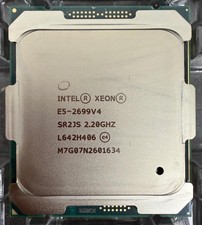
Intel Xeon E5-2699 V4 CPU 2.20GHz 22-Core 55MB 145W LGA2011-3 SR2JV Processor
$79.99

Intel 6th Gen Core i7-6700K 4.0GHz (Turbo 4.2GHz) 4-Core LGA1151 CPU SR2L0
$38.00
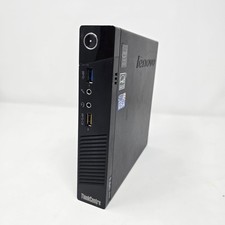
LENOVO Thinkcentre M73 MICRO PC Intel Core I3-4130T 12GB 500GB Ubuntu
$79.99
