-
Changing Screen Resolution
Hello,
I'm very new when it comes to linux, in general, and this is probably a noob question. How would I change my screen resolution from 1024x768 to 1280x1024 (what my monitor natively supports) from within Knoppix. When clicking on the "screen size & rotate" 1024x768 is the highest resolution supported. When running knoppix from a CD I just used a cheat code (screen=1280x1024) at the screen before bootup, but I am using Knoppix off of a USB Flash Drive now, and it skips that boot screen. I imagine it would be a command in the shell of some sort, but haven't the slightest idea what that might be.
Thanks in advance.
-
Senior Member
registered user
but I am using Knoppix off of a USB Flash Drive now, and it skips that boot screen.
Is this a hd install as opposed to a poor man's install that would boot off an iso file on the thumb drive?
If so, please post "Section 'Screen'" from /etc/X11/xorg.conf
-
Here's what it shows:
Section "Screen"
Identifier "Screen0"
Device "Card0"
Monitor "Monitor0"
DefaultColorDepth 16
SubSection "Display"
Depth 1
Modes "1024x768" "800x600" "640x480"
EndSubSection
SubSection "Display"
Depth 4
Modes "1024x768" "800x600" "640x480"
EndSubSection
SubSection "Display"
Depth 8
Modes "1024x768" "800x600" "640x480"
EndSubSection
SubSection "Display"
Depth 15
Modes "1024x768" "800x600" "640x480"
EndSubSection
SubSection "Display"
Depth 16
Modes "1024x768" "800x600" "640x480"
EndSubSection
SubSection "Display"
Depth 24
Modes "1024x768" "800x600" "640x480"
EndSubSection
SubSection "Display"
Depth 32
Modes "1024x768" "800x600" "640x480"
EndSubSection
Would it be a matter of changing it to also show "1280x1024" in each of these?
-
Senior Member
registered user
You now have 16bit color resolution (=16k=65535). Set "DefaultColorDepth 16" to "24" to enable real color, and edit the corresponding line of available screen resolutions:
Depth 24
Modes "1280*1024" "1024x768" "800x600" "640x480"
But back up your current xorg.conf first, so you can return to it if the changes don't work.
By the way: If you're looking for a Knoppix-like distro that you can install to a hard drive or thumb drive without breaking apt-get, take a look at Kanotix. It also has several tools to make tweaks such as changing screen resolution as easy as possible. http://kanotix.com
Similar Threads
-
By deepak_abc in forum Hdd Install / Debian / Apt
Replies: 6
Last Post: 07-31-2007, 09:11 AM
-
By oliju in forum Hdd Install / Debian / Apt
Replies: 1
Last Post: 12-06-2005, 04:38 AM
-
By clifbone in forum General Support
Replies: 0
Last Post: 06-05-2005, 04:42 PM
-
By Hylle in forum Hdd Install / Debian / Apt
Replies: 1
Last Post: 12-14-2004, 04:51 PM
-
By howagood in forum Hardware & Booting
Replies: 2
Last Post: 03-24-2003, 10:30 PM
 Posting Permissions
- You may not post new threads
- You may not post replies
- You may not post attachments
- You may not edit your posts
-
Forum Rules


🔀 Juniper Networks EX2300-C-12P 12× Gigabit PoE+ • 2× 10G SFP+ Compact Switch ⚡
$119.00

Juniper EX2300 12-Port Gigabit PoE+ Managed Network Switch P/N: EX2300-C-12P
$149.99

JUNIPER NETWORKS MIST AI AP63-US HIGH PERFORMANCE OUTDOOR ACCESS POINT - WHITE
$59.99

Juniper QFX5100-48S-3AFI 48-Port SFP+ 6 QSFP+ 2x SFP/RJ-45 Management
$249.97
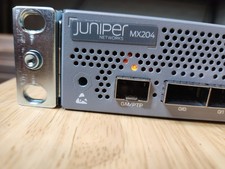
Juniper Networks JNP204/MX204 Universal Edge Router
$8500.00
Juniper EX2200-C-12T-2G 12-Port Gigabit Ethernet 2x SFP Fanless Switch
$110.00
Juniper EX4600-40F-AFO 24-Port Dual PSU Network Switch
$164.99

Juniper AP47 Mist Wi-Fi 7 802.11 6GHz 4x4 Wireless Access Point (NEW)
$999.99

Juniper Networks EX2300-48P 48-Port PoE Gigabit Switch (Renewed)
$345.97

New Juniper Networks EX3400-48P 48-Port PoE+ 4-Port SFP+ Ethernet Switch Sealed
$466.65



 Reply With Quote