

 Reply With Quote
Do you want to recover some data from the hard drive first, or do you just want to format it, thereby wiping out all data?
Do you have another computer and a LAN connection, so you can save your data to a network share?


i have just got a toshiba portege 3110ct it was running windows nt but would not boot up properly it got to a blue screen and then says STOP: c0000143 {missing system file}
the required system file DISPLAY_DRIVER.DLL is bad or missing.
beginning dump of physical memory
physical memory dump complete. contact your system administrator or technical support group>
i tryed to install windows xp by pressing c several times this botts the laptop up from the cd but once everything has loaded up it says cannot continue incase damage of computer and then says try deleting asny newly installed programs of the hard drive could be corrupted.
does anybody know how to reformat the hard drive? i cannot boot the laptop up so any ideas?
many thanks all
Do you want to recover some data from the hard drive first, or do you just want to format it, thereby wiping out all data?
Do you have another computer and a LAN connection, so you can save your data to a network share?
hi i would like just to format the hard drive and try to install windows? could you help me plz?
many thanks much appreciated
Well, this is a Knoppix forum, so we both might get kicked out if we were to discuss M$ related issues. In any event, you must check your hard drive for errors first. I once had a portege 3020 (a great subnotebook, way ahead of its time) and this is what I would do:
1. Check whether I have a Toshiba port replicator and an external floppy drive.
2. The manufacturer of the hard drive very likely is Toshiba. So I would go to their website and look for a diagnostic tool to download.
3. Then I would run the tool, and only after that, I would entertain the idea of re-installing windows.
hi there i dont have the external floppy drive i just have the external cdrom pcmcia cable i have had a look on the toshiba website and i cant seem to find a diagnostic tool for it do you kno if their is anyway of reformatting the hard drive without having the computer booted up because it will not boot up at all i have another computer but not sure if i have a lan cable?
thankyou for helping me on this topic
O.k., tommy-d. This is my final answer, and it's justified only because I can bring in Knoppix again.
1. Check whether your portege 3110 (another subnotebook way ahead of its time because it had water cooling for the cpu) has an RJ45 ethernet connector.
2. If so, get a cross-over ethernet cable from your local computer store.
3. Boot the other computer off the Knoppix cd, connect both computers with the cross-over ethernet cable, and run Knoppix terminalserver.
4. Power on the portege, go to bios settings, and enable PXE boot as first boot device.
5. Save bios settings and reboot.
6. Knoppix should now load on the portege.
7. Analyze the hard drive with qtparted, testdisk and gpart.
8. If the hard drive is good, run qtparted to repartition and format it.
9. This is optional, but advisable: Install a linux distribution of your choice.
ok i might have a go at that thanks alot mate much appreciated
To toss my 2 cents worth in here, I find that, if you can even find a cross over cable in a store. they are usually over priced, as much as $29.99 U.S.. Why does someone need a cross-over cable? Bacause if they are trying to connect two NICs that lack auto-sensing together without the use of a switch or router then you need to cross the wires in the cable. But anyone with a high speed connection should have a router anyway, and before unquestionably shelling out more for a cross over cable than for an inexpensive router (which usually comes with one standard cable), at least check the price of the cable and consider getting a cheap router and an inexpensive normal cable (and yes, I said inexpensive, I've seen some stores that try to charge more for this than for a router that includes a cat-5 cable too). Of course, if you have the tools and parts to make your own cross-over cable that's a different issue, but unless you can find one at a good price then you are likely much better off, both for this problem and in the long run, getting a router and an extra cable. Even buying an ethernet switch and 2 lan cables may be less expensive than a cross over cable and will give you extra utility (although a switch does not give you all of the utility of a router and will not by itself let you share a high speed connection with one IP address or provide NAT protection).Originally Posted by ockham23
hi do you think it would not be betterr off just getting a new hard drive and installing windows on that it would work out a lot simplier?
Maybe tommy_d is a "mate" from Australia, where prices might be more reasonable.
 Posting Permissions

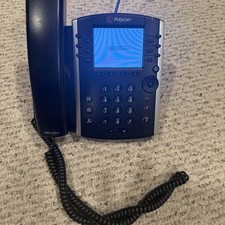
Polycom VVX 411 12-Lines Desktop VoIP Phone (2200-48450-025)
$20.00
YEALINK T34W PHONE & 2 MONTHS OF PHONE SERVICE
$65.00

NEW Cisco IP Phone 7841-K9 4-Line VoIP Gigabit PoE CP-7841-K9
$49.95

Grandstream WP810 Portable Cordless Wi-Fi IP Phone
$54.99

Cisco/Linksys SPA2102 VoIP Phone Adapter Router 2FXS (Unlocked)
$17.99

Cisco / Linksys SPA2102 VoIP 2FXS Phone Adapter with Router (unlocked)
$18.99
Lot Of 16: Polycom VVX 501 VoIP Touchscreen Desktop Phone W/Handsets & Stands
$150.00
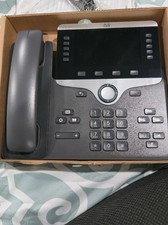
Cisco CP-8861-K9 8861 VoIP IP Corded Phone Charcoal New 9 available
$118.00
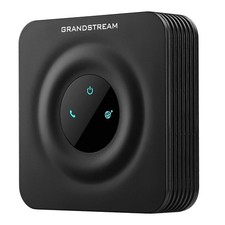
Grandstream HT801 v2 1 FXS, 1 Fast Ethernet New Version
$34.99

Yealink MP54 - VoIP Phone - Black Teams phone Android POE WIFI Bluetooth
$49.95