

Go To Settings > Configure Konqueror
Then:
"File Associations", and do a "find" html in the document tree.
On the right of the window, there is a two-tab frame.
Choose "Embedding", and select "Show file in embedded viewer"
Now Konqueror will operate just like a normal browser. Google search now works and links open as they should.
With all other windows closed, go to whatever you want as your home page. Save as your Web Browsing Profile.
Select that profile to open it as web browser. It's Listed in Konqueror Actions at the bottom of the main software menu.
You will find this browser is really terrific!!
sakiZ
 Posting Permissions


Genuine Cisco SFP-10G-SR 0-2415-03 10 Gigabit Transceiver
$5.40

NEW Sealed Cisco SFP-10G-LR 10GBASE-LR SFP+ 1310nm 10km *US Shipping*
$24.00

Dell Intel X710-DA2 5N7Y5 Dual-Port 10GbE SFP+ PCIe 3.0 x8 Network Adapter
$27.50
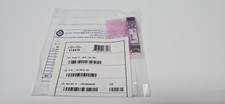
CISCO SFP-10G-SR V03 10-2415-03 NEW SEALED
$39.99

SFP TO RJ45 TRANSCEIVER SFP MODULE COPPER SFP OPTICAL PORT TO RJ45 ETHERNET PORT
$7.99
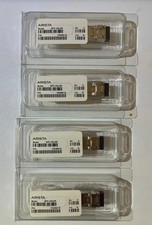
Genuine Arista SFP-10G-SR 10GBASE-SR SFP+ Transceiver NEW
$19.99

HP 560SFP+ 10GB 2-port PCIe NIC Ethernet ADAPTER 669279-001 w/ (2) 10GB SFP+
$16.99

Lot of 500 Cisco 10-3145-02 QSFP-100G-CWDM4-S 100G CWDM4 QSFP28 Transceiver
$1500.00

Cisco Meraki MA-SFP-1GB-SX Network Tranceiver Module
$89.00
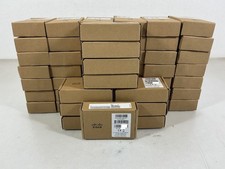
Cisco Meraki OEM MA-SFP-1GB-LX10 1000Base-LX 1GbE SFP Module 1310nm 10km SMF LC
$95.00


 Reply With Quote