

Go To Settings > Configure Konqueror
Then:
"File Associations", and do a "find" html in the document tree.
On the right of the window, there is a two-tab frame.
Choose "Embedding", and select "Show file in embedded viewer"
Now Konqueror will operate just like a normal browser. Google search now works and links open as they should.
With all other windows closed, go to whatever you want as your home page. Save as your Web Browsing Profile.
Select that profile to open it as web browser. It's Listed in Konqueror Actions at the bottom of the main software menu.
You will find this browser is really terrific!!
sakiZ
 Posting Permissions


OPNsense pfSense 8-Core Atom C3758 2.2GHz 8GB DDR4 64GB SSD 8x NIC QAT AES VPN
$145.00

OPNsense Firewall 8-Core Atom C3758 4GB DDR4 RAM 64GB SSD 8x 1Gbe QAT AES-NI VPN
$95.00

OPNsense Firewall 16-Core Atom C3958 16GB DDR4 RAM 64GB SSD 8x 1Gbe QAT AES-NI
$195.00

Zero Trace Pen: All-in-one Tor Network Anonymous Drive + Cryptocurrency Wallet
$147.00

HP 2x 10GB OPNsense Quad Core i5-8500 8GB RAM 3Port Gigabit Firewall AES-NI SSD
$199.95

OPNsense pfSense 16-Core Atom C3958 16GB ECC RAM 512GB SSD 8-Port QAT AES-NI VPN
$258.00

Fortinet FortiGate 60F FG-60F UTM UTP License Until 2027 Network Security FW VPN
$229.99
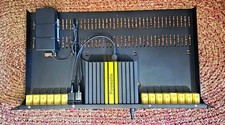
Firewalla Gold Plus 2.5gb W/Rack Mount Kit W/Keystones and Original hardware.
$500.00

Check Point 1590 Firewall & w builtin WiFI and builtin LTE sim slot
$95.99

Barracuda NextGen CloudGen Cloud Based Firewall F280 BNGF280a w/ 8.3.1 Firmware
$89.99


 Reply With Quote