-
Junior Member
registered user
Knoppix 5.0.1CD external CD-Burner Problem
Knoppix 5.0.1CD external CD-Burner Problem
Hello,
trying to use my external cd-Burner which worked with 4.0.2
( but only when cdrecord not set to setuid-root which is causing buffer-underruns because of no priority )
i now get errors whatever i do ( fortunately before it writes to CD )
i tryed to use everything unchanged ... using the assistent for permissons ... chmod ug+s /usr/bin/cdrec*
in all cases i get different errors ...
when not setuid-root it tryes to access /dev/pg0 ... this is paralell-prot atapi !!! ??? why ???
is there any magic thing to do because normally scsi-ide is no longer used but usb-burner is still scsi ???
i often used an older knoppix as a rescue system ...
in this case the internal CD is used by knoppix and i need the external burner to do the backup ...
i will list the 3 cases the 'permissions' and thereafter the failure-output of k3b ...
( i booted the V5.0.1CD which i burned before and tryed to burn
the iso which is still on hd again as an example/test )
Code:
-rwxr-sr-x 1 root cdrom    133 2005-08-13 06:21 /usr/bin/cdrecord
-rwxr-sr-x 1 root cdrom 351316 2005-08-13 06:21 /usr/bin/cdrecord.mmap
-rwxr-sr-x 1 root cdrom 351316 2005-08-13 06:21 /usr/bin/cdrecord.shm

System
-----------------------
K3b Version: 0.12.15

KDE Version: 3.5.2
QT Version:  3.3.6
Kernel:      2.6.17
Devices
-----------------------
AOPEN CD-RW CRW5224 1.05 (/dev/scd0, ) at /media/cdrom [CD-R; CD-RW; CD-Rom] [CD-Rom; CD-R; CD-RW] [SAO; TAO; RAW; SAO/R96P; SAO/R96R; RAW/R96R]


_NEC DVD_RW ND-3520A 1.04 (/dev/hdc, ) at /media/hdc [CD-R; CD-RW; CD-Rom; DVD-Rom; DVD-R; DVD-RW; DVD+R; DVD+RW; DVD+R doppelschichtig] [DVD-Rom; DVD-R Sequentiell; DVD-RW Eingeschränktes Überbrennen; DVD-RW Sequentiell; DVD+RW; DVD+R; DVD+R Doppelschicht; CD-Rom; CD-R; CD-RW] [SAO; TAO; RAW; SAO/R96R; RAW/R96R; Eingeschränktes Überschreiben]
Used versions
-----------------------
cdrecord: 2.1.1a01

cdrecord
-----------------------
/usr/bin/cdrecord: Warning: Running on Linux-2.6.17
/usr/bin/cdrecord: There are unsettled issues with Linux-2.5 and newer.
/usr/bin/cdrecord: If you have unexpected problems, please try Linux-2.4 or Solaris.
/usr/bin/cdrecord: Cannot allocate memory. WARNING: Cannot do mlockall(2).
/usr/bin/cdrecord: WARNING: This causes a high risk for buffer underruns.
/usr/bin/cdrecord: Operation not permitted. WARNING: Cannot set RR-scheduler
/usr/bin/cdrecord: Permission denied. WARNING: Cannot set priority using setpriority().
/usr/bin/cdrecord: WARNING: This causes a high risk for buffer underruns.
scsidev: '0,0,0'
scsibus: 0 target: 0 lun: 0
/usr/bin/cdrecord: No such file or directory. Cannot open '/dev/pg0'. Cannot open SCSI driver.
/usr/bin/cdrecord: For possible targets try 'cdrecord -scanbus'. Make sure you are root.
/usr/bin/cdrecord: For possible transport specifiers try 'cdrecord dev=help'.
/usr/bin/cdrecord:
/usr/bin/cdrecord: For more information, install the cdrtools-doc
/usr/bin/cdrecord: package and read /usr/share/doc/cdrecord/README.ATAPI.setup .
Cdrecord-Clone 2.01.01a01 (i686-pc-linux-gnu) Copyright (C) 1995-2004 Joerg Schilling
NOTE: this version of cdrecord is an inofficial (modified) release of cdrecord
      and thus may have bugs that are not present in the original version.
      Please send bug reports and support requests to <[email protected]>.
      The original author should not be bothered with problems of this version.
TOC Type: 1 = CD-ROM

cdrecord command:
-----------------------
/usr/bin/cdrecord.mmap -v gracetime=2 dev=0,0,0 speed=8 -dao -dummy driveropts=burnfree -eject -data /mnt/hda1/Dokumente und Einstellungen/Ralph/Desktop/KanotixKnoppix/KNOPPIX_V5.0.1CD-2006-06-01-DE.iso
Code:
-rwxr-sr-x 1 root cdrom    133 2005-08-13 06:21 /usr/bin/cdrecord
-rwxr-xr-x 1 root root  351316 2005-08-13 06:21 /usr/bin/cdrecord.mmap
-rwxr-sr-x 1 root cdrom 351316 2005-08-13 06:21 /usr/bin/cdrecord.shm

System
-----------------------
K3b Version: 0.12.15

KDE Version: 3.5.2
QT Version:  3.3.6
Kernel:      2.6.17
Devices
-----------------------
AOPEN CD-RW CRW5224 1.05 (/dev/scd0, ) at /media/cdrom [CD-R; CD-RW; CD-Rom] [CD-Rom; CD-R; CD-RW] [SAO; TAO; RAW; SAO/R96P; SAO/R96R; RAW/R96R]

_NEC DVD_RW ND-3520A 1.04 (/dev/hdc, ) at /media/hdc [CD-R; CD-RW; CD-Rom; DVD-Rom; DVD-R; DVD-RW; DVD+R; DVD+RW; DVD+R doppelschichtig] [DVD-Rom; DVD-R Sequentiell; DVD-RW Eingeschränktes Überbrennen; DVD-RW Sequentiell; DVD+RW; DVD+R; DVD+R Doppelschicht; CD-Rom; CD-R; CD-RW] [SAO; TAO; RAW; SAO/R96R; RAW/R96R; Eingeschränktes Überschreiben]
Used versions
-----------------------
cdrecord: 2.1.1a01

cdrecord
-----------------------
/usr/bin/cdrecord: Warning: Running on Linux-2.6.17
/usr/bin/cdrecord: There are unsettled issues with Linux-2.5 and newer.
/usr/bin/cdrecord: If you have unexpected problems, please try Linux-2.4 or Solaris.
/usr/bin/cdrecord: Cannot allocate memory. WARNING: Cannot do mlockall(2).
/usr/bin/cdrecord: WARNING: This causes a high risk for buffer underruns.
/usr/bin/cdrecord: Operation not permitted. WARNING: Cannot set RR-scheduler
/usr/bin/cdrecord: Permission denied. WARNING: Cannot set priority using setpriority().
/usr/bin/cdrecord: WARNING: This causes a high risk for buffer underruns.
scsidev: '0,0,0'
scsibus: 0 target: 0 lun: 0
/usr/bin/cdrecord: No such file or directory. Cannot open '/dev/pg0'. Cannot open SCSI driver.
/usr/bin/cdrecord: For possible targets try 'cdrecord -scanbus'. Make sure you are root.
/usr/bin/cdrecord: For possible transport specifiers try 'cdrecord dev=help'.
/usr/bin/cdrecord:
/usr/bin/cdrecord: For more information, install the cdrtools-doc
/usr/bin/cdrecord: package and read /usr/share/doc/cdrecord/README.ATAPI.setup .
Cdrecord-Clone 2.01.01a01 (i686-pc-linux-gnu) Copyright (C) 1995-2004 Joerg Schilling
NOTE: this version of cdrecord is an inofficial (modified) release of cdrecord
      and thus may have bugs that are not present in the original version.
      Please send bug reports and support requests to <[email protected]>.
      The original author should not be bothered with problems of this version.
TOC Type: 1 = CD-ROM

cdrecord command:
-----------------------
/usr/bin/cdrecord.mmap -v gracetime=2 dev=0,0,0 speed=8 -dao -dummy driveropts=burnfree -eject -data /mnt/hda1/Dokumente und Einstellungen/Ralph/Desktop/KanotixKnoppix/KNOPPIX_V5.0.1CD-2006-06-01-DE.iso
Code:
-rwsr-sr-x 1 root cdrom    133 2005-08-13 06:21 /usr/bin/cdrecord
-rwsr-sr-x 1 root root  351316 2005-08-13 06:21 /usr/bin/cdrecord.mmap
-rwsr-sr-x 1 root cdrom 351316 2005-08-13 06:21 /usr/bin/cdrecord.shm

System
-----------------------
K3b Version: 0.12.15

KDE Version: 3.5.2
QT Version:  3.3.6
Kernel:      2.6.17
Devices
-----------------------
AOPEN CD-RW CRW5224 1.05 (/dev/scd0, ) at /media/cdrom [CD-R; CD-RW; CD-Rom] [CD-Rom; CD-R; CD-RW] [SAO; TAO; RAW; SAO/R96P; SAO/R96R; RAW/R96R]

_NEC DVD_RW ND-3520A 1.04 (/dev/hdc, ) at /media/hdc [CD-R; CD-RW; CD-Rom; DVD-Rom; DVD-R; DVD-RW; DVD+R; DVD+RW; DVD+R doppelschichtig] [DVD-Rom; DVD-R Sequentiell; DVD-RW Eingeschränktes Überbrennen; DVD-RW Sequentiell; DVD+RW; DVD+R; DVD+R Doppelschicht; CD-Rom; CD-R; CD-RW] [SAO; TAO; RAW; SAO/R96R; RAW/R96R; Eingeschränktes Überschreiben]
Used versions
-----------------------
cdrecord: 2.1.1a01

cdrecord
-----------------------
/usr/bin/cdrecord: Warning: Running on Linux-2.6.17
/usr/bin/cdrecord: There are unsettled issues with Linux-2.5 and newer.
/usr/bin/cdrecord: If you have unexpected problems, please try Linux-2.4 or Solaris.
Cdrecord-Clone 2.01.01a01 (i686-pc-linux-gnu) Copyright (C) 1995-2004 Joerg Schilling
NOTE: this version of cdrecord is an inofficial (modified) release of cdrecord
      and thus may have bugs that are not present in the original version.
      Please send bug reports and support requests to <[email protected]>.
      The original author should not be bothered with problems of this version.
TOC Type: 1 = CD-ROM
scsidev: '1,0,0'
scsibus: 1 target: 0 lun: 0
/usr/bin/cdrecord: No such file or directory. Cannot open '/dev/sg*'. Cannot open SCSI driver.
/usr/bin/cdrecord: For possible targets try 'cdrecord -scanbus'.
/usr/bin/cdrecord: For possible transport specifiers try 'cdrecord dev=help'.
/usr/bin/cdrecord:
/usr/bin/cdrecord: For more information, install the cdrtools-doc
/usr/bin/cdrecord: package and read /usr/share/doc/cdrecord/README.ATAPI.setup .

cdrecord command:
-----------------------
/usr/bin/cdrecord.mmap -v gracetime=2 dev=1,0,0 speed=8 -dao -dummy driveropts=burnfree -eject -data /mnt/hda1/Dokumente und Einstellungen/Ralph/Desktop/KanotixKnoppix/KNOPPIX_V5.0.1CD-2006-06-01-DE.iso
Ralph
-
Junior Member
registered user
i found the solution ...
the devices /dev/sg* are really missing ...
after creating /dev/sg0 k3b simulation mode starts working
i added this as a bug http://www.knoppix.net/wiki/Bugs/5.01CD
Ralph
-
I have a similar issue with Knoppix 5.0 installed on HD and an external Benq DVD writer. After some tries I could burn with cdrecord with the command cdrecord dev=/dev/sr0 speed=24 -data /media/hda5/k3b_image.iso as root, although cdercord dev=help says Open via UNIX device: not supported. So the problem seems to be that cdrecord doesn't know what it supports, and that K3B invokes it with the wrong options.
Paolo
Similar Threads
-
By netfox in forum General Support
Replies: 2
Last Post: 03-18-2005, 08:01 PM
-
By HavocT in forum General Support
Replies: 2
Last Post: 02-08-2005, 12:21 AM
-
By d_jedi in forum General Support
Replies: 5
Last Post: 01-20-2004, 02:28 AM
-
By sdexpn in forum Hardware & Booting
Replies: 0
Last Post: 11-28-2003, 10:04 PM
-
By teonardo in forum Hdd Install / Debian / Apt
Replies: 1
Last Post: 07-27-2003, 08:35 AM
 Posting Permissions
- You may not post new threads
- You may not post replies
- You may not post attachments
- You may not edit your posts
-
Forum Rules


Dell PowerEdge R640 1U 8SFF Server Barebones 2x Gold 5120 64GB H330 2x 750w
$538.88

Dell PowerEdge R740xd Dual Intel Silver 4116 @2.1GHz 32GB HBA330 24Bay Server
$525.00

Dell EMC PowerEdge R440 Xeon silver 4215 2.5GHz 16 GB ram 2x 550W PSU No HDD
$275.00

Dell Intel X710-DA2 5N7Y5 Dual-Port 10GbE SFP+ PCIe 3.0 x8 Network Adapter
$27.50

Dell EMC PowerEdge R740 8 Bay Server w/ 32GB RAM 2x GOLD 6132 2x 1600W PSU H730p
$499.88

Dell Poweredge R630 2x Xeon E5-2680 v3 2.5ghz 24-Cores / 64gb / Raid / 2x 1Tb
$374.99

Dell PowerEdge R640 1U 8SFF Server Barebones 2x Gold 6150 64GB 2x 750w
$218.88
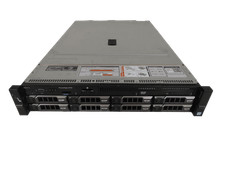
Dell Poweredge R730 8LFF 2x E5-2698 v3 2.3ghz 64gb H730 8x 3.5 Trays 2x 750w
$679.99

Dell PowerEdge FX2s + 8x FC430 Blades 16x E5-2630v4 160 Cores Rails No PSU/RAM
$699.00

Dell PowerEdge R530 2x E5-2630v4 H330 iDRAC8 Port Card Riser No PSU/RAM/HDD
$99.99



 Reply With Quote