

 Reply With Quote
What does this mean? Some people might have to make a change to their BIOS, but I've never heard of making a change to windows.Originally Posted by sef_bnight
Have you tried removing the CD and powering the computer completely off before rebooting?


What's up? I burned the knoppix iso on a cd (image file) using sonic recordnow. I made windows setup to boot from cd. It then goes to a blank screeen that only says "Missing Operating System".
I searched google and this forum, and i couldn't find anything.
I also tried to make a cd from ISO Recorder for winxp (that way i could let it burn at 4X, a lower speed), but it failed when it tried to burn it.
Any help would be appreciated
I've tried using knoppix on both a desktop and a laptop.
desktop specs:
1.9 ghrz pentium 4
250mb ram
78GB hd space
windows xp sp 1
laptop:
2.0 celeron
250mb ram
25GB hdd space available
winxp service pack 2
Thanks a lot!
What does this mean? Some people might have to make a change to their BIOS, but I've never heard of making a change to windows.
Have you tried removing the CD and powering the computer completely off before rebooting?
---
Verifying of md5 checksum and burning a CD at slow speed are important.
Oops. I meant I set the BIOS to boot from cd.
I am having the same problem here! Have done basically all the same stuff. HELP PLEASE!
Does the CD need to be a boot disc? I tried it on a regular writable cd.
trying to run it by cd on my laptop:
Dell Inspiron 16400 or is it 6400 (E1505)
Genuine Intel(R) CPU
T2300 @ 1.66 Ghz
1.66 Ghz, 504 MB RAM
Windows XP Media 2005
Obviously it needs to be a boot disc, but you don't want to do anything to make it bootable in the write process, that will assure failure. See answer #1.
I just burned it again, this time using Nero 7.
It worked.
Thanks for the help.
I don't have Nero 7 so I can't say exactly where the option to burn an ISO is hidden there. One rather helpless user of Nero 7 in the past claimed that the information for Nero 6 wasn't good enough to help him find the burn iso or burn image option in version 7. Since you know where it is you might help us by updating the FAQ to include specific Nero 7 burning information.
---
Verifying of md5 checksum and burning a CD at slow speed are important.
I had a dude help me out today, he had to download Nero to get it to work. And you guys don't really specify that is has to be a bootable disc, but I guess that is logical. Anyways, the dude got it working for me when he burned it with Nero
Now I just got to figure out the commands (with google helping)
Thanks for the assistance.
Actually, it's very important not to take any option that makes the disc "bootabe", and I think the faq spells that out. Just burn the ISO as an image to the CD and it will be bootable, take any option that makes the disk bootable and you'll have a nice bootable coaster.
 Posting Permissions

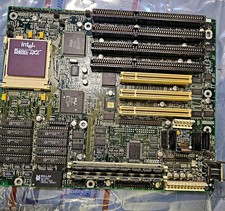
Vintage Intel 486 Motherboard Socket3-i486 DX2-66 CPU & Maxed L2 Cache(W24257AK)
$124.99
Vintage Retro Cyrix 6x86 133mhz 32mb RAM Floppy Combo
$299.00

Ast Advantage Adventure 4050D Vintage Retro Computer Great Condition
$199.99

Vintage HP 21MX 1000 M-Series Minicomputer Chassis Backplane Parts AS-IS
$228.19
Vintage 3.5” Floppy Disk Storage Cases With Key 127 Rainbow Colored Disks
$59.99

Original Vintage Old Style STANDARD Black CD Jewel Case (Heavy Duty) 90g Lot
$316.95
Vintage Intel DX4 100MHz 486 Motherboard SBC CPU Board ALi Chipset Retro PC
$119.99
Vintage 1992 Sony Trinitron CPD-1430 Multiscan HG 14” CRT Monitor Powers On READ
$249.99
Vintage KanguruDisk Portable External Drive Module with Pouch - Rare Retro Drive
$114.88
Vintage Memorex Telex 122-Key AT Terminal Keyboard 96550264
$100.00

