-
swap file partition type?
Hello all,
i'm trying to install Knoppix 5 on a Pentium 3 with 64MB ram. I removed all partitions from the harddrive. Knoppix needs to create a swapfile because the machine has less than 64MB ram. I am using Ultimate Boot Disk V3.4 to create the required DOS partition... but it seems to fail: Knoppix tries to detect a DOS partition to create a swap file, but it does not find the DOS partition. I think I created a DOS partition of the wrong kind? I tried FAT16, FAT32 and a whole bunch of other options available when using Ultimate Boot Disk. Whatever I try, Knoppix does not find a DOS partition to create the swap file.
it says: 'Sorry, no useable partitions available for swapfile.'
Any help here?
ps also see http://en.wikibooks.org/wiki/Knowing...han_128_Mb_RAM
Its confusing: they're talking about Linxu Swap paritions but also on DOS (as long as it's not NTFS)... what does this mean? I tried Linux SWAP but that one also was not recognized by Knoppix
-
Senior Member
registered user
http://www.win.tue.nl/~aeb/partition...n_types-1.html
gives a list of all the filesystem types. Linux swap is number 82, DOS and other Windows filesystem types are numbers 01-07. Linux filesystems are number 83. You need to create a Linux swap partition with number 82 type filesystem. You don't need any DOS filesystem at all.
Running fdisk or parted should enable you to do this.
Regards,
Mark
-
Senior Member
registered user
I think the mkdosswap script of Knoppix 5.0.1 is buggy because it doesn't recognize partitions whereas Knoppix 4.1 works fine. Suggestion: Use Knoppix 4 to create knoppix.swp file, Knoppix 5.0.1 will mount it correctly.
-

Originally Posted by
ockham23
I think the mkdosswap script of Knoppix 5.0.1 is buggy because it doesn't recognize partitions whereas Knoppix 4.1 works fine. Suggestion: Use Knoppix 4 to create knoppix.swp file, Knoppix 5.0.1 will mount it correctly.
Yes Knoppix 5.01 is buggy indeed. My workaround: start Knoppix at runlevel 2 (boot:knoppix 2), then when its done booting run knoppix-installer which will start a wizard that will allow you to format the drive and pertition it. When this is done, the installer will recognize the partitios.
Similar Threads
-
By RHCA in forum Hdd Install / Debian / Apt
Replies: 0
Last Post: 01-15-2007, 04:57 PM
-
By TheChemist187 in forum General Support
Replies: 1
Last Post: 10-23-2005, 11:18 AM
-
By yukichigai in forum Laptops
Replies: 1
Last Post: 07-14-2005, 04:27 AM
-
By jehan60188 in forum MS Windows & New to Linux
Replies: 4
Last Post: 02-16-2005, 06:06 AM
-
By helios17 in forum Hdd Install / Debian / Apt
Replies: 7
Last Post: 12-11-2004, 04:12 AM
 Posting Permissions
- You may not post new threads
- You may not post replies
- You may not post attachments
- You may not edit your posts
-
Forum Rules

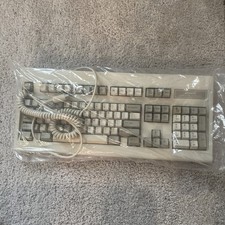
Vintage Tandy 1000 "Personal Computer"Keyboard
$75.00
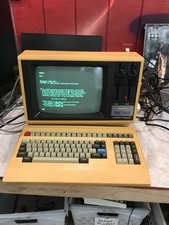
Rare Vintage Sanyo MBC-1150 Terminal With Keyboard CPM2.2 — Boots - DW
$1000.00
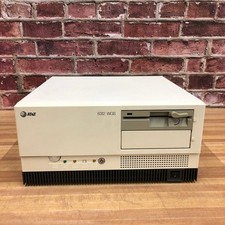
Vintage AT&T 6312 WGS COMPUTER 386 POWERS ON & Complete
$249.95
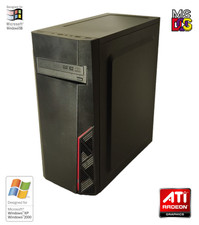
NEW* AMD Athlon 2.5GHz 4GB ATI X300 Win98 XP DOS Multiboot Retro PC w/ 50 Games
$349.00
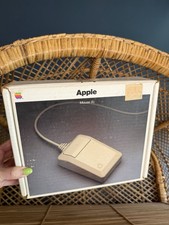
Original Apple Mouse IIc Box Only Vintage 1985
$40.00
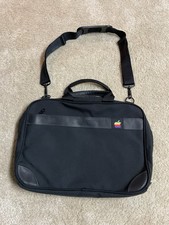
Vintage 1980’s Apple Macintosh Laptop Carrying Case, Rainbow Logo, NEW
$129.95
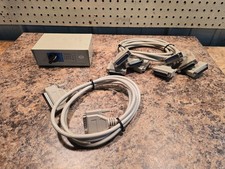
Vintage DB25 4 Port Data Transfer Switch Box 25 Pin Computer Printer with Cables
$49.99
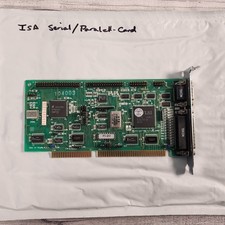
Vintage PTI-217 Multi I/O ISA Controller Card Serial Parallel Floppy VLSI Card
$100.00
Zilog Z8000 CPU Programmer's Reference Guide April 1981 Vintage Tech Manual Rare
$48.66
Vintage Desktop No Brand-Pentium 4-512MB Ram 40GB HDD ATI R200 Fire GFx OS W98E
$139.99



 Reply With Quote