-
Can I use Knoppix to uninstall Windows drivers or software?
My laptop is currently unusable. Whenever it attempts to start up (in WinXP Pro), it gets halfway throught the Windows loading process, crashes, and restarts. This happens in an endless cycle until I turn it off. Booting in safe mode makes no difference, and neither does booting using the last safe settings. I believe that the problem is being caused by a webcam I just installed, or its associated programs, because I haven't made any other significant changes to my setup recently.
The recovery console on the Windows install disk hasn't been much use. Would it be possible to use Knoppix to remove the drivers and/or the camera software?
-
Administrator
Site Admin-
Up until the 5.0.1 release it was known that Knoppix could corrupt the NTFS partition if it wrote to it, including deleting files. There is a new claim that Knoppix can write to NTFS partitions (it could always write to FAT safely) with 5.0.1, but many of us including myself do not trust this yet. If you want to be safe I suggest using Knoppix to read your hard drive and backing up anything that you need, then do a full reinstall. If you feel lucky then go ahead any try, we need some guniea pigs, err, brave product testers.
-
I suppose if I backed up my files and all, I could try it and just reinstall everything if it didn't work out. However, I'm still not sure just how I would go about removing the drivers and software. Is there a tool in Knoppix I could use for that, or some manual method?
-
Administrator
Site Admin-
I don't know how you would do it either. More importantly, I don't know how you would determine that the NTFS write was done safely. In the past we have seen that some NTFS writes failed immidately and so it was obvious that they had failed and done further damage to the NTFS oartition. But in some cases they seemed to work for a while and it was only later that massive corruption of the partition table showed up.
If you know what program or dll you need to delete you might try deleting it or replacing it with another copy from another system. And I'm all in favor of someone other than me testing Knoppix 5's claim to be able to write to NTFS safely. I just don't know how you would determine with any comfort level that the write went well and that something isn't waiting to get you. Of course, if you run with a reasonable amount of activity for a month or more with no additional problems then it would seem that that particular write went safely, but the cost if it didn't might be worst than just fixing it by a reinstall now if you have or can make good backups.
---
Verifying of md5 checksum and burning a CD at slow speed are important.
Similar Threads
-
By andreasr2d2 in forum MS Windows & New to Linux
Replies: 8
Last Post: 11-29-2010, 11:24 AM
-
By jakenoble in forum Hardware & Booting
Replies: 2
Last Post: 08-10-2006, 04:41 PM
-
By AJones in forum MS Windows & New to Linux
Replies: 0
Last Post: 02-08-2005, 05:00 AM
-
By button in forum MS Windows & New to Linux
Replies: 1
Last Post: 09-13-2004, 01:52 PM
-
By r3d in forum General Support
Replies: 3
Last Post: 09-07-2003, 11:26 PM
 Posting Permissions
- You may not post new threads
- You may not post replies
- You may not post attachments
- You may not edit your posts
-
Forum Rules


Dell PowerEdge FX2s + 8x FC430 Blades 16x E5-2630v4 160 Cores Rails No PSU/RAM
$699.00

AS IS READ DESCRIP. Supermicro SuperServer 6026TT-HIBQRF 12-Bay 4x X8DTT-HIBQF
$215.00

NETAPP HCI NAF-1701 SuperMicro Server 4X BLADE H410C 8X GOLD 5120 - 4X S25G NICs
$1999.97

Dell PowerEdge M630 Blade Server 2x Xeon E5-2680 v4, 2F3MP , 4GDP5 ,R10KJ ,JVFVR
$96.60
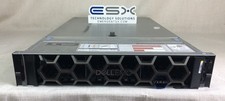
Dell R740XD VxRail P570 24x 2.5” 2U CTO Server– 2x Gold 6240, H740p, 2x 1600W
$699.00

Dell PowerEdge FX2 FX2s Server 10GbE CMC Blade Enclosure Chassis
$274.99

Dell PowerEdge VRTX Rackmount Chassis w/4x PSUs 2x CMC Modules
$399.98

Dell PowerEdge M620 Blade Server 2x Xeon E5-2680v2 2.8ghz 20-Cores | 128GB
$149.99

Dell PowerEdge FC430 Blade Server 2x Xeon E5-2630v4 20 Cores FX2 FX2s No RAM/HDD
$119.99

Dell Poweredge VRTX 25Bay 2.5" 2x PERC 8, 2xCMC, I/O 1GB Pass Through, 4x PS
$578.08



 Reply With Quote