-
Junior Member
registered user
Edit fstab from Live CD
I was tweaking my Ubuntu fstab and I messed up.
I am using Knoppix 4.0.2 CD, in a terminal I entered this: Sudo mcedit /dev/hdb6/ect/fstab
I was able to edit my fstab but when I tried to save it I could not using F2 or the drop down menu.
What am I missing, does anyone know what I may be doing wrong ? This is my work computer and I would be forever grateful if someone could help me please......
sarah
-
Senior Member
registered user
Boot off the Knoppix cd and launch a shell:
Code:
su
mkdir /media/hdb6
mount -o rw /dev/hdb6 /media/hdb6
mcedit /media/hdb6/etc/fstab
umount /media/hdb6
-
Junior Member
registered user
Edit fstab from Live CD
I get this: can not create directory /media/hdb6, no such file or directory
Code:
mount -o rw /dev/hdb6 /media/hdb6
mount point /media/hdb6 does not exist
mount /dev/hdb6 already mounted or busy
-
Senior Member
registered user
Did you boot off the Knoppix cd without clicking on any of the hard drive icons on the desktop?
Did you enter "su" as first command?
Is your existing Ubuntu install located on hdb6 = 6th partition on the secondary hard drive?
-
Administrator
Site Admin-

Originally Posted by
ockham23
Is your existing Ubuntu install located on hdb6 = 6th partition on the secondary hard drive?
More precisely, the second logical drive on the extended partition. Even with 1 primary partition and one exteded partition containing as few as 2 logical drives, the first logical drive on the second (slave) disk on the first IDE controler would be hdb5 and the second logical drive would be hdb6.
-
Junior Member
registered user
Edit fstab from Live CD
Originally Posted by
ockham23
Did you boot off the Knoppix cd without clicking on any of the hard drive icons on the desktop?
Now you have a good question there, I do not remember if I did or did not open up the hdb6 icon. Is this important ?
Did you enter "su" as first command?
I can answer yes to this
Is your existing Ubuntu install located on hdb6 = 6th partition on the secondary hard drive?
yes again....
-
Senior Member
registered user
I assumed you were somewhat familiar with linux commands. Here's an explanation:
su # become root
mkdir /media/hdb6 # create mount point "hdb6" inside directory "media"; assuming mount point doesn't exist already
mount -o rw /dev/hdb6 /media/hdb6 # mount hdb6 and make it writable; clicking on the desktop icon will mount the drive "read only"
mcedit /media/hdb6/etc/fstab # launch editor
umount /media/hdb6 # unmount partition when you're done
-
Junior Member
registered user
Edit fstab from Live CD
Originally Posted by
Harry Kuhman
Originally Posted by
ockham23
Is your existing Ubuntu install located on hdb6 = 6th partition on the secondary hard drive?
More precisely, the second logical drive on the extended partition. Even with 1 primary partition and one exteded partition containing as few as 2 logical drives, the first logical drive on the second (slave) disk on the first IDE controler would be hdb5 and the second logical drive would be hdb6.
here is what I have, with Ubuntu on hdb6:
/dev/hdb1 reiserfs 13.97 GB
/dev/hdb2 extended 19.75 GB
/dev/hdb5 linux swap 1.12 GB
/dev/hdb6 boot 18.63 GB
/dev/hdb3 reiserfs 19.53 GB
/dev/hdb4 reiserfs 21.27 GB
-
Junior Member
registered user
Originally Posted by
ockham23
I assumed you were somewhat familiar with linux commands
ok, let me try booting Knoppix CD again and I will make sure I have not clicked on the hdb6 icon, I'll be back.......
regards,
sarah
-
Junior Member
registered user
Edit fstab from Live CD
ockham23,
thank you for the commands explaination, I am under average using linux commands, I have a personal file that I have saved my most important commands, I do a lot of copy and pasting. I wasted about a year with Linspire, (no commands needed) and have been using Ubuntu for about a year and love it.
But anyway, I booted Knoppix up again, made sure I did not open the hdb6 icon, then opened a terminal and tried your commands again but had the same results again as before.
Similar Threads
-
By Uncle Stinky in forum Hardware & Booting
Replies: 3
Last Post: 02-03-2008, 08:53 AM
-
By cheetahman in forum General Support
Replies: 19
Last Post: 03-21-2005, 11:58 AM
-
By donutman in forum Hdd Install / Debian / Apt
Replies: 3
Last Post: 08-25-2004, 07:24 PM
-
By sfit in forum Customising & Remastering
Replies: 1
Last Post: 10-26-2003, 04:49 AM
-
By iomari in forum Customising & Remastering
Replies: 3
Last Post: 10-10-2003, 10:54 PM
 Posting Permissions
- You may not post new threads
- You may not post replies
- You may not post attachments
- You may not edit your posts
-
Forum Rules


Seagate ST6000NM0115 6TB 256MB 7200RPM 3.5" SATA 6.0Gb/s Enterprise Hard Drive
$159.99
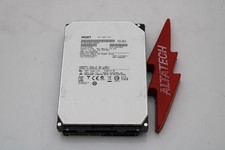
Hitachi HUS726060ALA640 6TB 7.2K SATA 3.5 6G HDD Hard Disc Drive
$109.99

Seagate 14TB Exos X14 7200RPM SATA 6Gb/s 256MB 3.5" Enterprise HDD ST14000NM0408
$354.99

HUS726060ALA640 HGST Ultrastar 6TB SATA 6Gbps 7.2K 3.5" Hard Drive OF21860
$129.99

Hitachi / HGST Travelstar HTS541010B7E610 1TB 2.5" SATA III HDD
$29.99

HGST HUS724040ALA640 4TB 7200 RPM SATA 3.5" Internal Desktop Drive 100% Health
$78.00
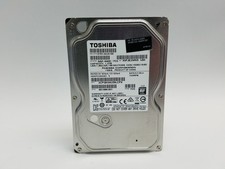
Toshiba DT01ACA100 1 TB 3.5" SATA III 3.5 in Desktop Hard Drive
$24.99

HITACHI ULTRASTAR 2TB 7.2K 6G 3.5INCH SATA HDD HUS724020ALA640 | TESTED WIPED
$34.95

Seagate Exos X16 ST10000NM010G 10TB 7200RPM SAS 12Gb/s 3.5" 512e/4Kn HDD
$199.00
SEAGATE EXOS 4TB 7.2K 12Gb/s 3.5" 128MB Cach SAS ST4000NM0125 HDD hard drive
$59.99



 Reply With Quote