

 Reply With Quote
you checked in /dev that sda4 is there? although its odd that fdisk would pick it up
check the next steps to see if ldlinux.sys is there....
presume device is writeable
HTH


I have been following your very clear instructions but I've got stuck at
syslinux -s /dev/sda4
I get the following response
/dev/sda4: No such file or directory
Even though when I look at it in fdisk I get the following:
Disk /dev/sda: 1023 MB, 1023672320 bytes
64 heads, 32 sectors/track, 976 cylinders
Units = cylinders of 2048 * 512 = 1048576 bytes
Device Boot Start End Blocks Id System
/dev/sda4 * 1 976 999408 6 FAT16
Any ideas where I could have gone wrong? I am using Knoppix 5.1.1 on an IBM T40 Thinkpad
you checked in /dev that sda4 is there? although its odd that fdisk would pick it up
check the next steps to see if ldlinux.sys is there....
presume device is writeable
HTH
Thanks for the reply. That's interesting - I'm quite new to Linux and didn't think of checking there, and I found that there was an sda and an sda1 but no sda4! If I put /dev/sda4 I get the message that the folder doesn't exist.
How come fdisk and cfdisk come to that both list sda4 and fdisk labels it /dev/sda4 ? Seems a bit of a contradiction. Any idea how this could come about? Could there be a bug in Knoppix 5.1.1?
So I used the instructions in http://www.pendrivelinux.com/2006/08...-memory-stick/ to put knoppix onto the partition previously created (using windows), however it would be helpful if you could include the procedure for running in root ie setting the knoppix root password and then opening a root shell in order to make the usb writeable - and be able to make the changes to the syslinux.cfg file you suggest.
So I used the instructions in http://www.pendrivelinux.com/2006/08...-memory-stick/ to put knoppix onto the partition previously created (using windows), however it would be helpful if you could include the procedure for running in root ie setting the knoppix root password and then opening a root shell in order to make the usb writeable - and be able to make the changes to the syslinux.cfg file you suggest.
Quick question I would like to update usb drive to 5.1.1 [Beryl!] do I just need the Knoppix dir ?
Hello,
I am trying to get knoppix 5 on my mini-cruzer 1Gb Usb flash drive.
I followed the steps precisely. The drive now boots, it gets passed the boot screen, and the minirt loads. When the screen clears it then hangs on the line
Looking for CD in /dev/sda1
I believe all the files are in sda4. I tried a couple of the cheat codes like boot, bootfrom hd and hdfrom and had them all point to /dev/sda4/. Unfortunately none of these options worked.
Does anyone have any idea what I can do?
Thanks.
Cannot be certain but I think you may have missed a step or used sda1 by mistake...
Please try it again see what happens ....
HTH
What is the advantage to doing all steps mentioned in previous posts compared to just running this command?I clicked through a couple screens and then I had a bootable thumb drive.Code:mkbootdev
Hi, I got Kaella 3.1 beta1 (french translation of knoppix 5.1.1) booting on a usb key using the brilliant howto mentioned in this topic. I got the portable home directory as well. The only thing is, Kaella would'nt detect my hard drives correctly now. The symptoms are similar, if not identical, to this post (cdrom mounted twice, in particular).
Any idea, somebody ?
Thanks
Philippe
 Posting Permissions

Dell - XPS 13.4" 3K Touchscreen Laptop - Intel Core 5 Series 3 320 2026 - 8GB...
$599.99
DELL POWEREDGE R640 8SFF 2x 8 CORE SILVER 4110 2.1GHZ 32GB RAM H740P NO HDD
$550.00
AMD Ryzen 7 5800XT 8-Core, 16-Thread Unlocked Desktop Processor
$179.99
AMD Ryzen 7 5700G 8-Core, 16-Thread Desktop Processor
$145.00

AMD Ryzen 7 9800X3D 8-Core 16-Thread AM5 Zen 5 Desktop Processor NEW
$395.00
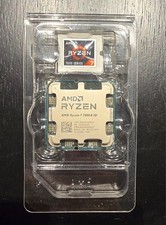
AMD - Ryzen 7 7800X3D 8-CORE 16-THREAD AM5
$275.00
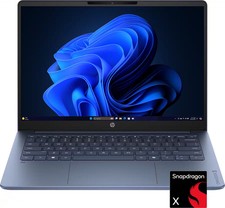
HP - OmniBook 3 - 14" 2K OLED Laptop - Snapdragon X (8-Core CPU) - 8GB Memory...
$399.99
AMD Ryzen 7 5800X3D 8-Core 3.4GHz Socket AM4 CPU Processor….
$309.99
Dell Latitude 5420 14 in (256 GB SSD Intel Core i5 11th Gen. 4.40 GHz 8 GB)...
$149.99
AMD Ryzen 7 9800X3D - Ryzen 7 9000 Series Zen 5 8-Core 5.2 GHz - Socket AM5 120W
$399.99