-
Mounting Raidcore Raid 5 Array
Long story short, I have an 8 drive SATA RAID 5 array. I built it with 8X160gb drives from the same manufacturing batch (WARNING - one of the worst ideas ever, mix and match your drives - more later). 1 drive failed and the array started rebuilding since it has 1 hot spare and 1 global spare. Of course the array got to 97% (after 26 hours) and a second drive failed. I managed to get the array somewhat rebuilt, and Windoze is recognizing it, but once I navigate into the 'drive' I can see the folders (e:\) but I can't access any of them using Windoze.
What I would like to do is to mount the array under knoppix, and start transferring files off (client files and photos are most important). However this is a challenge since I can't mount the RAID array on Knoppix. Raidcore offers Linux driver files for the following distro's:
- • RH 9
• RH enterprise 3 and 4
• Fedora Core 1, 2, 3, and 4
• SuSE Pro 9.0, 9.1, 9.2, 9.3 and 10
• SuSE Enterprise server 9
Two questions:
- 1. Does anyone know which driver will work best with Knoppix 5.0.1?
2. How do I apply the driver once identified
3. How would I then mount the drive after installing the driver
The system also has a system drive (c:\) which Knoppix does see. I dropped all of the below linux drivers on the c:\ branch and I am hoping that I can run them from there.
As promised, some recommendations for 8 drive RAID arrays:
- 1. I would recommend buying 10 drives initally, 5 from one manufacturer and 5 from another, same capacity
2. Initially build the array with 4 from each batch
3. Every 3 months of uptime, remove 1 drive from the array, and swap in a one of the unused ones (rebuild the array on 7 drives, then expand the array to accept the new drive when you add it)
4. What this accomplishes is that you decrease the liklihood of 2 drives failing at close to the same time
5. And ALWAYS remember to do complete backups on a weekly basis to a secondary system (one touch drive is good to)
Thanks in advance for the help.
Daniel
Similar Threads
-
By spotta in forum Hdd Install / Debian / Apt
Replies: 3
Last Post: 03-07-2008, 08:25 PM
-
By ^Mo^ in forum General Support
Replies: 0
Last Post: 12-04-2005, 06:07 PM
-
By JPWhite in forum Hardware & Booting
Replies: 2
Last Post: 05-28-2005, 09:47 PM
-
By wooac in forum Hdd Install / Debian / Apt
Replies: 0
Last Post: 01-08-2004, 06:47 AM
-
By egbill3eagle in forum Hardware & Booting
Replies: 2
Last Post: 01-08-2004, 03:15 AM
 Posting Permissions
- You may not post new threads
- You may not post replies
- You may not post attachments
- You may not edit your posts
-
Forum Rules


Netac DDR4 32GB 16GB DDR4 3200MHz UDIMM C16 Desktop Internal Memory RAM Kit
$105.99

Corsair CMK32GX4M2B3000C15 Vengeance LPX DDR4 3000mhz Memory Kit - 32GB (2x16GB)
$164.95
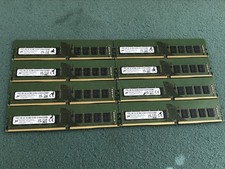
Micron 128GB(8 x 16GB) MTA18ASF2G72AZ-3G2R1ZI PC4-3200AA ECC UDIMM RAM - R1069A
$499.95

RAMAXEL Lenovo 32GB LPDDR5X CAMM2 7500MHz Laptop RAM | UNTESTED
$445.00

Corsair Vengeance DDR3 8GB 16GB 32GB 1866MHz PC3-14900 Desktop RAM Memory DIMM
$43.00
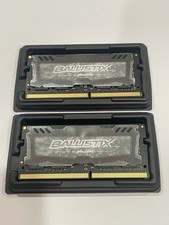
Crucial 32GB Ballistix Sport LT-Laptop Ram 2x16 DDR4 2666 Memory 2 Module Kit
$89.92
RAM G. SKILL Ripjaws V Series 16GB 2x8GB DDR4 3200 CL16 F43200C16D16GVKB Matched
$78.00
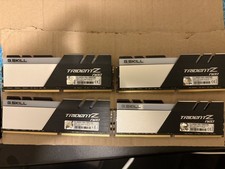
G.SKILL Trident Z Neo Series DDR4 RAM 128GB 4x32GB (F4-3600C18Q-128GTZN)
$800.00
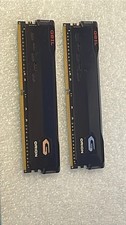
GeIL ORION 32GB (2 x 16GB) DDR4 3200 (PC4 25600) Desktop Memory Read Untested
$100.00
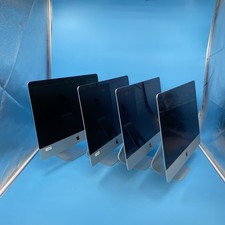
(LOT OF 4) Apple iMac16,2 (A1418) | i5 5th Gen | 8 GB RAM | 1 TB HDD | OS X^
$120.00



 Reply With Quote