-
Cannot mount NTFS : doesn't contain a valid partition table
Hi!
I am using Knoppix/linux for the first time but am not new to computers/unix general troubleshooting. And I have spent a considerable amount of time searching the current threads but haven't found anything closely related to my problem. I'm currently a bit stressed about getting my hard drive back... Hope someone can help me!
My problem is that my external USB hard drive crashed (connected by firewire) and I really need that data (300Gb). If it helps: at the time of the crash I was simply moving files around, trying to gather them in 4Gb folders so I could burn some stuff to DVD, cause my drive was just about completely full. At the same time, there was a virus check in the background, reporting a find, which file I deleted (belonging to some software folder I wasn't really using). Think I was also burning one folder at the time of crash as well. In the midst of my file-moving, my explorer window stopped responding, so I rebooted the hard drive and couldn't access it again (says corrupted filesystem). I am using Windows XP Home and the partitions were NTFS, made with Disk Mgmt console. When I tried to access my partitions with Windows Disk Management console, I could see my 3 NTFS partitions, each of the right size, but Windows didn't recognize the filesystem type anymore, describes the partitions as healthy but empty.
Now after some Google research I found that Knoppix has some good chances to recover crashed drives, so I downloaded the latest version I found: 5.0.1. When I boot from the CD it can see the partitions as existing but cannot mount them. When using "mount -t ntfs /dev/sdb1 /media/sdb1" it comes back with:
Code:
Failed to startup volume : Invalid argument
Couldn't mount device '/dev/sdb1' : Invalid argument
Mount failed.
So I used "fdisk -l" to see the partition information and got back:
Code:
Disk /dev/sdb: 300.0 GB  ...
255 heads, 63 sectors/track, 36481 cylinders
Units = cylinders of 16065 * 512 = 8225280 bytes

Disk /dev/sdb doesn't contain a valid partition table
The smallest of the 3 partitions has been successfully reformatted in Windows after the crash, there was no data in it (3Gb kept for future linux install...) but even that one I cannot mount with the CD. I can see all 3 icons for all 3 partitions but none can be mounted.
Appreciate any help you can give me!
Thanks!
LaKanook
Yes I know prospects don't look too good but I really want to recover my data, and hopefully without having to pay huge amount of money in the process.
-
Senior Member
registered user
You look like you have a corrupt partition table (which might have been caused by a virus). You should try to recover the partition tables first, and then do a virus scan. In the mean time, do not do anything drastic like reformating the remaining 2 partitions which have data. Disk rescue needs patience.
I have used the program testdisk (which is included in Knoppix) successfully in similar circumstances to rebuild a damaged partition table. Simply type the command testdisk at the root shell and follow the prompts.
It's kind of hard to describe all the steps, and anyway, it is wise to read more about testdisk before using it. So I attach a couple of links for you to see:
http://www.debian-administration.org/articles/420
http://www.sleuthkit.org/informer/sl...former-15.html
Regards.
P.S. the moderator may wish to consider moving this thread to the MS Windows section -- the poster has not done a HDD install of Knoppix, and doesn't need to for this rescue purpose.
-
I am also facing
I am installing new UNIX 5 server. I have two SCSI HDDs and One Tape Drive. My problem is my disk is 73 GB but it showing just 4GB!! WHERE IS THE REST! When i am reformatting it then server is taking 4 hrs to formate the disk!!
What this? Would any body can help me that what I am missing.
Pls help i need it very urgentlly
Thanks
-
Senior Member
registered user
I don't have much experience with SCSI drives. I will try to help but need some information. First of all, have the disks been partitioned? What is the partition structure on the disks? What file system is on the disk? When you say "it is showing just 4GB", what program is showing you this information? You have done a few operatons like formating and so on, what is the present situation of the disks?
Similar Threads
-
By Nevermore in forum MS Windows & New to Linux
Replies: 1
Last Post: 07-17-2009, 01:59 PM
-
By yonatan in forum Hardware & Booting
Replies: 9
Last Post: 02-17-2005, 02:00 AM
-
By NormanBates in forum Hdd Install / Debian / Apt
Replies: 7
Last Post: 08-21-2004, 06:46 AM
-
By Canis in forum Hdd Install / Debian / Apt
Replies: 0
Last Post: 11-13-2003, 07:52 AM
-
By bongski55 in forum Hardware & Booting
Replies: 0
Last Post: 07-28-2003, 02:45 PM
 Posting Permissions
- You may not post new threads
- You may not post replies
- You may not post attachments
- You may not edit your posts
-
Forum Rules


VTG Atari 400 Home Computer System ** Sold "AS-IS" for Parts or Repair
$88.75

Atari 130 XE/Atari 1050 Bundle W/ Cords And Extras (Powered On)
$300.00

DEFECTIVE Atari 810 Vintage Computer Disk Drive powers on Unit Only Boo G3D
$49.29

Atari 800 8-bit Computer System Fully Tested Great Condition 48k READ
$350.00
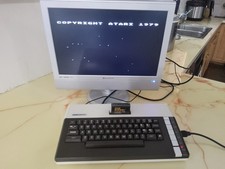
Atari 800XL Home Computer. S-Video out Tested and Works
$150.00

SDrive Max Floppy Drive Emulator Atari 8-Bit 400/800/XL/XE Firmware 1.5 USB C R2
$70.00

Fujinet 1.7.1 Atari 400 800 800XL 130XE 65XE XEGS Assembled, Tested, Working
$99.99

Atari XE 130XE Computer NTSC with Power Supply Powers On Untested
$159.95

UNOCART-2600 SD card Multi Rom Cartridge for ATARI 2600 with CASE
$34.25

ATARI HDD Drive ACSI Emulator 520-1040ST/STF/STFM, STE, Mega STE, TT030 acsi2stm
$48.95



 Reply With Quote