
1. Start Control Center from KMenu->Control CenterOriginally Posted by RobertLichen444
2. Go to Peripherals->Mouse
3. Select Double-click to open files and folders (select icons on first click) option on that page
4. Press Apply


1. Start Control Center from KMenu->Control Center
2. Go to Peripherals->Mouse
3. Select Double-click to open files and folders (select icons on first click) option on that page
4. Press Apply
 Posting Permissions


Vintage Computer Keyboard Northgate OMNIKEY Ultra
$120.00

🔥 RARE VINTAGE HP 2112A 21MX M-SERIES 16-BIT MINICOMPUTER HP
$299.99

🔥 RARE VINTAGE HP 2113A 21MX 1000 E-SERIES MINICOMPUTER CHASSIS BACKPLANE
$249.00

Lot of 2 Vintage Plextor PX-43CS SCSI CD-ROM Caddy Drives + 4 Caddies Used
$55.99
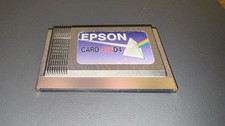
Epson Card 486D4 Single Board Computer Card PCMCIA Vintage Industrial
$906.39
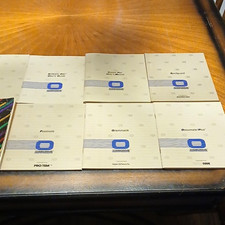
Osborne Vintage Computer CP/M User Guide Thom Hogan & Software User Manuals Lot
$45.00

Original Vintage Old Style STANDARD Black CD Jewel Case (Heavy Duty) 90g Lot
$316.95
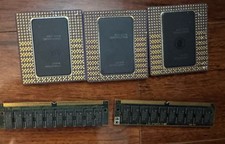
Vintage Intel Pentium Pro CPU Lot 3 Gold Ceramic Processors + 2 RAM Untested
$249.99

HP 5060-8359 8K Semiconductor Memory Module 5080-9747 Vintage HP Computer
$224.72

Vintage Hewlett Packard HP 13181-60074 Circuit Card Assembly / Interface Board.
$135.37

 Reply With Quote