-
Junior Member
registered user
You need to go to /boot/grub/menu.lst where you can change all the boot options. You will probably need to do this as root. Each option is self explanitory but read carefully and make sure you understand it all before changing anything. It should automatically make a backup of your original. You might want to upgrade to Kanotix which is Knoppix designed for a hard drive install.
Similar Threads
-
By deepak_abc in forum Hardware & Booting
Replies: 0
Last Post: 06-20-2007, 09:01 AM
-
By winfidel in forum MS Windows & New to Linux
Replies: 1
Last Post: 08-02-2006, 04:00 AM
-
By pembo13 in forum Hdd Install / Debian / Apt
Replies: 1
Last Post: 07-06-2005, 06:54 PM
-
By ishtvan22 in forum Hdd Install / Debian / Apt
Replies: 1
Last Post: 09-25-2004, 04:11 AM
-
By jimbo62 in forum MS Windows & New to Linux
Replies: 4
Last Post: 08-09-2004, 04:22 PM
 Posting Permissions
- You may not post new threads
- You may not post replies
- You may not post attachments
- You may not edit your posts
-
Forum Rules


Vintage Apple Game TAXMAN I + TAXMAN II H.A.L. Labs
$1195.00

Vintage Apple Macintosh M0100 Mouse 128K/ 512K/ Plus (260191)
$44.99

Vintage Apple Macintosh Keyboard Model M0110 - 128K/512K/Plus (260191)
$99.00

Vintage Apple Macintosh IIsi Computer, Monitor, Keyboard & Mouse Complete Setup
$199.99
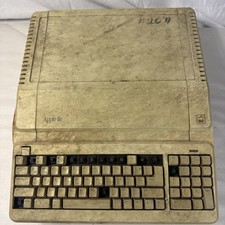
Vintage Apple IIe Platinum A2S2128 128K Computer Parts Repair Missing Keys
$100.00

Vintage Apple M1893 Power Supply PowerBook 500 520 540 550 AC Charger
$31.99

Vintage Apple PowerBook 15” G4 “Aluminum” (1.25GHz/2gb/150gb/Tiger)
$99.99
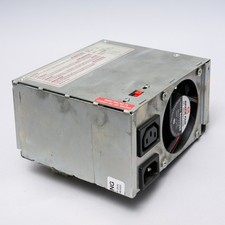
Vintage Apple Macintosh IIcx IIci Power Supply PSU FOR PARTS / REPAIR
$24.99

Apple cloth fabric banner iBook tangerine orange New Old Stock Vintage
$99.00

Vintage Apple Multiple Scan 15av Display Monitor M4681
$299.99



 Reply With Quote