

 Reply With Quote
My problem is with the mkdosswapfile command. It does not appear to work even from root. How should the permissions be set on /mnt/hda1? Could it be that mkdosswapfile or dd can not write to a fat32 file system?


Well I followed Capricorny's advice and tried to create the swapfile manually. I was able to cd to /mnt/hda1 and run the command dd if=/dev/zero of=swapfile -bs=1M count =256. Note: there is 1 gigabyte of free space on the disk (hda1). The command returns 'No more space left on device 3526656 records' When I ls -l the file it has been created and is 3526656 blocks. The swap file does appear in the /proc/swap file. My understanding is that dd creates a DOS file and that it should be persistant after Knoppix is halted. The routine in Knoppix that should create the swap file also states that the file remains and can be removed using Windows. I can not locate the swapfile on the root of the C: (hda1) drive with Windows. The Knoppix FAQ states that the /etc/fstab should be edited to include the new swap file. Is this correct? Must it be edited each time the system is booted as I'm using a Live-CD?
If I ever get this swap file created... How do I load KDE? startx /etc/bin/kde causes multiple errors. By the way Fluxbox works but, its a mater of principle now. I want to get KDE running however slow.
Thanks fo the replies guys!
My problem is with the mkdosswapfile command. It does not appear to work even from root. How should the permissions be set on /mnt/hda1? Could it be that mkdosswapfile or dd can not write to a fat32 file system?
Looks like the solution was to mount HDA1. The boot up routine did not mount the disk. After mount /dev/hda1 /mnt/hda1 the file system on the HDD was accessable and the swap file could be created. The boot up routine should mount any dos partitions it finds. This would save a lot of effort and time on the users part to diagnose the problem. Hope this info will be of help to others with the same problem.
Seems this is my exact same problem "no partition available for swapfile"
Using this system:
OS Name Microsoft Windows XP Professional
Version 5.1.2600 Service Pack 1 Build 2600
OS Manufacturer Microsoft Corporation
System Name
System Manufacturer VIA Technologies, Inc.
System Model KM266A-8235
System Type X86-based PC
Processor x86 Family 6 Model 8 Stepping 1 AuthenticAMD ~1494 Mhz
BIOS Version/Date Phoenix Technologies, LTD 6.00 PG, 9/16/2004
SMBIOS Version 2.2
Windows Directory C:\WINDOWS
System Directory C:\WINDOWS\System32
Boot Device \Device\HarddiskVolume1
Locale United States
Hardware Abstraction Layer
User Name
Time Zone Taipei Standard Time
Total Physical Memory 128.00 MB
Available Physical Memory 9.64 MB
Total Virtual Memory 324.17 MB
Available Virtual Memory 61.70 MB
Page File Space 228.68 MB
Page File C:\pagefile.sys
What should I do? I posted this in another thread but this thread seems to be getting to where I want to go since it is exactly the same problem as with the thread-starter's.
How do I create a partition so that the "no partition available for swapfile" does not appear?
Thanks!
My problem was that the /dev/hda1 was not mounted and therefore the system could not see or write to it. Suggest you do the following:
Cd /mnt/hda1 (Your hard disk partition)
ls -l to display a list of files. You should be able to see all the files on your HDD. If you can see the files then the file system is mounted and this IS not your problem.
If you need instructions see the FAQ or the rest of the replies on this topic.
Sorry I can not be of more help this is new to me also and my unix is very rusty.
Hey, just wanted to say thanks for the help for a beginner. I was trying to recover some files from a really old IBM Thinkpad Windows 98 partition that was totally screwed up and ran into this problem. I couldn't figure out how to access the Windows files, or how to transfer them into Linux since I am a bit of a noob. The option to create a swapfile kept repeating when I pressed enter. Here was my step-by-step (combines tips from previous posts). Forgive me if this is really really dumbed down, but I want it to be do-able to absolute beginners like myself.
- Select Cancel from the endlessly repeating swapfile dialogue and let Knoppix boot up with a simpler interface.
- Open a terminal (will probably open by default) and type the following, pressing enter after each line:
Code:su cd /mnt/hda1 ls- At this point, if you see a bunch of filenames pop up, skip this step. If nothing happens, type:
Now those files should pop up, which you'll recognize as some stuff on your old crappy Windows partition.Code:mount /media/hda1 cd /mnt/hda1 ls- Next type
A dialogue should pop up. Select your hard drive, and then pick a file size for the swap. I set it at the maximum recommended size.Code:mkdosswapfile- Once that's finished, go into the menu structure (by left- or right- clicking on the desktop) and there should be an option in the menu to restart/switch the Knoppix desktop. Select fluxbox (or KDE or whatever).
Be warned that everything works R E A L L Y S L O W L Y in KDE. For me anyway. Also, read the rest of these posts because I Am Not An Expert; I'm just telling you what worked for me. Thanks for your help, guys!
loclarkey
 Posting Permissions


Apple MacBook Air 13.6” M2 8GB 256GB SSD 2022 MLY33LL/A 8‑Core CPU 8‑Core GPU
$529.95

8-core 10-core GPU baseboard 8654 to PCIE 5.0x16 GPU expansion baseboard
$377.77

Panasonic Toughbook CF19 MK8 Core i5 3610ME 2.7GHz 12GB RAM 512GB SSD Win 10 Pro
$319.00
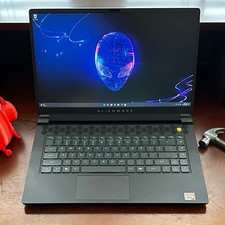
Dell Alienware m15 R7 AMD Ryzen 7 6800H 16GB DDR5 1TB SSD RTX 3070 Ti WIN 11 PRO
$920.00
HP - OmniBook 3 16" 2K Touchscreen Laptop - Intel Core Ultra 5 (2025) - 8GB M...
$479.99

(New) AMD Ryzen 7 5700X 8 Core 16 Thread AM4 Unlocked 3.4 GHz CPU OEM Tray
$169.99

Lenovo LOQ 15 15.6" FHD 144Hz 8-Core i5-12450HX 16GB 512GB SSD GeForce RTX 4050
$799.00
Lenovo ThinkCentre M720q Intel Core i3 8100t 8GB 256GB SSD M2
$110.00
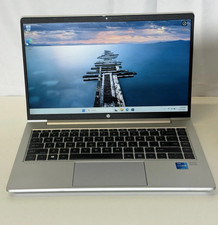
HP ProBook 640 G8 14" FHD IPS Intel Core i5-1135G7 2.4 GHz 16GB 256GB SSD W11P
$199.99
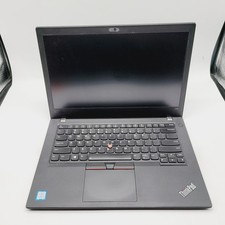
Lenovo ThinkPad T480 Core i5-8250u 1.6GHz 8GB 256GB SSD 14" ***Boot to Bios
$110.00