

 Reply With Quote
Open a shell and post the output of: ifconfig


I downloaded the latest version of the Knoppix LiveCD the other day so I could try it out and become familiar with the OS, and also just in case Windows ever fails and I need to get in and do something. Problem is, when I get in my network connection doesn't work. I am using the onboard ULI ethernet on my ASRock 939Dual-SATA2 motherboard. Here's what I've tried:
1. Knoppix menu-> Netcardconfig wizard. It asks if I want to use DHCP on eth0 or eth1... I'm pretty sure eth0 is my network connection, and eth1 might be the firewire 1394 connection on my sound blaster card? DHCP fails for both. When I say I don't want to use DHCP it asks me to type anything in manually.. I know what my ip address, gateway and subnet mask are (from ipconfig in windows) but I'm not sure what to put for the other boxes... Anyway I end up just clicking OK and it does nothing.
2. Some Googling around showed commands like "ifconfig eth0 up" and "pump" which both do nothing.
3. I went into the configuration page for my Motorola VT2442 router and made sure DHCP was enabled.
Open a shell and post the output of: ifconfig
lo Link encap:Local Loopback
inet addr:127.0.0.1 Mask:255.0.0.0
inet6 addr: ::1/128 Scope:Host
UP LOOPBACK RUNNING MTU:16436 Metric:1
RX packets:96 errors:0 dropped:0 overruns:0 frame:0
TX packets:96 errors:0 dropped:0 overruns:0 carrier:0
collisions:0 txqueuelen:0
RX bytes:6848 (6.6 KiB) TX bytes:6848 (6.6 KiB)
What the output suggests is that the integrated nic has not been recognized by knoppix, so a couple of things to look into.
The output of: lsmod will tell us if the kernel module (driver) for the nic has been loaded. You should look for something like uli526x. If it's not there you can try loading it manually, if it comes with knoppix, by typing: modprobe uli526x.
If that seems to work then proceed with ifconfig eth0 up etc. If it does not, then you can either try and find and download the driver or find a live CD distro, that has it already, Ubuntu and Kanotix come to mind, and especially considering that they have 64 bit versions.
post the output from
lspci
lspci -v
if you got the space but the plain one will tell us what knoppix can see on the bus
Knoppix does see a ethernet controller; the uli526x driver is in the output of lsmod. But when I go to do a ifconfig eth0 up it returns with a SIOCSIFFLAGS error. A little research told me that this means there is an IRQ conflict. How would I fix this? My BIOS is pretty clean.. I don't load parallel/game/serial ports or even the floppy drive.
Try cheat code "knoppix noapic". This will disable the programmable interrupt controller and result in a different IRQ assignment.
 Posting Permissions

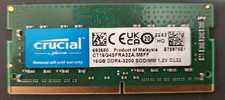
Crucial CT16G4SFRA32A.M8FF 16GB DDR4-3200 SO-DIMM Laptop Ram Memory
$54.00

RAMAXEL Lenovo 32GB LPDDR5X CAMM2 7500MHz Laptop RAM | UNTESTED
$445.00

Corsair Vengance DDR4 3200 MHz Sodimm 32 Giga (2*16) CMSX 16GX4M1A3200C22
$120.00

DDR4 Laptop RAM 4GB 8GB 16GB 32GB 2400 2666 3200 Samsung Hynix
$64.00

A-Tech 8GB DDR3 1600 PC3-12800 Laptop SODIMM 204-Pin Memory RAM PC3L DDR3L 1x 8G
$21.68

Crucial DDR3L 16GB 2 x 8GB 1600 MHz PC3L-12800 Laptop RAM Sodimm Memory 1.35V
$41.00

Major Brand 8GB PC3L-12800 (DDR3-1600) 2Rx8 DDR3L SDRAM Desktop Memory
$12.99
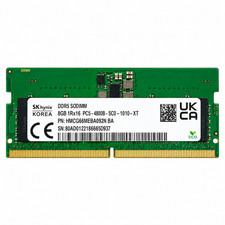
Hynix 8GB DDR5 4800MHz 1Rx16 PC5-38400 SODIMM Laptop Memory RAM HMCG66MEBSA092N
$74.99

XPG ADATA 16GB (2X 8GB) DDR4 RAM WHITE
$65.00

Netac DDR4 32GB 16GB DDR4 3200MHz UDIMM C16 Desktop Internal Memory RAM Kit
$99.99