

 Reply With Quote
What happens if you do:
Code:mount -t vfat /dev/sdb1 /media/sdb1


Hi Guys, hope someone can help, I'm at my wits ebd with this.
Under XP I ran norton defgramenter which norton goback decided was creating too many bad sectors and rebooted the machine for me. Since then I havn't been able to boot the machine. So after some digging i found NTFS4DOS which rus a chkdsk which fails on the drive during the index check which leads me to think the disk is in a bad way. So I need to get the files off and am using Knoppix to do it. I've got a 350gb toshiba external drive (fat32) which knoppix sees fine. However if i try to access the external drive i get the message you cant write to this drive (or similaer) so I dismount the drive (umout /dev/sdb1) and then remount using mount -o rw /dev/sdb1 /media/sdb1 and it tels me that because windows didn't shut down cleanily I cant mount a drive to write. Is there a way to force the drive to mount?. It is in fact clean (brand new) and I'm at the stage where I'm only trying to salvage the files from windows?. Interestingly my USB memory stick is fine and I can write to that - it thinks its a vfat drive whereas the USB tells me its a fuse device.
Sorry for any confusing stuff, I'm not a Unix system person at all, just know a bit from previous job.
Hope someone can help, or the next step is Kermit (or wireless ??) file transfer
Regards
What happens if you do:
Code:mount -t vfat /dev/sdb1 /media/sdb1
thanks for that,
tried it and the message is wrong fs type bad superblock and missing code page. Do dmesg | tail
Had a look and it says cant find a valid FAT file system.
Does it make any odds that it's FAT32 ?
Regards
Kevin
Strange.
I have a removable USB disk (in fact a ZenMicro I configured as a 4GB drive) which is formated in fat32 and the command I gave you is the one I use to mount it.
-t means you will mount the filesystem that follows. vfat is the one for fat16 and fat32
Are you sure your device is in fat32?
According to the toshiba documentation it is FAT32.
I think the issue is not that it will not mount, it's that knoppix is detecting that windows didn't close cleanly so for whatever reason won't let the USB disc mount - possibly protecting me from myself.
I can mount a ram based USB memory stick, which is vfat, and I can write to it. My assumption is that knoppix knows that it is not a physical disk and for some reason treats it differently.
The floppy also mounts ok.
When I get home I'll try mounting the USB disc on my laptop (fully working !) and see what happens, i'll also see what happends on the dead machine if I mount it for read only (-o r) I belive the default is read/write i.e. -o rw
By the way the dead disk is NTFS
Regards
Kevin
If your laptop is running XP (or the like) the best thing would be indeed to click 'safely remove hardware' in the system tray and retry on the other machine.
 Posting Permissions


(New) AMD Ryzen 7 5700X 8 Core 16 Thread AM4 Unlocked 3.4 GHz CPU OEM Tray
$169.99
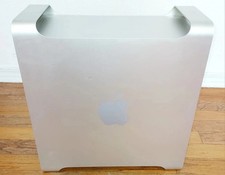
Apple Mac Pro 5,1 • 8‑Core 2.26GHz • 14GB RAM • 128GB SSD + 1TB HDD Dual NVIDIA
$325.00

Intel Core i9-9900K SRG19 3.60GHz 16MB 8-Core LGA1151 B Grade CPU Processor
$175.00

AMD Ryzen 7 7700X 8-Core, 16-Thread Unlocked Desktop Processor
$250.00

Intel Xeon E5 - 2667V2 / SR19W 3.30GHz 25MB 8-Core CPU Socket LGA2011
$30.00

AMD Ryzen 5 PRO 4650GE 100-000000153 6-Core 3.30GHz 8MB AM4 CPU Processor
$59.99

AMD FX 8350 8-CORE 4.00GHz CPU FD8350FRW8KHK SOCKET AM3+ *QTY
$39.99

AMD Ryzen Threadripper PRO 3945WX 12-Core 4.0GHz sWRX8 CPU NEW Tray Unlocked
$79.99

Home Assistant Server | 8GB RAM | 128GB SSD | Intel i5 Quad-Core | Dell OptiPlex
$159.99

DELL OPTIPLEX 3280 21.5" AIO Core i5 10500T 8GB 256GB NVMe Windows 11 -NO STAND
$179.99