

 Reply With Quote
Right-click on the sda1 icon on the Desktop and select Actions->"Change read/write mode"Originally Posted by mcrae
Alternatively, run this from console: sudo mount -o remount,rw /mnt/sda1


Hi,
probably there is something about this in the forum but I couldn't find it...sorry!
I mounted my external HDD Lacie /mntsda1/ but I cannot write on it, it says: "Read-only file system"
how can I fix this
Thanks!
Right-click on the sda1 icon on the Desktop and select Actions->"Change read/write mode"
Alternatively, run this from console: sudo mount -o remount,rw /mnt/sda1
Thanks!
I a little bit stupid now...didn't expect so simple solution
 Posting Permissions


Vintage LOT 1980s Rainbow Apple Computer Sticker/Decal - 21
$49.99
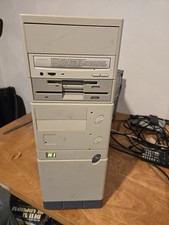
Vintage Retro Cyrix 6x86 133mhz 32mb RAM Floppy Combo
$299.00

Ast Advantage Adventure 4050D Vintage Retro Computer Great Condition
$199.99
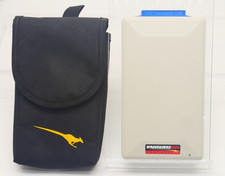
Vintage KanguruDisk Portable External Drive Module with Pouch - Rare Retro Drive
$114.88

Original Vintage Old Style STANDARD Black CD Jewel Case (Heavy Duty) 90g Lot
$316.95

Vintage IBM ThinkPad 760C Type 9546 Laptop 1995 Retro Computing TESTED Working
$125.00
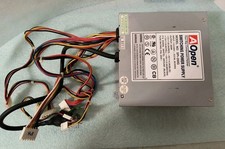
VINTAGE AOPEN MODEL SPI-200 200W AT POWER SUPPLY WITH SWITCH DS-PS-8
$34.95

VINTAGE ESS ES1868 16 BIT ISA SOUND CARD COMPAQ 247428-001 - USA SELLER RM2-SC
$24.95
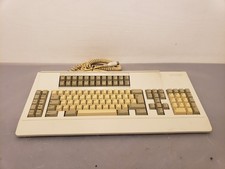
Vintage Memorex Telex 122-Key AT Terminal Keyboard 96550264
$100.00

Vintage HP 21MX 1000 M-Series Minicomputer Chassis Backplane Parts AS-IS
$228.19