-
network card not detected
Hi All
Ive just installed knoppix 5.0.1 onto my pc, all my other hardware seems to work except my wireless network card (mimo xr wl-150) ive managed to get the chipset which is ralink tech, ive downloaded the firmware and dont know how & what to do to get my network card working under knoppix. Please help as this is my first time tying out linux & im determined to move away from windoze!
Cheers! 
-
Administrator
Site Admin-
Unfortunately, Knoppix isn't particularly strong in the wireless support area, and version 5.0.1 seems to be a big step backwards from 4.02, many of us including myself who had the rare card that did work under 4.02 find that the same card no longer works under 5.0.1 (although some users have cards that still seem to work under 5.0.1).
Further complicating things is that some cards are not supported under Linux at all, the manufacturers have not released specs for the chip sets and the developer community have not figured out the programming of the chip sets yet.
My advice would be to enjoy Knoppix for what it is, a Live CD. If you can plug a normal wired ethernet controler in that should be recognized and work fine (I would avoid USB to ethernet adapters though). When it comes time to install a version of Linux you may wish to shop around a bit and find a version that supports your NIC (assuming that you determine that your NIC is supported by Linux). While Knoppix supported one NIC I have, I found that several other wireless NICS that it would never recognize were recognized and supported by Mandriva, Puppy Linux and Gentoo. They may well have been supported by a normal Debian etch install also, I didn't check, as my installed Debian system is on a wired desktop that can't take a pcmcia card.
-
Senior Member
registered user
Re: network card not detected

Originally Posted by
Ceemann
Hi All
Ive just installed knoppix 5.0.1 onto my pc, all my other hardware seems to work except my wireless network card (mimo xr wl-150) ive managed to get the chipset which is ralink tech, ive downloaded the firmware and dont know how & what to do to get my network card working under knoppix. Please help as this is my first time tying out linux & im determined to move away from windoze!
You can look into the ndiswrapper method to use the winvirus drivers if you want.
http://ndiswrapper.sourceforge.net/
Basically it allows you to use the winvirus drivers under Linux.
Its not for the faint of heat, but it might solve the problem for you.
Similar Threads
-
By spectralshadows in forum Hdd Install / Debian / Apt
Replies: 5
Last Post: 08-08-2004, 09:43 PM
-
By BlackmageIX in forum Networking
Replies: 1
Last Post: 07-24-2004, 11:57 PM
-
By alfred in forum Hardware & Booting
Replies: 6
Last Post: 03-17-2004, 05:46 AM
-
By _Iz- in forum Hardware & Booting
Replies: 9
Last Post: 01-07-2004, 12:24 AM
-
By Nextus in forum Networking
Replies: 1
Last Post: 12-15-2003, 03:49 PM
 Posting Permissions
- You may not post new threads
- You may not post replies
- You may not post attachments
- You may not edit your posts
-
Forum Rules


Dell PowerEdge FX2s + 8x FC430 Blades 16x E5-2630v4 160 Cores Rails No PSU/RAM
$699.00

AS IS READ DESCRIP. Supermicro SuperServer 6026TT-HIBQRF 12-Bay 4x X8DTT-HIBQF
$215.00

NETAPP HCI NAF-1701 SuperMicro Server 4X BLADE H410C 8X GOLD 5120 - 4X S25G NICs
$1999.97

Dell PowerEdge M630 Blade Server 2x Xeon E5-2680 v4, 2F3MP , 4GDP5 ,R10KJ ,JVFVR
$96.60
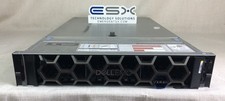
Dell R740XD VxRail P570 24x 2.5” 2U CTO Server– 2x Gold 6240, H740p, 2x 1600W
$699.00

Dell PowerEdge FX2 FX2s Server 10GbE CMC Blade Enclosure Chassis
$274.99

Dell PowerEdge VRTX Rackmount Chassis w/4x PSUs 2x CMC Modules
$399.98

Dell PowerEdge M620 Blade Server 2x Xeon E5-2680v2 2.8ghz 20-Cores | 128GB
$149.99

Dell PowerEdge FC430 Blade Server 2x Xeon E5-2630v4 20 Cores FX2 FX2s No RAM/HDD
$119.99

Intel H2000 4 Node H2216XXKR, 2x 1600w PSU HPC Server Chassis 16x 2.5"
$199.99



 Reply With Quote