-
Junior Member
registered user
transfer large files between knoppix and XP machines
One machine is running debian unix installed from knoppix CD. The other is running XP. They are both connected to the same router. I don't know the first thing about networking. When I got the router, I just hooked it up like it said on the instructions and both machines now get to the internet. In the past what I have done to exchange files between the machines is to mail myself an attachment on one machine. Then I access my yahoo mail account on the other machine and download the attached file. This was working fine until I got some really big files to move. One of them is video that I want to edit with the Debian unix I installed from the knoppix CD. Any assistance would be greatly appreciated.
-
Administrator
Site Admin-
If you're mailing files between windows system then you are really doing things the hard way. Windows will let you "share" a file, a directory (folder) or even an entire disk partition. You can make the share read-only or read-write, and you can control who has access (either by password in Win98 or by password and user account information in XP, they work somewhat differently but do interact). I would suggest that you learn to do this before trying to get Knoppix to share files with XP.
Knoppix has tools that let it network and share files with XP. Sometimes this can be simple to set up, sometimes not. Unfortunately, it looks to me like Windows has done things to make sharing files between Linux and Windows slower than need be. The way I have found that works best for me is not to use the Windows file sharing logic at all, but rather to use FTP. I start a FTP server on one side and use an FTP client on the other to move files back and forth between systems. This makes for much faster transfers, particularly with lots of files or large files.
There are plenty of good windows FTP servers out there. I would suggest looking at Filezilla, although there are others and whatever you like can be a good choice. I believe that the 5.0.1 DVD now has a FTP server on it but I'm not certain of that as I have not used it, I only use a FTP client on the Knoppix side. For that Konquror (the browser window that starts when KNoppix starts) is a perfectly fine FTP client, although there are other choices there too.
-
Administrator
Site Admin-
Re: transfer large files between knoppix and XP machines

Originally Posted by
unckybob
One of them is video that I want to edit with the Debian unix I installed from the knoppix CD. Any assistance would be greatly appreciated.
There are some things wrong with this one line and I wanted to address it on it's own.
- Debian isn't Unix. It's Linux.
You can't install real Debian from a Knoppix CD, you can only install a bastardized Debian like thing that will likely give you problems and the Debian community will not support. I suggest installing Debian from a Debian net-install CD, which will work fine with your router.
-
Junior Member
registered user
Me again
Thanks for the reply! I've installed FileZilla's client and server. I hope these novice questions are not a bother, but now that I've installed these things, I have absolutely no clue on how to use them. Help anyone?
-
Administrator
Site Admin-
Gee, I rather thought Filezilla was extremely intuitive, I've been using ftp since before there were GUIs for it. That takes a little manual reading to get the commands right, but I don't know that I ever bothered to look at documentation for Filzilla or any othe gui bassed FTP program. There should be plenty of documentation for the programs though, i suggest that you start there. I'll be glad to answer questions, but I'm not going to write a full "USING FTP TUTORIAL" here. I'll give you a few basic hints: start the server first, configure it so the user has access to the desired files/directories. Start the client (on the other computer). Connect to the server (by server IP address is the simplest way, although there are others). Login as you setup the server. The gui should show files on each system, navigate to where you want to be and start the transfer. QED.
Similar Threads
-
By stanislavche in forum General Support
Replies: 4
Last Post: 06-20-2009, 09:51 AM
-
By dariogi in forum Hardware & Booting
Replies: 9
Last Post: 12-11-2008, 12:49 AM
-
By Casshern in forum General Support
Replies: 2
Last Post: 11-12-2005, 07:07 AM
-
By method in forum Networking
Replies: 3
Last Post: 10-18-2004, 05:32 PM
-
By ph28205 in forum MS Windows & New to Linux
Replies: 9
Last Post: 08-13-2004, 02:37 PM
 Posting Permissions
- You may not post new threads
- You may not post replies
- You may not post attachments
- You may not edit your posts
-
Forum Rules

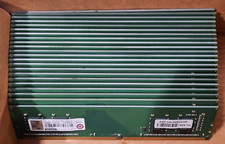
Lot of 88GB (22x4GB) ADVANTECH 1RX16 DDR4 PC4-2400U AQD-D4U4GN24-HP MEMORY RAM
$286.00

Netac DDR4 32GB 16GB DDR4 3200MHz UDIMM C16 Desktop Internal Memory RAM Kit
$99.99
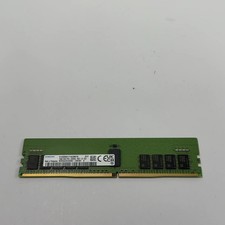
Samsung M393A2K43DB3 16GB (1x16GB) RAM DDR4 3200MHz M393A2K43DB3
$89.99
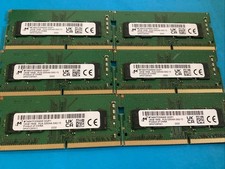
Lot of 6 Micron MTA8ATF2G64HZ-3G2F1 16GB 1Rx8PC4-3200AA-SA2-13 Laptop Memory RAM
$300.00

A-Tech 8GB DDR3 1600 PC3-12800 Laptop SODIMM 204-Pin Memory RAM PC3L DDR3L 1x 8G
$21.68

Major Brand 16GB (2x8GB) PC3-12800U DDR3-1600MHz DDR3-12800 DESKTOP RAM NON-ECC
$29.99
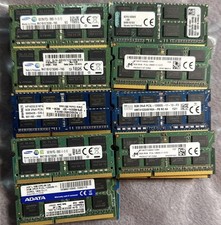
Lot 43 Mixed Brands Micron MT16KTF1G64HZ-1G6N1 8GB 2Rx8 PC3L-12800S-11-13-F3 RAM
$649.99
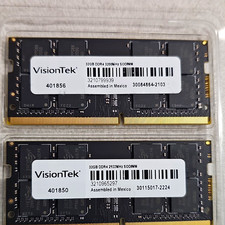
VisionTek 64GB (2x32GB) DDR4 SO-DIMM Laptop RAM 260-Pin DDR4-3200
$240.00

Micron 32GB 1x32GB DDR5 5600 CL46 ECC Unbuffered SO-DIMM MTC20C2085S1TC56BD1
$399.00
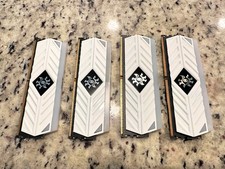
ADATA XPG Spectrix White RGB AX4U320038G16-BW41 32GB DDR4 matching set of 8GB
$149.99



 Reply With Quote