-
Don't Have Permission to Access Disk
Forgive me for posting in this forum and mis-posting in the "Installing on an HD" forum earlier today. I have been attempting to use Knoppix to recover files from a hosed Debian install on a HDD. Knoppix boots fine, allows me to config network, but I cannot see the HDD partitions on the desktop, but I can browse the drive using testdisk. When I use the Personal Files browser (the little Red House on the taskbar), I can see hda1 as a bunch of colored boxes (ala Q-Bert), but when I click on it, I am told that "You do not have enough permissions to read the file file:///dev/hda1"
I changed the root password on Knoppix to the same root pass as I used on the Debian install. I am also told that the drive is mounted already if I attempt to mount it somewhere...although there is nothing in /etc/fstab or /etc/mtab that says anything about hda1. This post is in line with what I have been experiencing. I ran cat /proc/partitions and fdisk -l /dev/hd? and both showed info for hda1 that I would expect.
At this point, I am starting to think that there is some kind of permission issue and that the drive is actually mounted...but, not shown because of some kind of permission issue. I am lost.
-
Senior Member
registered user
Re: Don't Have Permission to Access Disk

Originally Posted by
iamchachi
Forgive me for posting in this forum and mis-posting in the "Installing on an HD" forum earlier today. I have been attempting to use Knoppix to recover files from a hosed Debian install on a HDD. Knoppix boots fine, allows me to config network, but I cannot see the HDD partitions on the desktop, but I can browse the drive using testdisk. When I use the Personal Files browser (the little Red House on the taskbar), I can see hda1 as a bunch of colored boxes (ala Q-Bert), but when I click on it, I am told that "You do not have enough permissions to read the file file:///dev/hda1"
You can't browse the files from /dev/hda1. You need to browse from where that partition is mounted, usually /mnt/hda1 or /media/hda1.
If it's not mounted yet, you can do this from Konsole to mount it:
Code:
sudo mkdir /hda1
sudo mount /dev/hda1 /hda1
And after that try to browse the /hda1 directory
Originally Posted by
iamchachi
I am also told that the drive is mounted already if I attempt to mount it somewhere...although there is nothing in /etc/fstab or /etc/mtab that says anything about hda1.
Did you check the output from mount command? Does it say anything about hda1? For me it gives something like
Code:
knoppix@0[knoppix]$ mount
...
/UNIONFS/dev/hda1 on /mnt/hda1 type ext2 (ro,nosuid,nodev)
This tells me that /dev/hda1 is mounted at /mnt/hda1 and so I can browse the files from there. (Just ignore the /UNIONFS on the beginning of that line).
-
malaire,
sudo mdir /hda1 goes fine
sudo mount /dev/hda1 /hda1 - outputs mount: /dev/hda1 already mounted or /hda1 busy
Also, mount | grep hda outputs nothing.
cat /proc/partitions outputs:
major minor #blocks name
3 0 20044080 hda
3 1 19189611 hda1
3 2 1 hda2
3 5 851413 hda5
240 0 1991680 cloop0
254 0 20044048 dm-0
254 1 19189611 dm-1
254 2 851413 dm-2
-
Senior Member
registered user
Originally Posted by
iamchachi
malaire,
sudo mdir /hda1 goes fine
sudo mount /dev/hda1 /hda1 - outputs mount: /dev/hda1 already mounted or /hda1 busy
Also, mount | grep hda outputs nothing.
That's strange. I don't know how that could be possible so I don't really know if I can help here 
Did you also check /mnt/hda1 and /media/hda1 just in case hda1 would be mounted there?
-
Yes, I thought, with my limited wisdom, that is was strange as well. I have checked a lot of places to see if it was mounted there...but no love. There was one messge I saw somewhere along the way that warned the blocks where 2054 and not 512 in size. It didn't say it was a problem, it just mentioned it. I don't remember exactly where I saw that. But, at this point, that is all I can think of.
-
I am sure there is some kind of low-level conflict with Knoppix and my drive or controller at this point. But, I just had success mounting right away with MEPIS 6.0. Of course, the network would not keep my static IP configuration long enough for me to transfer anything off the machine (changes stayed in place for about 10 seconds each time). I did however have a small memory stick that has managed to keep the public safe from me and a near-rampage.
I am sure this is a rare situation, as it sounds like KNOPPIX is really good at recognizing and mounting drives on its own, but if I can help the dev team figure this out I am game.
Thanks for your help malaire.
-Jason
Similar Threads
-
By spongebue in forum General Support
Replies: 2
Last Post: 01-04-2010, 03:10 AM
-
By WHODIDDAT in forum Hardware & Booting
Replies: 1
Last Post: 05-16-2007, 03:21 AM
-
By jch02140 in forum The Lounge
Replies: 1
Last Post: 01-18-2007, 05:36 PM
-
By jdharap in forum Customising & Remastering
Replies: 1
Last Post: 01-09-2007, 08:46 AM
-
By db109 in forum Hdd Install / Debian / Apt
Replies: 3
Last Post: 06-13-2005, 09:57 AM
 Posting Permissions
- You may not post new threads
- You may not post replies
- You may not post attachments
- You may not edit your posts
-
Forum Rules


(2) Seagate SAS Hard Drive Exos 7E8 3TB 7200RPM 128MB 12Gb/s 3.5 ST3000NM0035
$49.99

Dell EMC WD-HITACHI H5H72101CLAR10T0 10TB 7.2K SAS 12Gb/s SED 3.5in A POH 0-50k
$189.99

WD Ultrastar DC HC530 14TB SATA 6G 3.5" 7200RPM Enterprise HDD - WUH721414ALE604
$329.99

Seagate BarraCuda ST3000DM008 3TB Internal SATA 6Gb 3.5" Hard Drive 7200RPM 64MB
$91.99

Seagate ST2000NX0253 2TB 2.5" 7200 RPM SATA 6Gb/s HDD
$19.99

Toshiba 14TB MG07 MG07ACA14TEY 7.2K RPM SATA 6Gb/s 512e 3.5" Enterprise HDD
$299.00

Seagate ST28000NM001C 28TB 256MB 7200RPM 3.5" SATA 6.0Gb/s Enterprise Hard Drive
$669.99
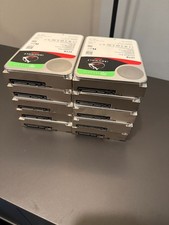
Seagate IronWolf Pro 12TB, Internal, 7200RPM, 3.5" (ST12000NE0007) HDD
$300.00

Seagate Exos X16 ST12000NM001G 12TB 256MB 7200RPM 3.5" SATA 6Gb/s Enterprise HDD
$349.95

Seagate 6TB HDD ST6000NM0034 7.2K 3.5" SAS 12Gb/s (NOT FOR PC - FOR SERVER ONLY)
$87.00



 Reply With Quote