-
card reader detected not mount-able
On a PC normally driven bu Debian etch, knoppix 5.0.1 from CD detects card reader
Bus 001 Device 002: ID 0dda:2005 Integrated Circuit Solution, Inc.
Device Descriptor:
bLength 18
bDescriptorType 1
bcdUSB 2.00
bDeviceClass 0 (Defined at Interface level)
bDeviceSubClass 0
bDeviceProtocol 0
bMaxPacketSize0 64
idVendor 0x0dda Integrated Circuit Solution, Inc.
idProduct 0x2005
bcdDevice 1.6b
iManufacturer 1 ICSI
etc
$ dmesg | grep sd
detected as sda
It is not mounted by launching knoppix from CD with card reader inseeterd.
Trying to mount it like in Debian
mnt#mkdir flash
#mount -t vfat /dev/sda1 /mnt/flash
device sda1 does not exist
#mount -t vfat /dev/sda /mnt/flash (which is wrong per se)
no medium found
before going to buy an expensive 9GB flash card I would like to be able to mount this card reader (Sony card memStick)
Thanks for help
francesco pietra
-
Senior Member
registered user
Hello,
I am sorry, I cannot be sure what your problem is, as I have been trying, but my Sony memory stick always mount with no problems. I only have 2 suggestions:
1) After Knoppix has finished starting up, have you tried removing the memory stick and reinserting? This could lead Knoppix to detect the memory stick.
2) (This is a stupid suggestion I know -- but it happened to me before) Is it possible that your memory stick is inserted upside down? On my card reader, it is possible to insert the memory stick upside down! When I did that and tried to mount, I got the same error message you got: "device sda1 does not exist".
P.S. Wow, there is a 9GB flash card? How much does it cost?
-
reply card reader
No the cardreader/Sony memstick are used as on Debian (where they work)
Extracting and reinserting the Sony memstick did not help.
The 9GB was priced 118 euros (VAT included) in Pisa. I did not check either the brand or the guaranty for how many writing sessions.
As to my problems above (similar to those with the Ethernet, se accompanying mail on forum), I suffer from lack of clear indications about filesystems into play. I looked on knoppix at /etc/fstab and run df -h, fdisk ..., all largely different from what is seen on Debian. Surely by deepening the matter one might be able to compare, but it takes time, which I lack. It is the common fault of software: a lot of indications on click here and there, and a lack of clear statements at the beginning where the filesystems are and at what purpose.
Cheers
francesco
-
I know this isn't helpful, but I will chime in and say that I have a similar issue with a PCMCIA CF reader. Unfortunately, I already own a 2GB CF card, and it would be perfect for use as storage under knoppix. I tried your mounting commands just for laughs, and I got the same "no special device" error, too. I hope that a Knoppix guru has some advice for you and for me. Best of luck.
-
I got my CF PCMCIA reader to work on my Sony laptop by not plugging in the card until after udev had autoconfigured the devices. It seems that there is a bug that will not let CF cards in PCMCIA adapters be mounted more than once. On my Sony, it resets the device right before the X manager starts (in this case KDE). If I wait until I've entered KDE, it works. If I try it with the card inserted, and go through boot, it doesn't work. Hope this works for you. It works for my Sony GRT170, but does not work on my Clevo M400a no matter what I do.
Similar Threads
-
By Aerows in forum Hardware & Booting
Replies: 0
Last Post: 10-10-2006, 02:45 AM
-
By monogram in forum Hardware & Booting
Replies: 0
Last Post: 11-06-2005, 09:44 PM
-
By lotech in forum General Support
Replies: 0
Last Post: 05-23-2005, 03:27 AM
-
By spurious in forum Tips and Tricks
Replies: 3
Last Post: 02-15-2004, 10:18 PM
-
By stukennedyuk in forum Hardware & Booting
Replies: 2
Last Post: 02-14-2004, 03:41 PM
 Posting Permissions
- You may not post new threads
- You may not post replies
- You may not post attachments
- You may not edit your posts
-
Forum Rules


DKB MegAChip for Amiga 2000/500 2MB Chip Ram expansion with 8375 Agnus Tested
$285.00

Framethrower, Amiga HDMI output via a PiStorm A500 A2000
$40.00
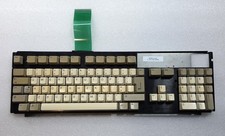
Commodore Amiga 1200 Keyboard, Caps Lock LED Faulty TESTED
$99.99

Commodore Amiga A1200 Vintage Computer Power Supply Mouse Bundle - Tested
$999.99

Commodore Amiga 2000HD Vintage Personal Computer A2000
$599.99
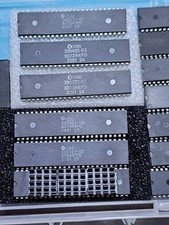
ECS SUPER DENISE CSG 390433-02 8373R4PD for Commodore Amiga 500 2000 2500 3000
$127.00
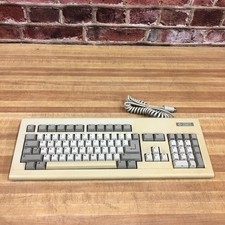
Vintage Commodore Amiga 2000 Computer Keyboard
$249.95
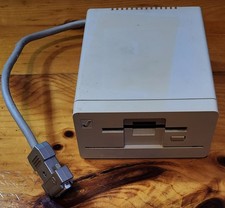
Commodore Amiga 1010 External 3.5” Floppy Drive A500 A1000 A2000 • Untested
$64.99

RGB2HDMI Amiga 500 UltraLong (Accelerator Friendly) HDMI Games, non-RTG A500
$50.00

Commodore VIC-20 Diagnostic Cartridge & Test Harness Set - USA seller
$39.99



 Reply With Quote