

 Reply With Quote
Hi there
What are you trying to configure?
If it's sound use in su root
]$ alsaconf
I hope this helps
]$ lspci
This gives a readout of your hardware
take note of 'audo'.


Can someone explain simply this; I wish to load the module snd-seq automaticaly at boot time with knoppix V5.
I've read the man pages but they just confuse me and lead me around in circles.
I will be greatful for any help, thanks.

Hi there
What are you trying to configure?
If it's sound use in su root
]$ alsaconf
I hope this helps
]$ lspci
This gives a readout of your hardware
take note of 'audo'.
I already have sound, but if I want to use qjackctrl which I use with qsynth and rosegarden I must have that particular module loaded or qjackctrl gives error messages and will not run. If however I type modprobe snd-seq in a terminal qjackctrl works perfectly with no errors afterwards. I'd just like to have it automatically load at boot time(snd-seq).
I think I'm supposed to use modutils but the instructions don't seem to tell me how to actually do it.

Right. modprobe snd-seq sets it to the kernel.
check out ]$ lspci before and after insertion
Is it not being saved by persistent home or better?
What about putting an entry in '/etc/modules'? Just a guess, not tested myselfOriginally Posted by coltrane4

Tried editing the modules file but the entry seems to be automatically removed by knoppix, and apparently you're not supposed to edit the modules.conf file directly. I'm totally confused
What I was referenced to is not '/etc/modules.conf' but '/etc/modules' instead
I tried using the /etc/modules again just to make sure, but the same thing happens again, the entry is
removed at boot time and module not loaded. I know you could do that on older versions of different
distributions, I've done it myself, but not now.
Still not sure where I'm supposed to make the entry, but I'll keep looking.
It's quite possible that this is a knoppix_strictly_related_issue in the same way as es. the 'fstab' entries that are overwritten at every reboot without putting the 'nofstab' cheatcode in lilo or grub.
The '/etc/modules' file, in a well_debian_compliant distro, should be the correct file to edit, in order to obtain the modules being loaded at boot time.
This article seems to confirm my thought
Even in the same way as the 'fstab' issue, still a cheat-code can help here, maybe 'modules-disk'?
Ok
To get snd-seq loaded try this:
make a copy
cp /etc/init.d/knoppix-autoconfig /etc/init.d/knoppix-autoconfig0
then write in the knoppix-autoconfig about line number 789
# Load snd-seq module
modprobe snd-seq >/dev/null 2>&1
and save it
check out lspci before and after configuration on:
snd
see if this works
 Posting Permissions


Lenovo ThinkStation P520c Intel Xeon W-2133 6-Core 3.60GHz -NO RAM/ HDD/ GPU/ OS
$127.54

Intel Xeon Phi 5110P 60-Core 1.053GHz Coprocessor
$50.00

Dell EMC PowerEdge R440 Xeon silver 4215 2.5GHz 16 GB ram 2x 550W PSU No HDD
$275.00

Dell Precision Tower 7810 Xeon E5-2630 v3 @ 2.40GHz , 32GB Ram, NO HDD, NO OS
$239.99

Dell Precision T5820 Workstation 3.70GHz W-2135 No RAM/ GPU/ HDD/ OS
$179.98

Intel Xeon E5-2680 V2 2.8GHz 10-Core 25MB 8GT/s SR1A6 LGA2011 B Grade Server CPU
$7.95

Intel Xeon E5-2699 V4 2.20GHz 55M 22-CORES LGA2011-3 Server Processor 145W SR2JS
$84.49
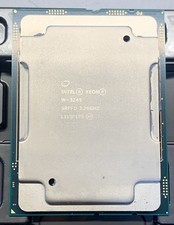
Intel Xeon W-3245 16-Core 3.2GHz (SRFFD) Apple MAC PRO A1991 CPU Processor
$199.99

For Parts - Lenovo ThinkServer TS460 Part Number: 70TT-0020UX
$149.99

Dell Precision T1700 Workstation Intel Xeon 16G Ram 256GG SSD Nvidia 600 Win 10
$109.99
