-
KNOPPIX from CD with data & programs on external HD
I am nearly sure that my question was already answered. If so, please address me to that point that I was unable to find and accept my apologies.
For a scientific travel - unaware of the hardware I'll found - I plan to bring with me KNOPPIX 5.0.1 on CD and an external USB/Fireware HD (I dropped the idea of flash card because uncertain if it will run on any hardware - I had problems with mine - and very expensive in large size) for my data and special programs. That is, I would like to put on the external HD my debian home which includes both pure debian programs and wine for a couple of non-unix programs I need.
I do not intend to remaster KNOPPIX (if not essential to what I intend to do), nor of running it from HD because speed is no problem for what I need.
I just got the USB/Firewire HD to be partitioned, formatted, and worked out.
Thanks a lot for any help.
francesco pietra
-
Senior Member
registered user
-
Senior Member
registered user

Originally Posted by
patelbhavesh
He said that he didn't want to install Knoppix, so I don't think that would help.
-
Senior Member
registered user
Re: KNOPPIX from CD with data & programs on external HD
Originally Posted by
Francesco Pietra
I am nearly sure that my question was already answered. If so, please address me to that point that I was unable to find and accept my apologies.
For a scientific travel - unaware of the hardware I'll found - I plan to bring with me KNOPPIX 5.0.1 on CD and an external USB/Fireware HD (I dropped the idea of flash card because uncertain if it will run on any hardware - I had problems with mine - and very expensive in large size) for my data and special programs. That is, I would like to put on the external HD my debian home which includes both pure debian programs and wine for a couple of non-unix programs I need.
I do not intend to remaster KNOPPIX (if not essential to what I intend to do), nor of running it from HD because speed is no problem for what I need.
I just got the USB/Firewire HD to be partitioned, formatted, and worked out.
So first you need to partition the HD. If you don't know how to use the tools included in Knoppix (e.g. fdisk, cfdisk), then you could try GParted LiveCD (~30MB) instead to do the partitioning.
After you have partitioned it (maybe a single FAT32 partition), just start Knoppix and see if you get an icon for it on the desktop.
I havn't used any USB/Firewire HDs so I don't know how well Knoppix supports them.
After that just click on the icon to use it, and right-click the icon and select "Actions->Change read/write mode" to make the partition writable.
If you want Knoppix to save your home-directory (and maybe other changes in the filesystem) there automatically, you need to create a "persistent home" on that HD. (In Knoppix 4.0.2 it's at KMenu->KNOPPIX->Configure->"Create a persistent KNOPPIX disk image")
-
Senior Member
registered user
Re: KNOPPIX from CD with data & programs on external HD
About the Firewire support:
I just noticed a thread on debian-knoppix list in which someone had problems with Knoppix 5.0.1 and Firewire HDs while Knoppix 4.0.2 worked.
-
Install Knoppix501 on usb/firewire external HD
Hi all who helped a lot:
I examined your suggestions and decided that Pivot Root Install is just what I need. Unbelivable possibility were it not true.
Preliminarily I tried on my i386 (drawback: live knoppix501 refuses networking; on my amd64 it networks, though I can not use the machine because APC broken and HD raid too expensive to be used without protection). So I have to proceed with i386.
On sda (unformatted Samsung 80 GB), following
#knoppix-installer
I used qtparted., though I was in doubt how to go on because of my limited knowledge (I only know how to use debian installer, raid or no raid). Well, I devised to partition as follows:
/ (root) (ext3 10GB)
/swap (linux-swap 3 GB)
/usr (ext3 10GB)
/var (ext3 3GB)
/tmp (ext3 3GB)
/home (ext3 30GB)
Now the doubts:
I set up /, /saw, and /usr as primary partitions, filesystems as above. I thought I have exhausted possibilities for primary partitions and went to extended partitions. I could just set one (with no specification of filesystem). Then, the remaining free disk refused to be partitioned further.
The question is how to modify my obviously wrong procedure and if the stated partitions are advisable, or better just a couple of partitions. I am used at that partitioning scheme on debian, though I can change if necessary.
Once the system is up, do you expect that networking difficulties on my i386 may be overcome for apt-get?
Thanks for your exquisite kindness
francesco
Similar Threads
-
By weswood88 in forum Hardware & Booting
Replies: 5
Last Post: 08-04-2009, 02:15 AM
-
By witt734 in forum Hardware & Booting
Replies: 0
Last Post: 04-07-2009, 06:27 PM
-
By jeremy2300 in forum General Support
Replies: 4
Last Post: 06-05-2004, 07:49 PM
-
By hickorynut01 in forum General Support
Replies: 3
Last Post: 09-28-2003, 05:33 PM
-
By insomica in forum General Support
Replies: 1
Last Post: 06-12-2003, 10:03 PM
 Posting Permissions
- You may not post new threads
- You may not post replies
- You may not post attachments
- You may not edit your posts
-
Forum Rules


Dell 6P85J 4TB ST4000NM0063 7.2k 6Gb/s 3.5” SAS SED Hard Drive with Tray
$39.99

Western Digital HUS726T4TAL5204 4TB 7.2K SAS 12Gb/s 3.5" 512e HDD NetApp X375A
$64.00

DELL 2TB Enterprise HDD (7200RPM, 3.5", SATA III, 128MB Cache) HUS722T2TALA600
$49.95

Seagate ST12000NM0127 12TB 256MB 7200RPM 3.5" SATA 6.0Gb/s Enterprise Hard Drive
$318.99

Seagate ST500DM009 BarraCuda 500 GB 3.5" SATA III Desktop Hard Drive
$14.99

HGST HUA723030ALA640 3TB SATA 7200 RPM 3.5 in Enterprise HDD | 0F14044 (100%)
$45.00

Dell ST6000NM0034 1HT27Z-150 NWCCG 6TB SAS 3.5 7.2K ENTERPRISE SERVER DRIVE
$68.99

HGST HUS724040ALA640 HDD 4TB SATA 6Gb/s 7.5K 3.5" 0F19459 512 b/s
$78.00

(ST8000NM0045) SEAGATE ENTERPRISE 8TB 7200RPM 4Kn SATA 6Gb/s 3.5" HARD DRIVE
$199.99
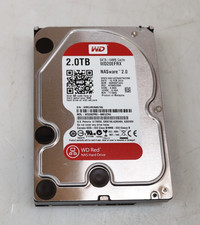
Western Digital 2TB WD20EFRX-68EUZN0 3.5" SATA Red NAS Hard Disk Drive
$69.99



 Reply With Quote