

 Reply With Quote
I think this is what might help
http://www.knoppix.net/wiki/Pivot_Root_Install


I am nearly sure that my question was already answered. If so, please address me to that point that I was unable to find and accept my apologies.
For a scientific travel - unaware of the hardware I'll found - I plan to bring with me KNOPPIX 5.0.1 on CD and an external USB/Fireware HD (I dropped the idea of flash card because uncertain if it will run on any hardware - I had problems with mine - and very expensive in large size) for my data and special programs. That is, I would like to put on the external HD my debian home which includes both pure debian programs and wine for a couple of non-unix programs I need.
I do not intend to remaster KNOPPIX (if not essential to what I intend to do), nor of running it from HD because speed is no problem for what I need.
I just got the USB/Firewire HD to be partitioned, formatted, and worked out.
Thanks a lot for any help.
francesco pietra
I think this is what might help
http://www.knoppix.net/wiki/Pivot_Root_Install
He said that he didn't want to install Knoppix, so I don't think that would help.Originally Posted by patelbhavesh
So first you need to partition the HD. If you don't know how to use the tools included in Knoppix (e.g. fdisk, cfdisk), then you could try GParted LiveCD (~30MB) instead to do the partitioning.
After you have partitioned it (maybe a single FAT32 partition), just start Knoppix and see if you get an icon for it on the desktop.
I havn't used any USB/Firewire HDs so I don't know how well Knoppix supports them.
After that just click on the icon to use it, and right-click the icon and select "Actions->Change read/write mode" to make the partition writable.
If you want Knoppix to save your home-directory (and maybe other changes in the filesystem) there automatically, you need to create a "persistent home" on that HD. (In Knoppix 4.0.2 it's at KMenu->KNOPPIX->Configure->"Create a persistent KNOPPIX disk image")
About the Firewire support:
I just noticed a thread on debian-knoppix list in which someone had problems with Knoppix 5.0.1 and Firewire HDs while Knoppix 4.0.2 worked.
Hi all who helped a lot:
I examined your suggestions and decided that Pivot Root Install is just what I need. Unbelivable possibility were it not true.
Preliminarily I tried on my i386 (drawback: live knoppix501 refuses networking; on my amd64 it networks, though I can not use the machine because APC broken and HD raid too expensive to be used without protection). So I have to proceed with i386.
On sda (unformatted Samsung 80 GB), following
#knoppix-installer
I used qtparted., though I was in doubt how to go on because of my limited knowledge (I only know how to use debian installer, raid or no raid). Well, I devised to partition as follows:
/ (root) (ext3 10GB)
/swap (linux-swap 3 GB)
/usr (ext3 10GB)
/var (ext3 3GB)
/tmp (ext3 3GB)
/home (ext3 30GB)
Now the doubts:
I set up /, /saw, and /usr as primary partitions, filesystems as above. I thought I have exhausted possibilities for primary partitions and went to extended partitions. I could just set one (with no specification of filesystem). Then, the remaining free disk refused to be partitioned further.
The question is how to modify my obviously wrong procedure and if the stated partitions are advisable, or better just a couple of partitions. I am used at that partitioning scheme on debian, though I can change if necessary.
Once the system is up, do you expect that networking difficulties on my i386 may be overcome for apt-get?
Thanks for your exquisite kindness
francesco
 Posting Permissions


Samsung 2.5" 870 EVO SSD SATA III 250GB 500GB 1TB Internet Solid State Drive Lot
$60.00

External SSD 1TB 2TB 4TB Portable Hard Drive USB 3.0 Type-C High Speed PC Mac
$19.99

Dell Latitude 14" Laptop Computer Intel i5 Up To 32GB RAM 1TB SSD Windows 11 Pro
$545.25

Seagate Desktop 1TB/1000GB SATA 3.5" HDD Hard Drive
$29.99

Crucial MX500 1TB 2.5" SATA III Internal SSD CT1000MX500SSD1
$99.99

SAMSUNG T7 Portable SSD 1TB Indigo Blue USB 3.2 Gen2 External MU-PC1T0H/AM
$159.99

Acer Predator Helios Neo 16S AI 16" i9 275HX 2S RTX 5070 Ti 32GB 1TB SSD Refurb
$1746.47

1TB Kingston DataTraveler Max DTMAX/1TB USB Type-C Flash Drive
$86.95
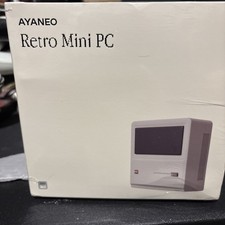
AYANEO AM01 AMD Ryzen 7 5800U Gaming Mini PC Retro Classic DP DDR4 32GB 1Tb
$400.00
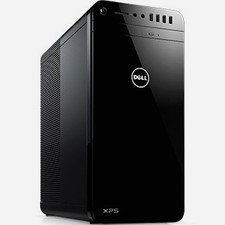
Dell XPS Series Desktop PC Tower, Black, 32GB RAM, 1TB HD, Intel(R) Core(TM) i7
$600.00