

 Reply With Quote
oh and if it helps, im running Knoppix on a Dell Inspiron 1150.
Himura


I'm gonna admit that i am a noob when it come to linux (but i am learning). So any way i have Knoppix, and boot it from a cd. So when i boot Knoppix Live CD and get into it and all i have no internet connection. So can anyone help me get Knoppix to connect to the internet. I have both the wire and wireless.
oh and if it helps, im running Knoppix on a Dell Inspiron 1150.
Himura
Did you run the netcardconfig setup and still no connection?Originally Posted by Himura251
Boot the CD, then click the Penquin in the lower bar/(aka kicker) and then Network/Inetnet then click Netcard configuration.
If you have a router when it asks to use DHCP click yes. If it completes with out an error message or hanging up then try opening konqueror (the Gear with the planet inside) icon on the kicker and see if you can goto sites.
If not then do the following:
OPen a console (the computer screen looking icon on the kicker) then type ifconfig (hit enter)
You should get something similar to the first text.
Next type cat /etc/resolv.conf (hit enter)
You should get something similar to the second text.
rec9140@rickscne:~$ ifconfig
eth0 Link encap:Ethernet HWaddr 00:0C:29:EB:F9:23
inet addr:192.168.1.2 Bcast:192.168.1.255 Mask:255.255.255.0
inet6 addr: fe80::20c:29ff:feeb:f923/64 Scope:Link
UP BROADCAST RUNNING MULTICAST MTU:1500 Metric:1
RX packets:166845 errors:0 dropped:0 overruns:0 frame:0
TX packets:160134 errors:0 dropped:0 overruns:0 carrier:0
collisions:0 txqueuelen:1000
RX bytes:111851710 (106.6 MiB) TX bytes:29801153 (28.4 MiB)
Interrupt:18 Base address:0x1080
lo Link encap:Local Loopback
inet addr:127.0.0.1 Mask:255.0.0.0
inet6 addr: ::1/128 Scope:Host
UP LOOPBACK RUNNING MTU:16436 Metric:1
RX packets:4143 errors:0 dropped:0 overruns:0 frame:0
TX packets:4143 errors:0 dropped:0 overruns:0 carrier:0
collisions:0 txqueuelen:0
RX bytes:1117337 (1.0 MiB) TX bytes:1117337 (1.0 MiB)
rec9140@rickscne:~$ cat /etc/resolv.conf
search tampabay.rr.com
nameserver 65.32.5.74
nameserver 65.32.5.75
rec9140@rickscne:~$
Post your responses and we can go from there.
Wired will be far easier unless you have one of the few cards thats supported natively by linux. I have never had any success getting wireless to work as all the cards and USB ones I've tried just don't have linux support.
Ok, the netcard config didn't work, it gave me a failed message. And ifconfig and cat /etc/resolv.conf, didn't work either, it sayed there was no such directory called "cat /etc/resolv.conf" So if you have any other advice that would help. oh and i also have Ubuntu on a CD if that will work better?
Himura
---
Verifying of md5 checksum and burning a CD at slow speed are important.
I can not help on the other distro as I have not used it.
If simple command line commands don't work then there may be bigger issues.
Try this step first. Click Penquin, Network/Internet, Netcard configuration.
When it asks about DHCP, click NO
Then enter:
If your router is 192.168.1.1 then use address 192.168.1. x where x will be replaced with the values below. If your router is 192.168.0.1 then use 192.168.0.x where x is the values below.
IP address: 192.168.0.2
Netmask: 255.255.255.0
Name Servers: 208.67.222.222
Broadcast Address: Just accept it and hit enter
Default Gateway: 192.168.0.1
IF this still fails then.......
So we are following the same steps
On the bottom bar, there should be an icon that looks like a computer screen with a > _ in part of the scren probably next to an icon that looks like part of a gear with a planet inside it. Move your mosue slowly over them till the popup shows Konsole Terminal Program then click on it. Click on the computer screen. This should open up another screen and you probably will see something like:
knoppix@knoppix:$
type ifconfig
hit the enter key
You should get text similar to that in my post.
Then you should be back to the knoppix@knoppix:$ prompt
type cat /etc/resolv.conf
You will get text similar to the second section of my post.
If these are not working on the console window take your mouse and highlight all the text on the screen just like you do in that other w os. Then click on session and then click copy
Create a new message here and paste that text into the messave with CTRL-V just like w
Do this before booting up. It would be best to remove or disable any wireless cards/adaptors. If you can take the PC card out, or unplug the USB device. If its built in , most have a button on the case to disable it, push it to disable it.
 Posting Permissions


Netac DDR4 32GB 16GB DDR4 3200MHz UDIMM C16 Desktop Internal Memory RAM Kit
$99.99

A-Tech 8GB DDR3 1600 PC3-12800 Laptop SODIMM 204-Pin Memory RAM PC3L DDR3L 1x 8G
$21.68

Major Brand 16GB (2x8GB) PC3-12800U DDR3-1600MHz DDR3-12800 DESKTOP RAM NON-ECC
$29.99

DDR4 Laptop RAM 4GB 8GB 16GB 32GB 2400 2666 3200 Samsung Hynix
$66.00

Samsung 16GB LPCAMM2 PC5 7500 DDR5 LPDDR5X CAMM2 M561K1LC4DM0-CCTGM RAM Memory
$189.00
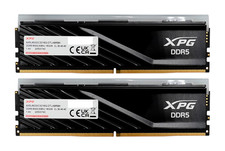
ADATA XPG Lancer Blade RGB 32GB (2x16GB) DDR5-6000 CL30 Desktop RAM Black
$429.94
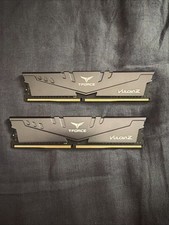
Team-Group T-force 2x8GB Desktop Memory
$50.00

RAMAXEL Lenovo 32GB LPDDR5X CAMM2 7500MHz Laptop RAM | UNTESTED
$445.00

NEW IN BOX - Corsair Vengeance RGB 32gb (2x16gb) DDR6200 CL36 CMH32GX5M2B6200C3
$550.00

Micron 32GB 1x32GB DDR5 5600 CL46 ECC Unbuffered SO-DIMM MTC20C2085S1TC56BD1
$399.00