-
Senior Member
registered user
Re: Workaround: how to load persistent image after boot up
hotplainrice:
Can't see why it shouldn't work with a logical, but i'll consider that. As far as the kernel seeing the logical device though, it won't have a problem. And as thats whats only important for referencing the device, i doubt if it would have any bearing. But still, something to consider. Thanks for the clarification.
------------------------------------------:
Thanks for that Jacky 
No real luck as yet ...
I hadn't thought of mounting the partition and then issuing a command after booting in. I'll try that.
It does mean that v5.0.1 is seriously broken though.
I boot with 'knoppix-txt' ... On a 17 inch crt monitor i find the 10pxl, 12pxl default quite horrendous. I just can't read such small fonts (grin). But that seems to be a common thing amongst the distros. One that i call 'gross slackness' .
I also prefer booting to the console and then starting X up manually, usually using a custom script to select a desktop. In v5.0.1 i tend to go for xfce4.
I also got the quirk mentioned above with kde only allowing an image to be saved to a floppy. Which sounds like kde is trying to impose training wheels on the bike, so to speak, for some wierd reason.
Seems to be the way Linux is going in a lot of distros theses days too, trying to make things <cough> simpler </cough> for people. But only making it harder as a result really (grin).
The cheat codes should work. If they don't, then the version is broken. And a person shouldn't have to do a remaster just to hack out start up scripts to make them work properly.
The 'myconfig=' option works fine, but even then i have to be careful how many cli options i use. So i'll just use
knoppix-txt 2 lang=us myconfig=<path-to-dev>
I haven't gone far with it since thursday, but iv'e copied out a few directories, mainly just /etc, to compare the scripts with v4.0. On a preliminary look the knoppix init in /etc/rcn.d does look a little strange around the part that checks for the home= parameter. But i'll have to look further at that.
I'll try your suggestion in the mean time though ..
Thanks for the feed back
jm
Thought :
Are dinosaurs really extinct, or just really good at hiding ?
Similar Threads
-
By carolus in forum General Support
Replies: 0
Last Post: 04-29-2008, 10:28 PM
-
By alpha_geek in forum Hardware & Booting
Replies: 1
Last Post: 05-22-2007, 04:17 PM
-
By hotplainrice in forum General Support
Replies: 0
Last Post: 10-16-2006, 01:12 AM
-
By Béèm in forum General Support
Replies: 10
Last Post: 09-14-2006, 11:49 AM
-
By django in forum General Support
Replies: 6
Last Post: 06-19-2006, 11:03 PM
 Posting Permissions
- You may not post new threads
- You may not post replies
- You may not post attachments
- You may not edit your posts
-
Forum Rules


Netac DDR4 32GB 16GB DDR4 3200MHz UDIMM C16 Desktop Internal Memory RAM Kit
$105.99

Corsair CMK32GX4M2B3000C15 Vengeance LPX DDR4 3000mhz Memory Kit - 32GB (2x16GB)
$164.95
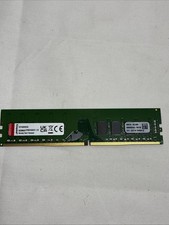
Kingston 32GB DDR4 3200MHz PC4-25600 UDIMM Desktop RAM KCP432ND8/32 1.2V
$145.00

RAMAXEL Lenovo 32GB LPDDR5X CAMM2 7500MHz Laptop RAM | UNTESTED
$445.00

Corsair Vengeance DDR3 8GB 16GB 32GB 1866MHz PC3-14900 Desktop RAM Memory DIMM
$43.00
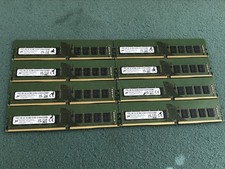
Micron 128GB(8 x 16GB) MTA18ASF2G72AZ-3G2R1ZI PC4-3200AA ECC UDIMM RAM - R1069A
$499.95
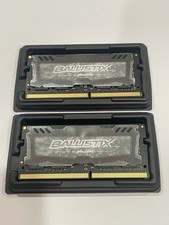
Crucial 32GB Ballistix Sport LT-Laptop Ram 2x16 DDR4 2666 Memory 2 Module Kit
$89.92
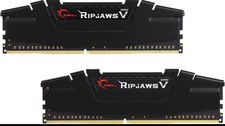
RAM G. SKILL Ripjaws V Series 16GB 2x8GB DDR4 3200 CL16 F43200C16D16GVKB Matched
$78.00

(LOT OF 4) Apple iMac16,2 (A1418) | i5 5th Gen | 8 GB RAM | 1 TB HDD | OS X^
$120.00

Crucial 16GB (2x 8GB) Kit DDR3 1600MHz PC3-12800 UDIMM Desktop 240-Pin CL11 RAM
$41.00



 Reply With Quote