-
Booting remaster from SATA disk -Can't find root filesystem!
Hi all (long time Knoppix user first time poster)!
Finally got round to trying remastering as per:
http://www.knoppix.net/wiki/Knoppix_Remastering_Howto
All my work is on a new 9GB ext3 partition which I mount (from within Ubuntu) as /dev/sda9. Only differences are that while I have directories master & source, the ./source/KNOPPIX directory is actually at ./ (i.e. at root on the partition). I plan to build the compressed KNOPPIX image there and then copy it to ./master/KNOPPIX before ISO making. I can then chroot into ./KNOPPIX just fine (to check that it does actually works!).
This is done (as suggested in the wiki HOWTO) since I would also like to try and boot directly into the newly remastered source (as a easy way to test), and since in order to do this Knoppix apparently expects a KNOPPIX directory to be at / on the partition in question.
I copy the ./master/boot directory as boot.knoppix to my boot partition, and then add the following lines as suggested to GRUB's menu.lst:
Code:
title KNOPPIX
        root   (hd1,0)
        kernel /boot.knoppix/isolinux/linux 2 fromhd=/dev/sda9 lang=us
        initrd /boot.knoppix/isolinux/minirt.gz
NOTE: I have two disk on my system: one IDE (hd0) and one SATA (hd1)! Partition zero (as seen by grub) is my boot partition.
When I reboot, the kernel comes up just great – but it bombs out (after the USB and firewire checks) because it “Can't find the root filesystemâ€?!
This then is my problem: the KNOPPIX kernel can't find my remastered source partition with the KNOPPIX directory at the root!
Looking at the kernel boot with dmesg – all the SATA disks seem to be found OK. However – and this is where my knowledge is scarce - I suspect there is some subtlety in how they are actually mapped through the nvidia raid module. This is particularly evident if I boot from a KNOPPIX CD – because all my hard-disks (apart from hda) don't appear on the desktop, but are listed under /dev/mapper/nvidia_ggdccbeh*. Urghh!
Trying in desperation to modify the GRUB entry to point: fromhd=/dev/mapper/nvidia_ggccbeh9 doesn't seem to work either!
Any more ideas? (I don't just want to make a new hda portion and do my work there).
Cheers!
Similar Threads
-
By antonlitchfield in forum Hardware & Booting
Replies: 1
Last Post: 04-02-2007, 09:35 PM
-
By maxmartin in forum Customising & Remastering
Replies: 2
Last Post: 03-22-2006, 04:21 PM
-
By McBeastie in forum Hardware & Booting
Replies: 0
Last Post: 05-18-2005, 09:45 AM
-
By PMT in forum Customising & Remastering
Replies: 10
Last Post: 12-03-2004, 04:02 AM
-
By PigPen in forum Customising & Remastering
Replies: 5
Last Post: 11-18-2003, 04:54 AM
 Posting Permissions
- You may not post new threads
- You may not post replies
- You may not post attachments
- You may not edit your posts
-
Forum Rules


Macintosh Platinum Mouse - Apple 128K 512K 512Ke Mac Plus Lisa IIe M0100 - NEW
$49.99

1984 APPLE MACINTOSH 128K MATCHING # BOX Set Original Mac Model M0001 WORKS RARE
$6299.00

1984 APPLE MACINTOSH 128K FIRST MAC Model M0001 PICASSO KIT Discs Harvard Rare
$1800.00
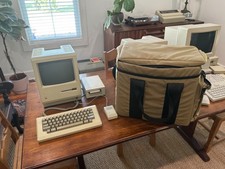
Apple Macintosh 512K 1MB MacSnap SCSI 128K ROM 800K + 400K Drive Keyboard Mouse
$995.00
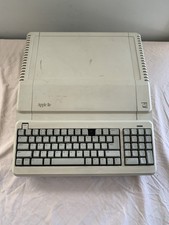
Vintage Apple IIe Platinum A2S2128 128K Computer - Powers On - Missing Key
$249.99
Macintosh Platinum Mouse - Apple 128K 512K 512Ke Mac Plus Lisa IIe M0100 - NEW
$59.99

Vintage Apple Macintosh 128K 512K Carrying Case Rainbow Logo Excellent Cond
$140.00

Keyboard Cable Cord - Apple Macintosh Mac 128K 512K 512Ke Plus
$12.99

Apple Macintosh Mac 128k - 512k Boot / Diagnostics 2 Disk Set for Classic Macs
$14.99

Apple Macintosh 128k Desktop computer. Upgraded to 512k
$300.00



 Reply With Quote