

Hi all (long time Knoppix user first time poster)!
Finally got round to trying remastering as per:
http://www.knoppix.net/wiki/Knoppix_Remastering_Howto
All my work is on a new 9GB ext3 partition which I mount (from within Ubuntu) as /dev/sda9. Only differences are that while I have directories master & source, the ./source/KNOPPIX directory is actually at ./ (i.e. at root on the partition). I plan to build the compressed KNOPPIX image there and then copy it to ./master/KNOPPIX before ISO making. I can then chroot into ./KNOPPIX just fine (to check that it does actually works!).
This is done (as suggested in the wiki HOWTO) since I would also like to try and boot directly into the newly remastered source (as a easy way to test), and since in order to do this Knoppix apparently expects a KNOPPIX directory to be at / on the partition in question.
I copy the ./master/boot directory as boot.knoppix to my boot partition, and then add the following lines as suggested to GRUB's menu.lst:
NOTE: I have two disk on my system: one IDE (hd0) and one SATA (hd1)! Partition zero (as seen by grub) is my boot partition.Code:title KNOPPIX root (hd1,0) kernel /boot.knoppix/isolinux/linux 2 fromhd=/dev/sda9 lang=us initrd /boot.knoppix/isolinux/minirt.gz
When I reboot, the kernel comes up just great – but it bombs out (after the USB and firewire checks) because it “Can't find the root filesystemâ€?!
This then is my problem: the KNOPPIX kernel can't find my remastered source partition with the KNOPPIX directory at the root!
Looking at the kernel boot with dmesg – all the SATA disks seem to be found OK. However – and this is where my knowledge is scarce - I suspect there is some subtlety in how they are actually mapped through the nvidia raid module. This is particularly evident if I boot from a KNOPPIX CD – because all my hard-disks (apart from hda) don't appear on the desktop, but are listed under /dev/mapper/nvidia_ggdccbeh*. Urghh!
Trying in desperation to modify the GRUB entry to point: fromhd=/dev/mapper/nvidia_ggccbeh9 doesn't seem to work either!
Any more ideas? (I don't just want to make a new hda portion and do my work there).
Cheers!
 Posting Permissions


Juniper EX2300 12-Port Gigabit PoE+ Managed Network Switch P/N: EX2300-C-12P
$149.99
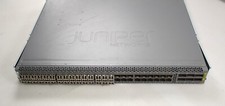
Juniper QFX5100-48S Switch 48x SFP+ 6x QSFP Ports w/ 30x SFP modules 1*DC PSU
$151.80

Juniper Networks EX2200-C 12T-2G 12 Port Gigabit Switch Compact + Cord Tested
$64.99

Juniper Networks AP33 Wireless Access Point Bluetooth WiFi 6 Cloud Managed NIB
$54.99

Juniper EX4100-F-12P Switch 12x 1GbE PoE 2x 10GbE Uplinks 4x 10GbE Stack Ports
$900.00

NEW JUNIPER QFX5120-48Y-AFO-T 48x 10/25GbE SFP28 8x 40/100GbE Switch Dual AC PS
$12500.00
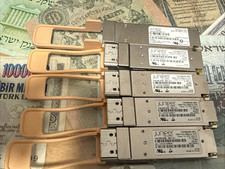
Lot of 5 Juniper 740-061405 100GE QSFP-100GBASE-SR4 850nm Transceivers
$100.00

Juniper EX2300-C 12 Port Compact Gigabit Switch EX2300-C-12p
$99.99
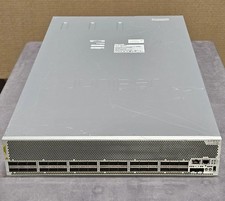
Juniper QFX10002-36Q 36-Port 40GbE QSFP+ 24x 100G Ethernet Switch
$649.99

Juniper Networks EX2300-48P 48-Port Gigabit PoE Managed Ethernet Switch
$79.99


 Reply With Quote