-
AltGr key not recognized.
Hello.
I'm running the latest Knoppix-DVD on Qemu under Windose XP. I've given the following options on the boot line:
Code:
knoppix lang=fi keyboard=fi xkeyboard=fi desktop=fluxbox
However, the AltGr key doesn't seem to be recognized at all. For example, the '@' sign on the Finnish keyboard is produced by pressing AltGr+2, but on Knoppix this doesn't work. Neither works any key combination which involves pressing AltGr. This problem concerns both xterm (on fluxbox anyway) and text console. I don't know about Alt or Ctrl keys whether they're working or not. The AltGr is the key I'm interested in.
Could someone please help me with this?
-
Senior Member
registered user
Hello,
Would you consider using KDE?
I know the keyboard=fi xkeyboard=fi cheat definitely works in KDE. In KDE you can check the keyboard setting and even change the setting while a session is running. At the bottom right, you should see a small country flag. This represents the keyboard setting. It should show a small Finnish flag. Click on the flag to change the keyboard settings. If you don't see a flag you want, you can add a keyboard layout. Go to Control Center->Regional and Accessibility->Keyboard layouts. Select the keyboard layout you want and click Apply. The flag should now be added.
For me AltGr is the Alt key to the right of the Space Bar. With the Finnish flag on, AltGr 2 is @ and AltGr e is euro.
Once the setting in KDE is correct, I found that if you do a restartx and switch toe Fluxbox, the Finnish keyboard setting still works. But I do not know how to adjust or change keyboard settings with Fluxbox.
Regards.
-
Thank you for your answer. I never thought it that way. I will go about trying to change it through KDE. The reason for me to use fluxbox is it's apparent lightness in comparison to KDE. Since I'm running Knoppix on Qemu, choosing a lighter desktop environmet is a major choise towards usability.
Anyhow, I wonder if it would be possible to make AltGr to work in pure text console also. I mean, when booting straight to runlevel 3. I remember there was a command called 'loadkeys' or similar in Gentoo, which I believe did the trick. Wonder if Knoppix has that one included...?
-
Senior Member
registered user
Found something useful From a terminal,
setxkbmap fi
Try it and see if it works.
-

Originally Posted by
Jacky
setxkbmap fi
Unforunately it doesn't seem to work.
When I issue that command in a pure tty console it says "can't open display". Well, the 'x' in the command suggests that it's a XServer-only command anyway.
However, in xterm it says nothing (which would suggest that it succeeded), but still no AltGr. 
I still have the option to go the KDE way you described, and I'll try it some time during the weekend.
-
Hello again.
I just tried the KDE method. I gave the options lang=fi, keyboard=fi xkeyboard=fi on the boot line and in KDE there is a small Finnish flag on the taskbar which would indicate that the correct language & keyboard are set. Anyhow, there's still no AltGr key. I also tried this on two different boxes, both running WinXP. The other one has an USB keyboard and the other a regular one. So atleast it's not about that.
I'm starting to suspect that this is an issue somehow realated to Qemu rather than Knoppix... The next thing to try would be to boot my box straight off the Knoppix DVD and see if the problem persists. Anyway that's not a real solution, since I specifically need to run it on Windows because I don't have access to BIOS settings on the computer I need to run Knoppix. Anyway, I can boot the Knoppix DVD on another box to which I have BIOS access and see if it's about Qemu, and if it is, then there's not much that I can do.
Similar Threads
-
By OldCanoeist in forum Hardware & Booting
Replies: 4
Last Post: 01-05-2008, 09:40 PM
-
By revelater in forum Hardware & Booting
Replies: 1
Last Post: 02-20-2005, 07:25 AM
-
By Kluk-Kluk in forum Hardware & Booting
Replies: 0
Last Post: 08-11-2003, 09:51 AM
-
By cbr in forum Networking
Replies: 2
Last Post: 07-29-2003, 09:28 PM
-
By SerenityNet in forum Hardware & Booting
Replies: 7
Last Post: 04-26-2003, 04:00 PM
 Posting Permissions
- You may not post new threads
- You may not post replies
- You may not post attachments
- You may not edit your posts
-
Forum Rules

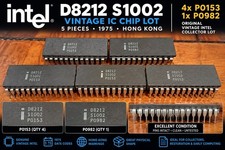
5x Vintage Intel D8212 S1002 IC Chips 1975 Hong Kong P0153 P0982
$99.99

Vintage Computer - PC Innovation Intel 486DX2 - Dos Ver 6.2 Windows 3.1
$250.00

Vintage Jetway J-620BF Socket 370 Celeron AT Motherboard SiS 620 Brand New
$75.00

Vintage Microsoft Visual Studio.NET Professional Software suite Version 2002 New
$82.00

Vintage 2006 Juicy Couture House of Juicy Velour Laptop Sleeve Y2K NWT Rare
$199.99

Huge Lot of Vintage Computer Brochures, Catalogs, etc. - 1980's - SEE PICS
$100.00
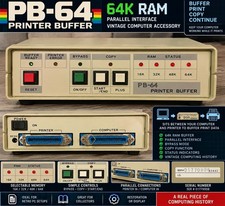
Vintage PB-64 64K RAM Printer Buffer Parallel Computer Printer Interface
$74.99
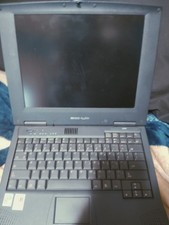
Vintage Laptop HP Hewlett Packard Pavilion N3110 Celeron 433 MHz *Please Read*
$50.99

🔥 RARE VINTAGE HP 2112A 21MX M-SERIES 16-BIT MINICOMPUTER HP
$299.99

🔥 RARE VINTAGE HP 2113A 21MX 1000 E-SERIES MINICOMPUTER CHASSIS BACKPLANE
$249.00



 Reply With Quote