-
Menu and Dialog Fonts for GTK Applications
The GTK applications on the Knoppix CD, like Firefox and Gimp, do not display the correct menu, toolbar, and dialog box font size on newer terminals. There is an easy fix that takes only 308 kB total, including config files. There is practically no documentation on this and the fix is not obvious.
First install the package gtk2_engines_gtk_qt. This adds an option to the KDE Control Center. The option "GTK Styles and Fonts" will be in the "Appearance & Themes" section. The styles MUST BE ACTIVATED to change the menu and dialog font size. Click on "Use another font" to enable the apply button. Click back to "Use my KDE fonts in GTK applications". Then click the Apply button. This will create the files .gtk_qt_engine_rc and .gtkrc-2.0 in the $HOME directory.
Firefox and Gimp will now display the same menu and dialog font size as the KDE programs.
I assume that the display is okay on the dvd version since it contains both KDE and Gnome.

Similar Threads
-
By sunburnt in forum General Support
Replies: 0
Last Post: 04-13-2005, 07:24 AM
-
By BalakrishM in forum Ideas
Replies: 1
Last Post: 03-04-2004, 04:35 PM
-
By Lexinton in forum General Support
Replies: 4
Last Post: 01-25-2004, 07:26 PM
-
By tearinghairout in forum General Support
Replies: 7
Last Post: 10-30-2003, 04:41 PM
-
By milesj in forum General Support
Replies: 0
Last Post: 04-02-2003, 08:54 AM
 Posting Permissions
- You may not post new threads
- You may not post replies
- You may not post attachments
- You may not edit your posts
-
Forum Rules


Dell PowerEdge FX2s + 8x FC430 Blades 16x E5-2630v4 160 Cores Rails No PSU/RAM
$699.00

Dell PowerEdge FC430 Blade Server 2x Xeon E5-2630v4 20 Cores FX2 FX2s No RAM/HDD
$119.99

Dell PowerEdge M630 Blade Server 2x Xeon E5-2680 v4, 2F3MP , 4GDP5 ,R10KJ ,JVFVR
$140.00

Dell PowerEdge M620 Blade Server 2x Xeon E5-2680v2 2.8ghz 20-Cores | 128GB
$149.99

Dell Poweredge C6400 24x 2.5’’ 2x 2400W 4x C6420 Nodes H330 | 2x SFP | 8x Trays
$799.99

NETAPP HCI NAF-1701 SuperMicro Server 4X BLADE H410C 8X GOLD 5120 4 NODE SERVER
$1499.97
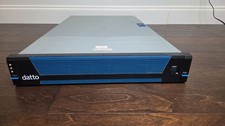
Datto S3E12000 RACK SERVER 2U 2x Xeon E5-2670 v3 2.30GHz 32GB RAM 2x PSU 14 BAY
$399.95

LOT (8) Cisco UCS UCSB-B200-M5 2x6248R 24 core 3.0G 24x64g DDR4-2933 ram
$112000.00

Dell PowerEdge M640 Blade Barebone Server Dell P/N: HHB006 Tested Working
$149.99

Dell Poweredge VRTX 25Bay 2.5" 2x PERC 8, 2xCMC, I/O 1GB Pass Through, 4x PS
$578.08



 Reply With Quote