-
Root level passwd no longer valid from desktop
Hi,
I know this is a Knoppix forum (and although I started with Knoppix and therefore read this forum avidly) my current problem is with a different distro: Kanotix. I hope it is not inappropriate to post this here (IF IT IS... I AM HAPPY TO HAVE IT WITHDRAWN). Here goes:
I am using Kanotix (2006-01-RC4) and ran the following command (as part of a process to try an resolve a driver issue for WLAN card):
"su -c /usr/share/bcm43xx-fwcutter/install_bcm43xx_firmware.sh"
After running this, I no longer have a valid root password. I think the problem is that I ran the command as root (instead of "user_name", but not sure) which then locked out my access to some areas. I can open a console and type:
"su" then "my_root_passwd" and it switches me to root. But when I try to enter a configuration screen from the desktop, I get prompted for "my_root_passwd", and enter it, but response is "invalid". I am not familar enough YET with issuing complex instructions from the console (or, I suspect, I could resolve the problem). Can someone give me advice about how to fix this. I know the way of issuing root commands in ubuntu is different from other debian based distros, but I am still hoping someone can help. I can't do much because my privileges are locked out on the desktop and I don't know how to do things from the console. Dumb noob situation... I know, but we all have to start somewhere. Thanks
coady 
-
Senior Member
registered user
It's not only Kanotix; having also just tried Kanotix-2006-1-RC4 and found the same problem, I now tried Knoppix 5.0.1. It was OK to start with, but after installing some additional software, which updated some KDE libraries amongst others, it now has a similar problem.
It seems to affect those administration tools that ask for superuser privilege via kdesu, whereas the Terminal Program - Super User Mode (Root Shell - Konsole) and X -Terminal-as-Root (GKsu), which manage the password directly, are OK.
Poking around for kdesu files or directories ... locate and find tell different stories ... seems as if the KDE libraries are in a mixed state - some updated, some not updated.
I then rationalised the KDE status by updating kdebase
(enter apt-get update
then apt-get install kdebase
if you are working in a root console)
Eureka! kdesu functionality is back in Knoppix 5.0.1.
I hope this helps you with Kanotix as well; I will look at this when I get a chance.
-
Senior Member
registered user
Update: yes, I've confirmed that doing
apt-get install kdebase
also restored kdesu functionality in my Kanotix 2006-1-RC4.
Similar Threads
-
By Kirk-out in forum Hardware & Booting
Replies: 2
Last Post: 08-06-2008, 07:25 PM
-
By pureone in forum Tips and Tricks
Replies: 2
Last Post: 02-24-2006, 04:02 AM
-
By miles_lane in forum Networking
Replies: 1
Last Post: 10-31-2005, 09:09 PM
-
By Phillykid162 in forum Hdd Install / Debian / Apt
Replies: 2
Last Post: 01-09-2005, 01:50 AM
-
By Cerebrus in forum General Support
Replies: 4
Last Post: 06-21-2004, 01:49 PM
 Posting Permissions
- You may not post new threads
- You may not post replies
- You may not post attachments
- You may not edit your posts
-
Forum Rules

Corsair Vengeance RGB Pro SL DDR4 16GB 3200MHz 288-Pin DIMM
$80.00

Netac DDR4 32GB 16GB DDR4 3200MHz UDIMM C16 Desktop Internal Memory RAM Kit
$105.99

Corsair CMK32GX4M2B3000C15 Vengeance LPX DDR4 3000mhz Memory Kit - 32GB (2x16GB)
$164.95
PNY XLR8 16GB (2x8GB) DDR4-2666 PC4-21300 288-Pin DIMM Unbuffered RAM Memory
$56.99

RAMAXEL Lenovo 32GB LPDDR5X CAMM2 7500MHz Laptop RAM | UNTESTED
$445.00
Lot of 4 Micron MTA8ATF1G64AZ-2G6E1 8GB 1Rx8 PC4-2666V DDR4 Desktop RAM Memory
$119.99
2 Pack - 50x RAM ESD Box Tray For DDR2 DDR3 DDR4 DDR5 Memory
$13.49

Corsair Vengeance DDR3 8GB 16GB 32GB 1866MHz PC3-14900 Desktop RAM Memory DIMM
$43.00
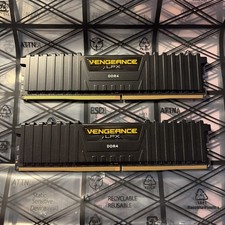
CORSAIR Vengeance LPX DDR4 RAM 16GB (2x8GB)
$74.99
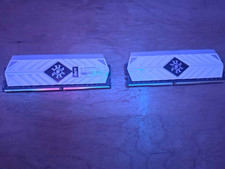
XPG Spectrix D41 2 x 8gb (16gb total) DDR4 3200MHZ
$125.99



 Reply With Quote