-
Junior Member
registered user
Size problem
hi all,
I wrote an application to calculate the size of storage device... i put that application in knoppix. For every device it is giving the size correctly, i ejected the cd using
umount -l /cdrom
eject /dev/cdrom
and put a new cd. and tried to calculate the size, but the size it gives is that of the knoppix cd. i put many cd's with vaarying sizes, but it is giving the size of the knoppix cd. what is wrong??/ please suggest..
regards vijir
-
Senior Member
registered user
you removed the OS from the computer, the system is too stupid to know that (yet) and has simply not died. if it had realized that it would have crashed. but as most tings are in RAM it will keep on as if nothing has changed.
-
Junior Member
registered user
but it is possible to play music cd.... so the os is identifying that cd.... then why the size is not reporting correctly....
-
Junior Member
registered user
"play music CD" , say what you mean pls. That is not a linux command and no-one can guess what you are doing.
since you do not mount on audio CD in order to "play" it that does not contradict what was posted before.
-
I can guess...
If your OS is running from CD, you can't remove it (GNU/Linux is smart enough to disallow it -- that why it has the mount tools and windows doesn't). So, it sounds like your using "toram" boot option, and then playing a music CD once you remove the KNOPPIX disk. How are you getting size for the disk? du, df or ls? remember that ls on a directory will not return the size of the things in the directory. Moreover, you can't normally mount a music CD as a filesystem...
-
Actually, with Knoppix, presuming you have enough memory, you can load k3b, physically force the Knoppix CD to eject, and then burn a CD image. This is because the needed stuff is in memory, so the CD doesn't have to be there. Your running Knoppix will be hosed after doing this, but it can be done.
-

Originally Posted by
mcreel
Actually, with Knoppix, presuming you have enough memory, you can load k3b, physically force the Knoppix CD to eject, and then burn a CD image. This is because the needed stuff is in memory, so the CD doesn't have to be there. Your running Knoppix will be hosed after doing this, but it can be done.
Two problems with that approach.
- 1 - cloop file system is not all loaded to memory on boot, but when you need something out, if you access a program not in memory, it'll crash. It's why Knopper used cloop in the first place, and other live distros use squash for the same reason.
- 2 - It will still think cloop/cdrom are mounted, and breaking a mount in such a way is highly discouraged.
- 3 - Not needed, just use the toram boot option at the boot prompt, and then you can eject the CD normally and safely
- 4 - Manual hardware eject done repeatly shortens the life of the drive and the disk
Similar Threads
-
By chip.ling in forum Customising & Remastering
Replies: 3
Last Post: 10-31-2007, 11:39 PM
-
By Meteora184 in forum General Support
Replies: 1
Last Post: 07-08-2006, 05:01 PM
-
By bwathen in forum Laptops
Replies: 3
Last Post: 04-29-2005, 12:53 PM
-
By harken in forum Hardware & Booting
Replies: 2
Last Post: 02-26-2005, 03:23 AM
-
By bluegreenone in forum General Support
Replies: 4
Last Post: 10-14-2003, 11:16 AM
 Posting Permissions
- You may not post new threads
- You may not post replies
- You may not post attachments
- You may not edit your posts
-
Forum Rules


Kingston 32GB 64GB 128GB 256GB USB 3.0 Flash Drive Thumb Memory Stick Pen lot
$285.90

24x Micron MT40A512M16LY-062E IT:E 8Gb DDR4-3200 96-FBGA Memory IC
$349.99

24x Micron MT40A512M16LY-062E IT:E 8Gb DDR4-3200 96-FBGA Memory IC
$349.99

Dell 16GB PC4-21300 (DDR4-2666) Memory (SNPPWR5TC16G)
$89.99

USB 3.0 Flash Drive 32GB 64GB 128GB Memory Stick Thumb Stick Lot Pack
$826.09
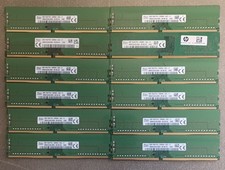
Lot Of (12) SKhynix 8Gb DDR4-3200AA Desktop Pc Ram/Memory (Used)
$399.99

Samsung 32GB DDR4-2666V-2Rx4-RB2-12 RAM M393A4K40CB2-CTD6Q
$169.00

Transcend 96GB (6x16GB) 2Rx8 PC4-2666V DDR4 ECC UDIMM Server RAM TS2GLH72V6B
$299.00

Microsoft Office 2021 Pro Plus USB for 1PC Windows 10 & 11
$62.55

Micro SD Adapter To SD HC SDHC Memory Card Adapter Reader NEW
$1.39



 Reply With Quote