-
Administrator
Site Admin-
First of all, you'll get more help with more specific subject lines, like actually trying to convey something about the problem. Including that you are a newbie doesn't really help and doesn't tell us anything about the problem. See the sticky post near the top of this forum titled ON POSTING: FORUMS and SUBJECT LINES and also see my stock answer #7. In addition, you get better results if you pick the proper forum for your post. In your case you seem to have accurately defined the problem as hardware (too many people would lump anything Knoppix related in hardware because Knoppix runs on hardware, but you problem does indeed seem hardware related and the subject line you used reflects that, so why would you not post it in the hardware forum?).
I generally don't try to answer "newbie" subject ine posts at all before the poster goes back and edits the subject line, but since you at least used the hardware term I'll try a quick answer, still, you should really edit that subject line. No more responses from me until you do.

Originally Posted by
Curulin
1. How do I find out which device is which? Is there a way to show e.g. the brand name (Maxtor in this case)?
All hard drives I've ever seen have a lable on them that ID's the manufacturer and model number and includes other info, including a serial number and usually date of manufacturer. Depending on the brand this may contain other info including jumpering information and/or capacity. If the label has been removed you can still get drive infrmation electronically from a drive (if it is working), but I would certainly never pay money for a drive where this label has been removed or defaced, it's likely a bad or stolen drive. Your BIOS should ID the drive if the label is unreadable, assuming that you hooked the drive up properly. The drive maker website should give you jumpering and other information that you mght need. I'm not sure what you mean by "which device it is", if you mean the name that you reference it through Linux that depends on the type of interface and where you hook it up (which IDE intercafe and if it's master or slave). The first hard drive on a parallel IDE interface that is configured as master (either by the master jumper or by cable select) is hda, others are hdb, hdc and so on. Putting the hard drive on the second IDE interface and the CD or DVD drive on the primary IDE interface may confuse this.
Originally Posted by
Curulin
2. Is it possible to format a harddisc with Knoppix?
Well, no, you don't format a hard disk, you format a hard disk partition. Knoppix can format a hard disk partition, but should be used to format Linux type partitions. If you want a Windows partition (NTFS or one of the FAT partitions) then it really should be formatted by Windows, or for FAT by DOS or Windows. And you'll have to do step 3 first, so your steps are out of order. And there is no such thing as harddisc. Disc is used to refer to optical data storage, such as a CD or DVD. Disk is used to refer to magnetic data storage. So disk means a magnetic hard disk and disc means an optical device.
Originally Posted by
Curulin
3. Is it possible to partition a harddisc while using Knoppix?
Yup, it is. It's also possible to seriously damage your partition table with these tools, as we have seen here many times. So I'm not going to rush to point you to the tools to do this without a better understanding of what you think you want to do. If you are planning on installing Ubuntu (a much better choice than trying to install Knoppix), I would expect that the Ubuntu installer would go into a disk format dialog at install time (Debian certainly does) and give you options including one to use an entire drive (another option is to manually partition yourself but you shouldn't need this option if Ubuntu is willing to erase a drive and partition and format it at install time). Just be very very very sure that the drive you tell it to use is not the one that has Windows on it, but rather is the second drive.
Why you used the term does not reckognize my new harddisc (the secondary master) in your post is a mystery to me. There are some hardware configurations that would let you use a secondary hard drive as a second master, but in most typical cases two hard drives are put into a system connected to the same drive cable with the first being the master and the other be a "slave" (not a master), and the second IDE interface is used for a CD and maybe a DVD drive. In light of everything else I'm guessing that you're not hardware heavy and you likely should stick with that approach.
Similar Threads
-
By mostafa_dahir in forum Laptops
Replies: 1
Last Post: 04-11-2006, 05:29 PM
-
By Dark_W0lf in forum General Support
Replies: 4
Last Post: 01-12-2006, 08:47 PM
-
By BNU-FaNtAsMa in forum General Support
Replies: 2
Last Post: 08-22-2004, 11:06 PM
-
By Danmak in forum Hardware & Booting
Replies: 3
Last Post: 12-01-2003, 03:40 AM
-
By junior in forum General Support
Replies: 5
Last Post: 08-08-2003, 05:41 AM
 Posting Permissions
- You may not post new threads
- You may not post replies
- You may not post attachments
- You may not edit your posts
-
Forum Rules


Apple Computer cards VTG 670-8020-B 607-0103-C 607-0291-C AST -Orange Micro ++
$169.00

Vintage Apple Monitor IIc 9" Green Monochrome 06/1985 A2M4090 October 1984 Stand
$275.00

Vintage Apple iBook G3 12.1” 500MHz 2001 Restored, SSD Upgraded Mac OS 9.2/OS X
$180.00

Vintage Apple II Avant-Garde Creations Super Shape Draw And Animate 1981
$295.00

Rare Vintage Macintosh Apple Wooden Disk Storage Box Dovetailed
$69.95

LARGE LOT Vintage Apple Macintosh Mouse Cables Accessories SCSI etc - UNTESTED
$80.00
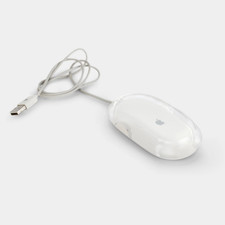
Vintage Apple Pro Mouse M5769 Wired Optical USB White/Clear
$24.99

Vintage Apple Extended Keyboard- M0115 - no cord
$49.99

Vintage Apple Multiple Scan 15av Display Monitor M4681
$299.99
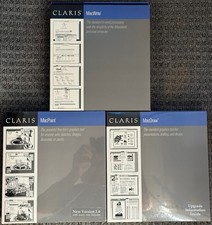
3 Boxes-Vintage Apple Claris Macwrite MacPaint MacDraw - Sealed - NOS Rare 1988
$74.99



 Reply With Quote