-
Can I copy WinXP off my 1st partition and reinstall?
I am caught in the endless loop of not being able to boot XP in any mode. I used Knoppix CD-bootable to copy all important files to a 4gb USB stick. I have no need to repair this particular installation of XP and I would simply reinstall IF i had either a recovery disk or an XP disc. Sadly this laptop came with WinXP on the first partition and its running installation on the second partition. Both are fully viewable and accessable via Knoppix. So basically i was thinking I would create a copy of the of the first partition and WinXP then create a bootable disk to then reinstall. Will it work?
(this laptop a Packard bell E3242, cannot boot from a USB so anything I copy to my 4gb jumdrive will then have to be burned onto a self bootable disk)
-
Senior Member
registered user
Have you tried setting the first partition to be the active partition and rebooting to it to see if it will offer to install?
If so you could copy it to the second partition or a resized second partition and go that route.
Otherwise copy the partition and burn it to CD and run winnt32.exe or winnt.exe to generate boot floppies. I don't remember which program or the necessary command line switches to generate the boot floppies. That is something you can Google.
Another source is to Google 'slipstreaming.' That is remastering windows install cd's to include service packs. Some discussions talk about the necessary boot file for the CD. I used the boot file from another CD on XP if my memory is correct. There is a freeware out which will save the boot image from a bootable CD (i.e. Windows Install.) You have to have a full strength burning program to specify the boot image used on a bootable CD.
At work and away from my stuff, so I am a little vague. Also haven't touched this stuff since SP2.
-
Senior Member
registered user
If at first you don't succeed, try the manufacturer's website:
http://support.packardbell.com/globa...=platform_Lynx
They have a procedure listed to restore the machine from the hidden restore partition. Follow the link and good luck!
Similar Threads
-
By marhil711 in forum MS Windows & New to Linux
Replies: 1
Last Post: 05-23-2009, 11:07 PM
-
By bono in forum MS Windows & New to Linux
Replies: 5
Last Post: 08-08-2005, 08:10 AM
-
By alex52 in forum General Support
Replies: 0
Last Post: 02-01-2005, 08:08 AM
-
By bitwarrior in forum Hdd Install / Debian / Apt
Replies: 2
Last Post: 08-16-2003, 03:57 AM
-
By linuxgrilla in forum Hdd Install / Debian / Apt
Replies: 1
Last Post: 04-17-2003, 04:38 AM
 Posting Permissions
- You may not post new threads
- You may not post replies
- You may not post attachments
- You may not edit your posts
-
Forum Rules


Microbotics Starboard 2MB + SCSI Sidecar for Amiga 1000 Vintage Computer READ
$329.00

RGB2HDMI Amiga 500 UltraLong (Accelerator Friendly) HDMI Games, non-RTG A500
$50.00
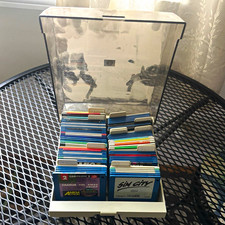
ALS Storage Box with Assorted Amiga Format 3.5" Floppy Disks
$199.00

Amiga Model 1080 RGB color CRT monitor - Parts Or Repair - Doesn’t Power On
$100.00

Amiga Emplant Emulator Card For Commodore Amiga 2000 4000 3000
$249.00
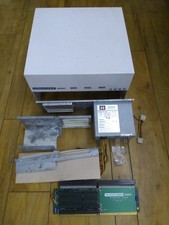
HighFlyer Amiga 4000 Tower & Bus Extender, Expansion Systems A4000T Kit
$888.50

Commodore Amiga 4000 Motherboard Rev B - untested
$225.00
BlueSCSI v2 Internal 50-pin 3.5" SCSI Drive ,Wi-Fi,For Macintosh, Amiga, PC
$52.99

Commodore VIC-20 Diagnostic Cartridge & Test Harness Set - USA seller
$39.99
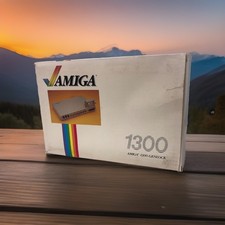
OPEN BOX - AMIGA Genlock Interface Vintage Video Adapter 1300- GREAT
$329.95



 Reply With Quote