-
I tried this

Originally Posted by
rusty
Here's how i did it with v5:
get a root shell: k-->knoppix root shell
type: apt-get update
type: apt-get install f-prot-installer
when it finishes go back to the desktop , right click on the drive you want to scan, click mount
go back to the root shell and type: f-prot /mnt/hdxx , replacing xx with the drive you just mounted.
Running f-prot without any options will scan and report, but not repair. If you are thinking of trying to repair viruses on a windows xp drive using the scanner, you should be aware that writing to NTFS from linux is not considered safe.
Also from a shell type: man f-prot, for more information. I would also suggest opening a browser, going to google.com and searching the web using search terms such as : "knoppix virus scan", or "live cd virus scan".
But it locks up when it tries to scan my HD. Can I run Norton through a USB drive?
Similar Threads
-
By chris-harry in forum General Support
Replies: 2
Last Post: 12-25-2005, 03:56 PM
-
By krazynesphreak in forum General Support
Replies: 3
Last Post: 04-11-2005, 06:55 PM
-
By kurohyou in forum Hdd Install / Debian / Apt
Replies: 1
Last Post: 01-21-2005, 06:09 PM
-
By turbine in forum General Support
Replies: 6
Last Post: 08-19-2004, 04:22 PM
-
By Heavy-G in forum Hdd Install / Debian / Apt
Replies: 6
Last Post: 10-18-2003, 08:57 PM
 Posting Permissions
- You may not post new threads
- You may not post replies
- You may not post attachments
- You may not edit your posts
-
Forum Rules


Netac DDR4 32GB 16GB DDR4 3200MHz UDIMM C16 Desktop Internal Memory RAM Kit
$99.99

16GB KIT (2x8GB) DDR4 Gamer Desktop RAM PC4 MIXED BRANDS
$65.00
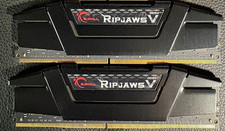
RAM G. SKILL Ripjaws V Series 32GB 2x16GB DDR4 3200 CL16 F43200C16Q64GVK Matched
$149.99
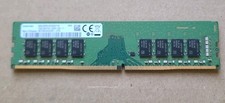
Samsung 16GB M378A2K43CB1-CTD, 2666MHz, PC4-21300 DIMM DDR4 Desktop RAM
$69.99

A-Tech 8GB DDR3 1600 PC3-12800 Laptop SODIMM 204-Pin Memory RAM PC3L DDR3L 1x 8G
$21.68

RAMAXEL Lenovo 32GB LPDDR5X CAMM2 7500MHz Laptop RAM | UNTESTED
$445.00
TEAMGROUP T-FORCE VULCAN Z 64GB (4x16GB) DDR4-3200 288-Pin DIMM
$500.00
G.SKILL Ripjaws V 32GB (2x16GB) DDR4 - 3600 Desktop Memory
$140.00
8GB DDR4 2400MHz Desktop RAM Unbuffered 288-Pin PC4-19200 Upgrade
$145.99
8GB DDR4 2666MHz Desktop RAM Unbuffered 288-Pin PC4-21300 Upgrade
$145.99



 Reply With Quote