-
network doesn't start automatically??
For some reason ever since I've installed Knoppix to my harddrive it doesn't start my network via Ethernet automatically I have to login to root and: pump -i eth0
Is there a way to get Knoppix to do this command every time I boot up (and also run other commands)??
Richard S.
-
Administrator
Site Admin-
Re: network doesn't start automatically??

Originally Posted by
redhawk
For some reason ever since I've installed Knoppix to my harddrive .......
Many things break after Knoppix is "installed". The oldest problem posted in our Hard Disk Install forum is a"network not working after install", and it has continued to this day. Perhaps this is one of the reasons that many of us advise not to install Knoppix, but rather to install something actually intended to be installed, like Debian.
-
Junior Member
registered user
I had the same problem after I did the HD install with version 5.
My fis was to modify /etc/init.d/networking. At the end of the script add the pump command. I did not need any arguments for pump.
Code:
echo "Usage: /etc/init.d/networking {start|stop|restart|force-reload}"
        exit 1
        ;;
esac
pump
exit 0
Hope this works for you...
-
Senior Member
registered user
It didn't work for me.. on an ASUS A3HF laptop w/5.1.1. From CD, network works perfectly.
I think I can understand the advice about HD install. In my case, neither lspci -v or lsmod listings give any clue. lspci -v listings are identical from CD and HD, and lsmod diffs seem not to relate to network. I tried the HD install because I can not get Mandriva 2007 to work predictably well on this machine, while a remastered 5.0.1 Knoppix runs smoothly from a USB pendrive. So maybe I should look at std Debian... but as I'm not sure to avoid problems that way, I may well choose stick with Mandriva..
-
Senior Member
registered user
Just a short update: I plugged in an old Billionton PCMCIA card, ran "ifup eth1" and it worked immediately. But what to do with the built-in Realtek 8139 based interface, I still don't know...
-
Junior Member
registered user
Originally Posted by
Capricorny
Just a short update: I plugged in an old Billionton PCMCIA card, ran "ifup eth1" and it worked immediately. But what to do with the built-in Realtek 8139 based interface, I still don't know...
I only have one interface in all of my PC's...
I had to add the above pump command to both PC's after a HD install.
After booting with the PCMCIA card not installed, do you get an error in the dmesg report. Also, do an lsmod with a HD boot and with a CD boot. Look and see if the drivers for you onboard LAN were loaded on the CD boot and not the HD boot.
-
Networking Utility
Hello,
I used the networking utility to set a static IP address for my eth1 interface. The ifconfig -add command did not seem to work due to permissions errors, so I tried the GUI.
It works great!
Similar Threads
-
By ghetto_blaster in forum Hdd Install / Debian / Apt
Replies: 1
Last Post: 05-16-2005, 09:09 AM
-
By Mr.45er in forum General Support
Replies: 2
Last Post: 10-06-2004, 01:21 AM
-
By Zero_1984 in forum Hdd Install / Debian / Apt
Replies: 6
Last Post: 09-28-2004, 04:57 AM
-
By paradox87 in forum Hdd Install / Debian / Apt
Replies: 2
Last Post: 06-16-2004, 11:38 PM
-
By hokiegal99 in forum General Support
Replies: 1
Last Post: 12-11-2003, 01:23 AM
 Posting Permissions
- You may not post new threads
- You may not post replies
- You may not post attachments
- You may not edit your posts
-
Forum Rules


Genuine OEM Apple MagSafe 2 45W AC Adapter Charger for Macbook Air 2015 11" 13"
$14.24

OEM Apple Data Migration Toolkit for A1706 A1707 MacBook Pro PN 076-00236
$549.99

Genuine Apple OEM A2164 30W USB-C AC Power Adapter with USB-C Cable, Very Good
$21.05
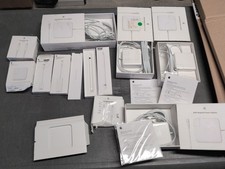
Lot Of Apple Cords And Accessories All OEM Genuine Apple Pencil, Magsafe Power
$109.99

OEM 45w T-Tip Power Adapter charger for Apple macbook air 2012-2017 A1436 A1466
$19.99
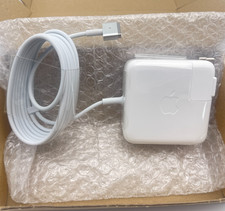
OEM 45W Charger For Apple MacBook Air 11-inch 13-inch Early 2012 2013 2014 2015
$26.98

OEM Apple 45W A1436 Power Charger AC Adapter for MacBook Air MagSafe 2
$12.99

Genuine OEM Apple Power Adapter Extension Cable for MacBook Pro Air
$8.99
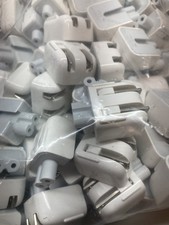
Genuine/OEM Apple Duckhead Two-Prong Plug - MagSafe AC Wall Adapter - Set of 25
$32.29

apple oem cube 5w charger
$6.99



 Reply With Quote