

 Reply With Quote
??
So, Knoppix really breaks when installed to hard drive... I guess.


OK.
Now here's one problem that's been giving me sleepless nights.
I am a great fan of Knoppix and when I saw version 5.01, I believed I had my dream distribution!
Anyways, here's the problem...
I installed it from live cd, and set a password for root and a normal account (pretty usual). Then, after rebooting and logging in, I changed network settings to get my broadband working, using the root password. Fair enough.
Now, after I have restarted Knoppix some 3-4 times, the root password seems to be forgotten.
If I open network settings, or anything else, it says wrong password to my root password. It doesn't take blank password, and my keyboard layout did not change.
It has happened after repeated installs. I wonder if I am doing something seriously wrong.
Any idea?
??
So, Knoppix really breaks when installed to hard drive... I guess.
So you install to harddrive, once it is finish reboot the system from the knoppix live cd once more, mount the hard drive partition containing the linux install and set the /etc/shadow file to read-only
You will obviously have to set it to read/write when you want to change the password and that is where the inconvenient part comes in...
It has been years since I actually used linux and I forget quite a bit, so I have no clue at this point in time if this is a good solution, or even how to do it, I believe "chmod" is the proper command but I will have to research it once more to understand fully linux file system permissions.
Please do not take my word for any of this, I am simply posting a suggestion that needs further (expert) input.
Cheers!
Just in case you wanna give it a go..here is the contents of a root password entry in the /etc/shadow file:
==============================
root:weeWRSF!sfDFs:12581:0:99999:7:::
==============================
Delete everything between the first and second colons, so that the line looks like
==============================
root::12581:0:99999:7:::
==============================
Save the file and exit your editor.
Reboot the system from the hard drive once more and neter root using a blank password, reset the password and then make the /etc/shadow file read-only.
Hope this makes sense, I am going from main memory here and I beelive some parts of this could be incoorect. Again, try and get expert input on ths suggestion.
Cheers.
I'm having the same problem, I have the knoppix 5.0.1 dvd beginner hd install, I grew up on dos so linux is backwards to me so I went with that install, though I'm starting to learn some more. Anyway the problem started when I did an apt-get install vlc, I really wanted vlc and I couldn't find it in the new version. It installed a mess of stuff took a half hour, I presume it updated the security or something, vlc worked great, but now my root password doesn't work. I've tried the above mentioned way, sort of lazy like, used the knoppix cd then made a root passwd with that, went to the superuser file manager, made the drive writable and just edited the files through the filemanager with kwrite. All in all it didn't work , still gives me "incorrect password," even with a blank field and it sucks I finally got everything working the way I wanted it to. Anyway any advice would be appreciated.
I had this too
the root password works fine for logging in on the TTY screens
but it doesn't match in KDE
I think a package too many got removed (by me) in kpackage (apt-get)
I put konqueror back in and it works again, thinx!
I feel dumb for asking this but how did you put konqueror back in, you mean the one that came on the dvd before you did apt-get?
ctrl-alt-F4 to a tty screen
login
root
password
apt-get install konqueror
i've got all 6 of mine now working properly again
date time showing correctly
and admin password working on the desktop
from the root tty screen
apt-get dist-upgrade
which takes a while
but appears to fix the password thingy
though it pobably only needed to do the one or two packages, but which ones
also samba now starts correctly and is visible from both linux and windows
Sweet, worked like a charm! Thanks, it was a whole lot easier than my idea (reinstalling it all.) Have a Merry Christmas!
 Posting Permissions


Dell EMC PowerEdge R740 8 Bay Server w/ 32GB RAM 2x GOLD 6132 2x 1600W PSU H730p
$499.88

Dell PowerEdge R740xd Dual Intel Silver 4116 @2.1GHz 32GB HBA330 24Bay Server
$525.00

Dell EMC PowerEdge R440 Xeon silver 4215 2.5GHz 16 GB ram 2x 550W PSU No HDD
$275.00
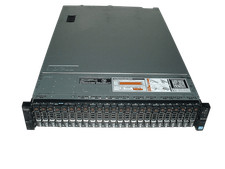
Dell Poweredge R720xd 2x Xeon E5-2660 2.2GHz 16-Cores 64gb H710 26x Trays
$364.99

Dell PowerEdge R640 1U 8SFF Server Barebones 2x Gold 5120 64GB H330 2x 750w
$538.88

Dell Poweredge R630 2x Xeon E5-2680 v3 2.5ghz 24-Cores / 64gb / Raid / 2x 1Tb
$374.99

Dell PowerEdge R640 1U 8SFF Server Barebones 2x Gold 6150 64GB 2x 750w
$499.88
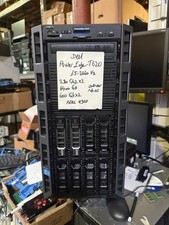
Dell PowerEdge T620 2x E5-2620 v2 @ 2.20GHz, 64GB 2X600GB HDD DVDRW H310 NO OS
$449.99

Dell Intel X710-DA2 5N7Y5 Dual-Port 10GbE SFP+ PCIe 3.0 x8 Network Adapter
$27.50

Dell EMC VxRail E560F 10-SFF 2*Gold 6230R 2.1GHz No RAM HBA330 iDrac Ent Server
$349.99