

 Reply With Quote
Kiosk mode is supposed to be introduced to KDE so when it makes it into KDE it will be in Knoppix. That should be with KDE 3.2


I am the systems administrator for all seven libraries in my parish here in Louisiana, and I think it would be great to remaster Knoppix into a kiosk version with basically a web browser, educational software, and a word processor to roll out on public access machines. I would want to remaster it without all of the network tools that could be dangerous if they fell into the wrong patron's hands, and remove unnessicary programs. I could save the IP addresses and printer settings on a floppy, and have self contained (patron proof) public workstation.
Before I reinvent the wheel, does anyone know of a remastered version of Knoppix that is setup in a configuration like this for general public use. If not, I might give this a try and pass it on to others that could get some use out of this too.
Kiosk mode is supposed to be introduced to KDE so when it makes it into KDE it will be in Knoppix. That should be with KDE 3.2
It's already there in 3.1, although I think it will be improved with 3.2 ( like everything elseOriginally Posted by aay
)
Nice
You're right. I think GUI configuration is to be introduced in 3.2.
Ok, here's a link that may be helpful on this topic.
http://webcvs.kde.org/cgi-bin/cvsweb...-cvsweb-markup
I use KNOPPIX CDs in class every day (teaching AP Comp Sci) precisely because the student can't change anything on the CD. So who needs Kiosk mode?
Regards,
In a library situation, you would not want your patrons to have use of all of the more powerful tools available on the Knoppix cd. Espically those who have some knowledge of how to use them. This would be a CD that would boot up into KDE and just have a browser and an office suite. Very basic setup just for a public access workstation. In the wrong hands with the default software included on the knoppix CD, it could be a huge security risk.
I'm just thinking... browser, education software, office suite. Everything a public access workstation in a library needs, nothing more.
I guess the problem would be preventing the smart ones from installing anything they want anyway into the ramdisk
Try www.morphix.org - they have MORPHIX-KDE which, I think, does not include a lot of these security issues. MORPHIX is also designed to be easy to modify (add apps to) without remastering.
Regards,
You plug morphix a hell of a lot, but the security issue was that witout Kiosk mode a user can run any command.
I doubt very very much that if you run Morphix-kde you cannot run any commands!!
 Posting Permissions

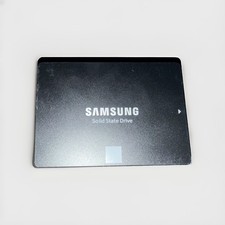
Samsung 850 EVO 1TB SATA III Internal, 2.5 inch Solid State Non Tested 1TB
$75.00

SSD 880EVO SATA III 2.5 4TB INTERNAL STATE DRIVE
$214.99

Samsung 860 EVO 250GB SSD MZ-76E250 2.5" SATA III Solid State Drive
$39.99
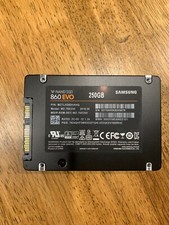
Samsung 860 Evo 250GB MZ-76E250 - Internal 2.5 inch SSD
$39.50

M.2 SATA SSD 2280 128GB 256GB 512GB major brands | Very Good health
$35.99

2 PACK 128 GB SSD M.2 2280 SATA Solid State Drive Major Brands, Samsung, LiteON
$28.80

Crucial MX500 500GB 2.5" SATA III Internal SSD CT500MX500SSD1
$63.99

M.2 NVMe SSD 2280 Single Notch 128GB 256GB 512GB | Very Good health
$38.99

Fanxiang 1/2/5/10Pcs 2.5'' SATA SSD Lot 1TB 2TB 4TB 512GB 256GB TLC Internal SSD
$129.99

M2 2280 PCIe 4.0 solid-state drive high-speed storage device 1080P RO 2TB NGFF
$99.00