

 Reply With Quote
Try off the Kmenu -> Multimedia -> Kmix the mixer will then be in the system tray right click and choose show mixer window and check to see if volume on the CD is muted.


When Debian starts up it plays a sound through my speakers. Then when I try to play a CD with the CD player that came with it. It shows the CD , starts up like it is playing, but no sound . What to do??? Thanks.........
Try off the Kmenu -> Multimedia -> Kmix the mixer will then be in the system tray right click and choose show mixer window and check to see if volume on the CD is muted.
 Posting Permissions


Seagate ST6000NM0115 6TB 256MB 7200RPM 3.5" SATA 6.0Gb/s Enterprise Hard Drive
$159.99

Seagate 14TB Exos X14 7200RPM SATA 6Gb/s 256MB 3.5" Enterprise HDD ST14000NM0408
$354.99

Seagate BarraCuda ST5000LM000 5TB 5400RPM SATA III 6Gb/s 2.5" Internal Hard
$169.99

HUS726060ALA640 HGST Ultrastar 6TB SATA 6Gbps 7.2K 3.5" Hard Drive OF21860
$129.99
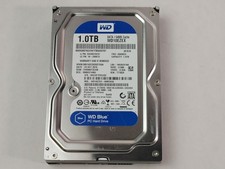
Western Digital WD Blue WD10EZEX 1 TB 3.5" SATA III Desktop Hard Drive
$23.99
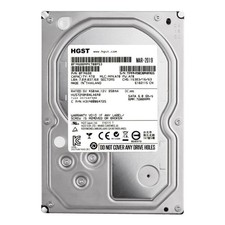
**77%-89% HEALTH**HGST Ultrastar 7K4000 HUS724040ALA640 4TB 7200 RPM 64MB Cache
$69.99

Hitachi / HGST Travelstar HTS541010B7E610 1TB 2.5" SATA III HDD
$29.99

HITACHI ULTRASTAR 2TB 7.2K 6G 3.5INCH SATA HDD HUS724020ALA640 | TESTED WIPED
$34.95

HDD 3.5" SATA Hard Drive with Windows 10/Win 11 64x Installed Legacy
$35.00
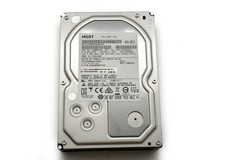
HGST Ultrastar 2TB 3.5" Enterprise SATA 7200RPM Internal HDD HUS724020ALA640
$54.99