-
Junior Member
registered user
kwifimanager good signal no local ip
I think this is all I need to resolve to get this thing working.
Anyone have any ideas?
Sig is good.
access point sees my routers' mac addr.
-
Junior Member
registered user
I regret that I am also having the same problem. My wireless card locks onto the strongest signal from my Linksys wireless router but does not obtain an IP address. The problem manifests with Knoppix 4.0.2 and 5.0.1. I'm using an IBM ThinkPad 2626-70U with a Netgear MA401 Rev. D (802.11b) PCMCIA card. My wireless router is a Linksys WRT54G. It turns out my Belkin FSD7230-4 wireless router interfaces just fine with the Netgear card and Knoppix 4.0.2. I know the Linksys works as it interfaces just find with a Windows/XP-based Dell laptop with a wireless capability.
Anyone have an idea of how to get an IP address?
-
Junior Member
registered user
I created a small shell script and ran pump for almost 40 minutes and finally got an IP address. Unfortunately, the IP address was given out by a different wireless device (the Belkin mentioned above) than the one to which kwifimanager says it is connected (the Linksys mentioned above). When I run Scan Networks in kwifimanager I see the two available choices but the Switch to Network button is greyed out (unavailable for use).
Is any of the above any hint as to the issue?
-
plenty of other threads too
do you have mac address authorisation on in the router ?
is it allowed to connect .....
got the username/password secret words right ? or set
-
Junior Member
registered user
I'll check to see if there is a MAC authorization feature and I'll either add my MAC address or I will disable it. One thing though, I have a Windows/XP-based laptop in the house and it can connect to the Linksys wireless router and I never did anything to authorize its MAC address. I should also mention the Linksys wireless router is running without security features (no passwords/keys, wide-open). Perhaps what has already been demonstrated by my wireless access from the Windows/XP-based laptop shows MAC authorization should not be a factor.
-
Junior Member
registered user
Agreed. I can get to it all day via winderz. I do have wep on. Cannot get Knoppix V5 on at all. I did get V4 on ONCE.
-
Junior Member
registered user
There was MAC authorization and I disabled it, so that should not be factor. I also figured out how to use iwconfig to control which wireless router to use. If I run 'iwconfig eth0 essid linksys3140' (for the Linksys WRT54G) and ran 'pump -i eth0' the result of pump is "Operation failed." If I run 'iwconfig eth0 essid belkin54g' (for the Belkin FSD7230-4) then 'pump -i eth0' I get a connection to my Belkin wireless router. At least, in this case, I can make sure I'm not trapped by a connection by what amounts to a useless wireless connection. I would appreciate any thoughts folks may have on this.
I can still connect to linksys3140 without passwords/keys from Windows/XP. I do notice the Linksys takes a while to respond to a DHCP request, so I wonder if there's a way to make pump wait longer before it gives up on it's DHCP request. Anyone have any ideas in this area?
I have seen folks reporting issues with kwifimanager 3.5.2, specifically about the ability to select a network. I did run kwifimanager with kdesu, just in case anyone wonders about this. It seems using iwconfig works around my issues with kwifimanager.
-
Junior Member
registered user
Here's something curious. When I run dmesg after failing to get an IP address on eth0 from my Linksys WRT54G, I see the following message:
Code:
eth0: no IPv6 routers present
I disabled IPv6 support and didn't see a difference. Thoughts?
-
Junior Member
registered user
I did something and saw my card has an IP v6 address. But it will not pick up a regular IP addy....
I wanted to remove the V6 too. Still no joy.... 
-
Junior Member
registered user
My next thought is to force my Linksys WRT54G to only use 802.11b and see if I can get an IP address from it that way (sigh). Eventually this nut will crack!
Similar Threads
-
By kelsey in forum Hdd Install / Debian / Apt
Replies: 1
Last Post: 08-22-2006, 01:24 PM
-
By nnigam in forum Networking
Replies: 2
Last Post: 08-11-2006, 07:56 PM
-
By maestrobwh1 in forum Networking
Replies: 0
Last Post: 07-13-2006, 03:02 AM
-
By HaIrLeSsHoBo in forum Hdd Install / Debian / Apt
Replies: 3
Last Post: 07-09-2006, 03:24 AM
-
By js178 in forum MS Windows & New to Linux
Replies: 0
Last Post: 01-31-2006, 02:14 AM
 Posting Permissions
- You may not post new threads
- You may not post replies
- You may not post attachments
- You may not edit your posts
-
Forum Rules


VINTAGE DEC LA34/ LA100 SERIES KEYBOARD W/NUMERIC PAD 70-17864-01C
$140.00

Vintage DEC Digital Starion 200 Desktop PC Powers On Boots To BIOS NO HDD - DW
$269.99

Vintage Digital DEC 54-15688 rainbow color graphics option
$129.99

Vintage Digital LK411-AA D01 keyboard with PS/2 cable for DEC terminals, English
$75.00
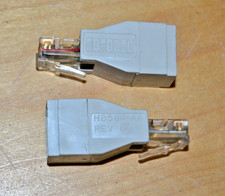
lot of 2 ~ Vintage Digital DEC ~ H8584-AA ~ 8-pin MP to 6-pin MJ **NOS**
$18.99

Vintage DEC LK201 Computer Keyboard Used
$59.97

Vintage DEC PDT11 (VT100 Series) Terminal (Powers On).
$550.99
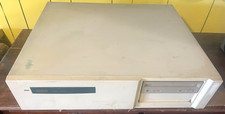
Vintage Digital DEC 3000/600 Model PE42A-BA Workstation
$399.00

Vintage DEC/Mostek memory systems MK 8015 AA-00 6805-08015 1100 REV C(B7)
$279.99

DEC DIGITAL VINTAGE DEHUB-AX
$129.99



 Reply With Quote