

 Reply With Quote
Sidux is an alternative to Kanotix if you want a Debian Sid install


Hi there,
I downloaded live DVD knoppix, I tested it out and I think it is great. Then I decided to install it. The install went pretty good. I still have XP also on the same system. I did the beginner install for Knoppix. It seems to work but now of course I have a problem. Well It loaded up GRUB. Grub sees my windows partitions but when I go to get in windows from GRUB it keeps on rebooting. Knoppix still has some issues. Should I scrap the Knoppix install and switch to Kanotix which I hear good things about. I'm thinking I'm going to have to start back fresh, Install Kanotix first and then reinstall XP. Unless I can get back into my XP, It will not boot though. Knoppix install went good but I still have issues. Apt -get does not work right sometimes. I now can't access my XP partitions from within KDE either for some reason even though I could before with my LIVE DVD options. Any Suggestions??? Recommendations... Other than that I'm going to check out Kanotix. If use the install scipt on my Knoppix DVD and choose the option for debian will it set me up with a just a straight Debian system with all the software too. thanks in advance
Knoppix still rocks as a rescue DVD
Sidux is an alternative to Kanotix if you want a Debian Sid install
If you want Debian, which seems like a pretty wise thing to want since you can install any Knoppix or Katonix software from there, then install Debian, don't mess with a Knoppix install that is well known to cause strange problems (if you don't believe that just read the above post). As long as you have a high speed connection available I suggest going here and doing a net-install of Etch.
---
Verifying of md5 checksum and burning a CD at slow speed are important.
Is etch pretty reliable?... so the whole knoppix-install option seems to have issues and I was thinking different... I have never done a net install before. How exactly does it work??? will it download everything and then I have to burn it to a disc or what exactly? Thanks for the replies. I will always have my knoppix DVD just as I imagine you guys do also.
Information on etch is here : http://www.debian.org/releases/testing/
It is Debian testing which should, in theory, be more stable than Debian Sid (unstable). There are a number of ways for installation. On saying that, I've been dist-upgrading Kanotix for 12 months, have recently 'converted' the install to Sidux and have had no obvious stability issues over that time. You can start with etch and convert to unstable at any time (basically change repositories to include unsrtable). Information on sidux is at : http://sidux.com/.
Etch is extremely reliable. Although it's currently called "testing", Debian is known to be over conservative in this area,. And Etch is scheduled to become the new "stable" version by years end (at which time I expect I'll start advising people to go for the "new testing" version istead).Originally Posted by sincity2k
Net-install downloads about a 100 meg iso, a light weight Linux system that then goes on-line and installs everything else that you want from the Internet. You don't burn any full discs (you might even want to put the net-install iso on a CDRW to not waste any discs). If you want a GUI desktop I suggest that you select the desktop option durning the install, which will install Gnome. You can later apt-get install kde or any other desktop or application that you want. Of course, you can download and burn the ISO images of Debian CDs or even DVD too, but I see little reason to do that; the discs just get out of date and you are much better off using apt-get to install and update right from the Internet. The discs would be fine if you were in a position that you didn't have Internet access, but if you have high speed access I find it nicer to do the net-install. By the way, if you have dsl then be sure to have a router, I don't think that the net-install supports all of the dsl pppoe setup you would need without one.
---
Verifying of md5 checksum and burning a CD at slow speed are important.
Harry,
Thanks for the help. I'm on the Etch site now checking out the release notes. Sounds like a popular distro. (according to other reviews I have read) The net install sounds ideal and it will be up to date. So here I go, another day of reformatting, partitioning and reinstalling. I'm debating if I should even load up XP. I mean come on it is Windows who needs it.(thats the idea) Have a good day. Thanks for the advice!!
 Posting Permissions

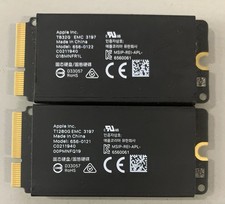
Apple Mac Pro 2019 1TB OEM SSD Kit-832GB +128GB - 656-0122/ 656-0121
$69.99

Samsung 2.5" 870 EVO SSD SATA III 250GB 500GB 1TB Internet Solid State Drive Lot
$60.00

Dell Latitude 14" Laptop Computer Intel i5 Up To 32GB RAM 1TB SSD Windows 11 Pro
$545.25

External SSD 1TB 2TB 4TB Portable Hard Drive USB 3.0 Type-C High Speed PC Mac
$19.99
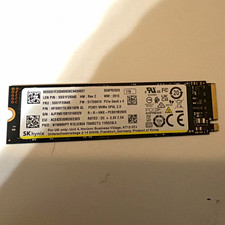
SK hynix PC801 1TB M.2 NVMe PCIe Gen4 x4 Internal SSD HFS512GDE9X081N
$90.00

SAMSUNG T7 Portable SSD 1TB Indigo Blue USB 3.2 Gen2 External MU-PC1T0H/AM
$159.99
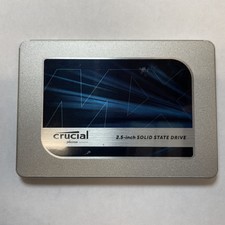
Crucial MX500 1TB 2.5" SATA III Internal SSD CT1000MX500SSD1
$99.99

1TB Kingston DataTraveler Max DTMAX/1TB USB Type-C Flash Drive
$86.95

Dell Latitude 14" Laptop Computer Intel i7 Up To 32GB RAM 1TB SSD Windows 11 Pro
$330.73

EDILOCA EN880E 1TB M.2 NVMe PCIe Gen4 Internal SSD for Laptop/PC
$115.00