

I've got an xfs root filesystem that I want to back up remotely using knoppix.
Using the gui I've got the remote shares I want to back up to mounted but I am having trouble using the command line to mount the remote filesystem to a local directory like /mnt/media.
The whole reason for that is that I'm using xfsdump which only accepts commandline arguments for the file output.
So the real question is since I've got those filessytems I want to backup to already logged in to via the gui, is there anywhere noting that in the root filesystem that I can output to?
The regular mount commands are not working for whatever reason... but since they are already logged in to they have to be already visible somewhere... right?
 Posting Permissions


Intel Core i7-3770K 3.5 GHz Processor
$39.00
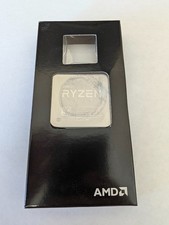
AMD Ryzen 7 3800X Processor (3.9GHz, 8 Cores, Socket AM4) Used
$80.00
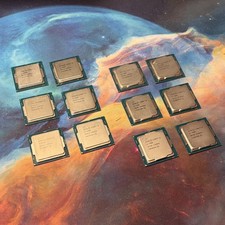
LOT OF 12 Intel Core i5 Desktop CPU •6x 7500 6x 6500 •LGA1151 H4 SR2L6 SR335
$129.00

INTEL CORE I9-10940X X-SERIES PROCESSOR | 3.30GHZ | SRGSH
$179.99

Intel Xeon E3-1230 v3 SR153 3.3GHz Quad Core LGA 1150 CPU Processor
$14.49

Intel Core i5-12500T SRL5W 2GHz 18MB 6 Core Socket LGA1700 Desktop CPU Processor
$114.99

Intel Core i5-7500 SR335 3.4GHz 4-Core LGA 1151 CPU PROCESSOR
$14.99

Intel Core i7-9700 SRG13 3.0 GHz Desktop CPU
$80.00

Intel 6th Gen Core i7-6700K 4.0GHz (Turbo 4.2GHz) 4-Core LGA1151 CPU SR2L0
$38.00

Lenovo ThinkCentre M920s SFF Barebones PC Motherboard PSU DVD No CPU RAM SSD
$27.99


 Reply With Quote