-
Help with boot error LOOP_SET_FD / iso file is not mountable
I installed in my hd knoppix 4.0.2.
When booting I get the Menu.lst and when choosing to boot knoppix it first shows the two penguins screen.
Then it says: welcome to knoppix... and it search for usb/fireware devices.
Then it looks for knoppix in cds and finally it says:
cdrom.loop/boot/knoppix.402/KNOPPIX_V4.0.2CD-2005-09-23-EN.iso is not mountable
ioctl: LOOP_SET_FD: bad file descriptor.
And it drops me to the basic shell.
I have tried redownloading the iso file, but didn't work.
Any idea?
This is my system:
Vaio Centrino Duo 1.66Ghz, 1Gb RAM, 100Gb HD, CD/DVD+-RW
OS: WinXP Home
Files:
c:\bootgrub
c:\grldr
C:\boot\grub\menu.lst
C:\boot\knoppix.402\linux
C:\boot\knoppix.402\memtest
C:\boot\knoppix.402\minirt_ntfs.gz
C:\boot\knoppix.402\KNOPPIX_V4.0.2CD-2005-09-23-EN.iso
Menu.lst: (In my PC, c: is 2nd partition: (hd0,1), hda2)
################################################## ###########################################
# GvR April 12th 2005
color black/cyan yellow/cyan
timeout=15
default=0
title Knoppix 4.0.2 CD&DVD Patch Update 2005-09-23 from ISO
kernel (hd0,1)/boot/knoppix.402/linux ramdisk_size=100000 init=/etc/init lang=us apm=power-off vga=791 nomce quiet bootfrom=/dev/hda2/boot/knoppix.402/KNOPPIX_V4.0.2CD-2005-09-23-EN.iso noprompt dma screen=1600x1200 lang=us
initrd (hd0,1)/boot/knoppix.402/minirt_ntfs.gz
boot
title Back to Default Boot Menu
rootnoverify (hd0,1)
chainloader +1
boot
title Memory test
kernel (hd0,1)/boot/knoppix.402/memtest
################################################## ###########################################
Thanks.
-
Senior Member
registered user
It's look like you're trying to boot your iso from a file_system that isn't either a 'vfat' or 'ext2'.
According to this site's wiki it is a 2.4 kernel bug:
CAUTION: The 2.4 kernel that is in the KNOPPIX 3.4 CD does not support the ext3 filesystem so make sure that the ISO is stored in an ext2 filesystem.
But doesn't seem to me so correct since I'm unable to mount the iso even with a 2.6 kernel on a 'ext3' partition.
-
Well, my partition is NTFS (win XP). I tried also with iso for version 5 and it did boot but didn't recognize the mouse!!! actually it didn't load any module. So that's why I tried on version 4.02
Similar Threads
-
By widinam in forum Hardware & Booting
Replies: 1
Last Post: 01-28-2006, 07:00 PM
-
By s-m-n in forum Hdd Install / Debian / Apt
Replies: 2
Last Post: 12-30-2005, 06:06 PM
-
By macgregor in forum Customising & Remastering
Replies: 0
Last Post: 12-11-2004, 07:03 AM
-
By BlackDwarf in forum General Support
Replies: 5
Last Post: 10-02-2003, 08:50 AM
-
By 3133 in forum Customising & Remastering
Replies: 0
Last Post: 04-14-2003, 12:09 PM
 Posting Permissions
- You may not post new threads
- You may not post replies
- You may not post attachments
- You may not edit your posts
-
Forum Rules

Vintage VGA Video Graphics Card (Vision964, Trio64V+, PVGA1A, GD5446)
$200.00
DELL INSPIREON 8200 VINTAGE LAPTOP
$85.00
Vtg 1994 Toshiba T4850CT/200 Laptop For Parts/Repair ONLY
$99.89
RARE VTG NEC IBM PC COMMAND SET SPIN MATE 6150 + SPINWRITER 8850 USER GUIDE
$199.95
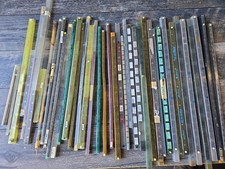
Vintage Retro Lot IC CHIPS CERAMIC Plastic Assorted GOLD Scrap Collection Tubes
$199.99
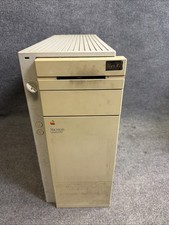
Vintage Apple Macintosh Quadra 950 w/ Key - (FOR PARTS)
$199.90
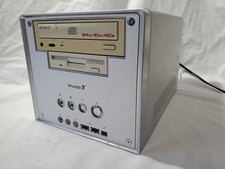
Vintage Shuttle XPC SB61G2 Shows Power Untested Otherwise See Internal Pictures
$49.00
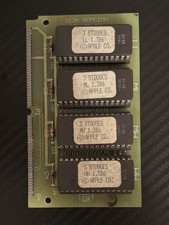
Vintage 1988 APPLE MACINTOSH “3 Stooges” 512K Romsimm AP1127-02 VERY RARE
$399.00
Vintage Apple M2115 SCSI External Hard Drive for Macintosh POWERS ON
$119.89
Vintage Key Tronic LT DESIGNER Mechanical/Rubber Dome Keyboard DIN-5 AT/XT
$50.00



 Reply With Quote