-
Senior Member
registered user
System Sees SATA partitions but can't mount them!
Well, my SATA drive experiments have been successful up to this point.
I installed a SATA 3Ware controller card, and a Seagate 320 gigabyte drive, set up all the partitions. I did this in Windows.
In Linux I used modconf to enable the 3Ware 3w-xxxx driver. At that point the system recognizes the many partitions on the drive when I do fdisk -l.
As you can see:
Device Boot Start End Blocks Id System
/dev/sda1 * 1 1020 8193118+ b W95 FAT32
/dev/sda2 1021 37312 291515490 f W95 Ext'd (LBA)
/dev/sda3 37313 38913 12860032+ 83 Linux
/dev/sda5 1021 7975 55866006 b W95 FAT32
/dev/sda6 7976 14290 50725206 b W95 FAT32
/dev/sda7 14291 20316 48403813+ b W95 FAT32
/dev/sda8 20317 26634 50749303+ b W95 FAT32
/dev/sda9 26635 32949 50725206 b W95 FAT32
/dev/sda10 32950 33844 7189056 82 Linux swap / Solaris
/dev/sda11 33845 37312 27856678+ b W95 FAT32
I have started to setup mount points but cant get the partition to mount. On /dev/sda1 for example, I get this message:
mount: special device /dev/sda1 does not exist
Of course, it's not a special device, it a hard drive. What's THAT about?
Is there a different format for fstab entries for SATA?
Note, I am not trying to boot from the SATA drive. I am only trying to mount it's partitions and access it.
SakiZ
-
Senior Member
registered user
SOLVED!!!!!!!!!!!!!!!!!!!!!!!!!!!!
Ok, I have Linux seeing the SATA drive, and mounting all the partitions upon boot up. But the way I got it working was not the way I thought it would happen.
First though, let me tell any Knoppix 3.7 users of the 2.4.27 kernel, there is some SATA support built right into the distro. That's what I'm using. You can even get SATA working on the Knoppix 3.7 boot CD. The trick is the right controller card: the 3Ware 8006-2LP. It's not expensive, and its a really good card. Knoppix 3.7 has that driver built right into the kernel modules. Just do modconf from a console and scroll down to the SCSI section. The 3w-xxxx SATA driver is the first one on the list. Then activate that module. Who knew? I certainly didn't but I spent several month researching it.
OK, so how did I solve my SATA issues? I was doing some experiments just watching how the OS behaved when I would do modprobe 3w-xxxx with different devices plugged or unplugged. Then I would do fdisk-l to see how the device showed up. Depending on what was plugged or unplugged I would get sda or sdb or even sdc. I was just trying to observe the OS without really trying to solve the problem at that point.
But then I got the idea that maybe what the OS would like would what I was doing: put a modprobe 3w-xxxx command in the etc/init.d/bootmisc.sh file. (This is the start up script where you add commands you what to add to the boot sequence.)
I had to remove the 3w-xxxx reference in etc/modules. But after I did that, with just the modprobe 3w-xxxx in bootmisc.sh things started working.
I was then able to add mount points and Knoppix could see all the parititions. But they were not being mounted automatically. I solved that by simply adding mount commands in the etc/init.d/bootmisc.sh file for all the partitions: mount /mnt/sdc1, mount /mnt/sdc2, etc, etc. Not elegant, but it works.
I think what is going on with this system is that it's an older one where there is not SATA in my native bios. It's all from the 3Ware controller card. Knoppix sees the drive as one attached to the system, much like a zip drive would be. The Knoppix 5 CD in fact boots up with all those SATA partitions with thumb drive icons! Hmmm.
I'm pretty sure you could not install Knoppix 3.7 to a SATA drive. I don't know if it is possible to boot Knoppix from a SATA drive But I don't know that it would be really necessary. However, I discovered that once everything was set up properly, I could change the links on some of my larger applications and have them run from the Linux mirror drive on the SATA Seagate. So, they load a little more quickly now.
The 320 gig SATA seagate drive BTW is a real winner. It uses the new perpendicular technology. It is almost as fast as a Raptor, it is extremely quiet, and it is HUGE. The price? It's about $84- 89 on different vendor sites. I got mine from Newegg. It is the best bang for the buck drive I have ever seen.
The 3Ware 8006-2LP controller card is great too. It even supports SATA II.
SakiZ
Similar Threads
-
By woodsmoke in forum Networking
Replies: 2
Last Post: 02-17-2010, 06:22 AM
-
By fergus in forum MS Windows & New to Linux
Replies: 0
Last Post: 05-13-2007, 09:30 AM
-
By Linuxtester in forum Hardware & Booting
Replies: 1
Last Post: 10-06-2004, 04:37 PM
-
By fourthirtysix in forum General Support
Replies: 0
Last Post: 05-24-2004, 03:24 AM
-
By poopyman67 in forum General Support
Replies: 10
Last Post: 03-26-2004, 12:59 AM
 Posting Permissions
- You may not post new threads
- You may not post replies
- You may not post attachments
- You may not edit your posts
-
Forum Rules


Yealink T48S VoIP/SIP Phone, 2 x Gigabit Ports PoE 7" Color SIP-T48S | TESTED
$34.95

Grandstream VoIP Phone Adapter ATA 1-Line Black Ethernet (RJ-45) Micro USB
$27.07
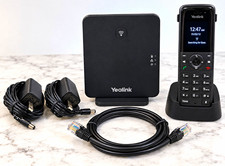
Yealink W70B W73H DECT IP VoIP Cordless Phone Handset Base Charger Never Used
$109.00

Poly CCX 400 Desktop Business Media Phone VoIP 2200-49700-019
$49.99

Yealink SIP-T33G IP Phone 4-LineSpeakerphone VoIP Desk Phone Black w/ Power Sply
$25.00
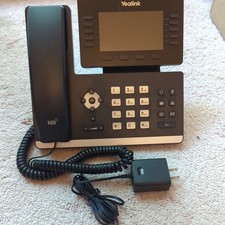
Yealink SIP-T54W 16-Line Color Display Business VoIP Phone Bluetooth Wi-Fi PoE
$90.00
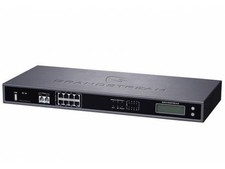
Complete Office VoIP System: Grandstream UCM6208 IP PBX + (14) GRP2614 Wi-Fi IP
$800.00

Grandstream WP810 Portable Cordless Wi-Fi IP Phone
$49.28

Yealink MP54 - VoIP Phone - Black Teams phone Android POE WIFI Bluetooth
$49.95
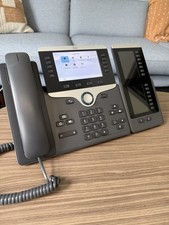
Cisco VoIP Phone CP-8851 with 8800 Key Expansion Modules
$69.00



 Reply With Quote