

 Reply With Quote
at the cd boot screen, hit F2
there is a check cd MD5 option, it will take a while
verify the cd-media
next, (without a machine spec), don't use a cd-rw media in an older (2001) cd-drive
use a cd-r and burn it slow


Im new to knoppix so i may have done something wrong when burning the image to the cd but maybe not, heres the problem.
When its botting up it comes up with the
Boot_
and then after like a few seconds
Boot_
Loading linux.............
Comes up but then nothing happens, it just stops, and i left it for ages and nothing happened. Anyone help ?
at the cd boot screen, hit F2
there is a check cd MD5 option, it will take a while
verify the cd-media
next, (without a machine spec), don't use a cd-rw media in an older (2001) cd-drive
use a cd-r and burn it slow
Different people can certainly have different opnions, but I doubt if there is any reason to not use CD-RW on any drive that has the auto-gain control to read it, and that happened a lot longer ago than 2001, around the time 2x drives were made. If a drive can see the CD-RW at all then I know of no reason to think CD-RW is less reliable than CDR. Of course, since CD-RW uses a different gain setting than CDR, either might work in some drive with marginal optics while the other fails, but I've actually had the other issue, a drive that could read pressed CDRs and burnt CDRWs but not burnt CDRs. It may be worth trying a CDR after trying all other things, but it's not the first thing I would try.
Even more important than the testcd code at boot time is to have done a MD5 check before burning. This will check parts of the ISO that testcd does not. If this md5 test is OK then the testcd check is worth doing if you still have boot issues. Also see the wiki sections on cheat codes and the downloading faq.
---
Verifying of md5 checksum and burning a CD at slow speed are important.
There are a couple of things that could be the matter. You didn't mention anything about your PC. 128M should run knoppix ok (I have 256M myself). My mother's PC has 96M, Windows 98 - a bit of a dinosaur. I tried knoppix on it, and it dropped to the bash shell. Also, did you do a checksum on your knoppix .iso after downloading it. You should also burn the cd at a fairly low speed. You should mention the memory and speed of your PC.
If you click on Documentation at the top, you will find a lot of useful stuff.
I put my CD in the CD and when it boots it runs the INFORMATION screen. There is no place to RUN Knoppix. Please help ! What am I doing wrong. I really want to get going with this new OS. Please enlighten this neophyte.
 Posting Permissions


SK Hynix Server Memory 32GB (1x32GB) RAM DDR4 2400MHz HMA84GR7MFR4N Lot of 12
$1599.99
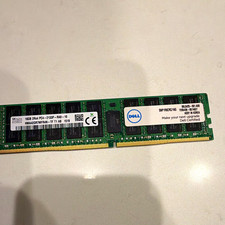
SK hynix 16GB PC4-2133P DDR4 ECC Registered RDIMM 288-Pin
$65.00

2 in 1 USB 3.0 Card Reader Micro TF card Reader usb adapter High Speed Cardreder
$3.99
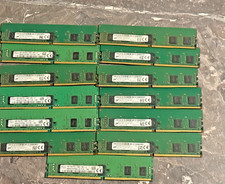
Bulk lot of 13 × 4GB DDR4-2400 ECC Registered RDIMM server memory modules
$195.00

Kingston 32GB 64GB 128GB 256GB USB 3.0 Flash Drive Thumb Memory Stick Pen lot
$285.90
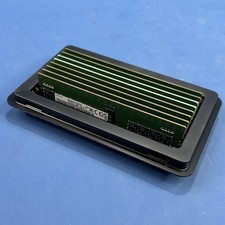
Samsung (8X16GB) 128GB 2Rx8 PC4-3200AA-RE2-12 Registered ECC Memory DDR4
$849.99

SK Hynix 64B PC4-2933Y Server Memory DDR4 RAM HMAA8GR7MJR4N-WM
$499.99
Major Brand 8 GB PC3L-12800 (DDR3-1600) 2Rx8 DDR3L Laptop Memory RAM
$10.99
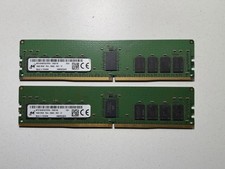
x2 Micron 16GB 2Rx8 PC4-2666V ECC REG Server Memory - MTA18ASF2G72PDZ-2G6E1
$179.00

x4 Intel 128GB NMB1XXD128GPS Optane Memory 200 Series PMEM Module 3200 DDR4 RAM
$329.99