

 Reply With Quote
UPDATE:
I have managed to get mouse support back. I still can't get network, but am attempting to fix this problem.


Okay, I've looked over the forums and tried as many cheatcodes as I can get my hands on, but nothing has seemed to work beyond a very limited level.
I have:
Averatec 3700 series notebook
AMD Sempron Mobile, 1800Mhz
480M RAM
I can get into X via failsafe, but it doesn't help much without mouse or network support. No amount of keyboard shortcuts can get me to a command prompt.
Beyond that, autodetection hangs on every single boot, even with failsafe. The BIOS in that particular notebook doesn't have much in the way of options, but the cheatcodes I've used to try to get around this don't seem to do much.
I can't run lspci for more verbose info, as I can't reach a command prompt. Any suggestions or help would be greatly appreciated.
UPDATE:
I have managed to get mouse support back. I still can't get network, but am attempting to fix this problem.
I have a 3715. I boot Knoppix from the 5.0 dvd with "knoppix lang=us xserver=xorg". Everything works except the wireless and 3d rendering so far, but I don't think that this video card suppoorts it in Linux yet. I am going to try it now. If I reply tonoght, it is because it worked, and I will tell you how.
I got online, but it wasn't easy.
I was using a public access point here in Korea and a simple:
iwconfig eth0 essid ssrt_yongsan
didn't do the trick. I tried all of the network utilities in the Knoppix menu and I couldn't get on.
Knoppix recognized my card as the RT2500, and it KWiFiManager saw both access points in the vicinity, but I couldn't get the stupid thing to give me an IP address for more than a split second.
I then tried using the ndsiwrapper utility. I went into Windows and downloaded the installer from Averatec (I have an AV 3715-KD!, by the way) and I used WinRAR to extract the driver from the .exe file.
I tried some more utilities, and even manually checked each channel from the command line. iwconfig and ifconfig were of no help.
pump -i eth0 didn't help.
Finally, I went looking for a wireless tutorial and found one here in these forums (search for "brief wireless config tutorial please" and you should find it.
I tried everything in that thread. I got to the last post, and tried that stupid wlcardconfig from the Knoppix menu and guess what; it worked.
My connection was dreadfully slow however, and I suspect that it has more to do with the fact that I was running off the live dvd, rather than torram or tohdd. By the time I got GMail to load, the place closed and I had to leave. The system also froze, but that is typical for me when running any version of a live Knoppix on this machine.
I will try all of this again once I get use knoppix-installer to replace my broken Mandriva2007.
Once this is done, I will post any further issues and success stories for my Averatec AV3715-KD1 here in this thread.
By the way, the KD1 is nearly identical to the US Model ED1. The only difference I have noticed is that my keyboard is Korean. The layout is identical and the right CTRL and ALT buttons are used to swith from US to Korean layouts and input method editors in Windows. Of course, I had to reinstall a US verson of Windows to get it working, but Microsoft honored activation using the same product key.
By the way, if you have an AV 3715, you have 512 MB of RAM. This model steal your system's RAM to run your video card. In your BIOS, you can set how much you wish to devote, up to 64 MB.Originally Posted by soiltriad
In most Linux distributions, you can use alt+F2 to get the Run Command. type "konsole" and you will get your command prompt.
My boot hangs at autodetection EVERY time with this model laptop unless I specify the xserver. I even accidentally used XFree86 and it switched to xorg. I am sure that it has somemthing to do with the VIA adapter being poorly supported, but at least there is some support.
My Knoppix 5 DVD got scratched. I downloaded the 5.1 CD and tried using it on the same computer. It is hangnig on dhcp broadcaast, and so does DSL for that matter, so I get it to boot with knoppix nodhco xserver=xorg.
During boot, it didn't recognize my video card (VIA S3 Unichrome, AKA K8M800) or my wireless card (rt2500). Knoppix 5.0 DVD had no issues recognizing either. I wonder if the DVD has better hardware detection, or somply more drivers included. In a not entirely unrelated issue, my 5.1 dvd torrent is having issues so I am limited to thecd for now.
 Posting Permissions


Yealink T48S VoIP/SIP Phone, 2 x Gigabit Ports PoE 7" Color SIP-T48S | TESTED
$34.95

magicJack EXPRESS VoIP Phone Adapter White 1-Line Caller ID RJ-45/RJ-11
$28.00
$99.00

Poly CCX 400 Desktop Business Media Phone VoIP 2200-49700-019
$49.99

Grandstream WP810 Portable Cordless Wi-Fi IP Phone
$49.28

Cisco / Linksys SPA2102 VoIP 2FXS Phone Adapter with Router (unlocked)
$18.99

Lot of 10 Yealink SIP-T34W VoIP WiFi IP Desk Phones Business Office Telephone
$300.00

Cisco/Linksys SPA2102 VoIP Phone Adapter Router 2FXS (Unlocked)
$17.99
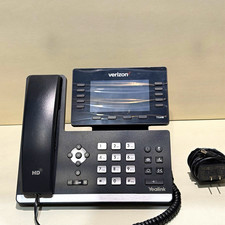
Yealink SIP-T54W Verizon VoIP IP Phone 16-Line PoE Speakerphone Black
$34.50
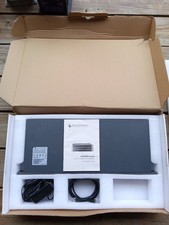
Grandstream GXW4501 Digital VoIP Gateway Works TESTED W Box It Came In.
$329.95