-
the sound does not fix after it is configured
Good morning. I have installed KNOPPIX5.0.1 on the HD. I have configured the sound with #alsaconf #alsamixer #alsactl store and the sound was perfect. However, whenever I restart the system the sound crashes and the system is mute. I have chosen the ALSA ARCHITECTURE on the hardware option on the KCONTROL. I have also tried #chmod 666 /dev/dsp, #chmod 666 /dev/mixer #chmod 666 /dev/snd and these procedures did not help either. My sound card is a CREATIVE SB LIVE and the result of #lspci is the following:
cezar@ubuntu:~$ lspci
00:00.0 Host bridge: nVidia Corporation nForce2 AGP (different version?) (rev c1)
00:00.1 RAM memory: nVidia Corporation nForce2 Memory Controller 1 (rev c1)
00:00.2 RAM memory: nVidia Corporation nForce2 Memory Controller 4 (rev c1)
00:00.3 RAM memory: nVidia Corporation nForce2 Memory Controller 3 (rev c1)
00:00.4 RAM memory: nVidia Corporation nForce2 Memory Controller 2 (rev c1)
00:00.5 RAM memory: nVidia Corporation nForce2 Memory Controller 5 (rev c1)
00:01.0 ISA bridge: nVidia Corporation nForce2 ISA Bridge (rev a4)
00:01.1 SMBus: nVidia Corporation nForce2 SMBus (MCP) (rev a2)
00:02.0 USB Controller: nVidia Corporation nForce2 USB Controller (rev a4)
00:02.1 USB Controller: nVidia Corporation nForce2 USB Controller (rev a4)
00:02.2 USB Controller: nVidia Corporation nForce2 USB Controller (rev a4)
00:08.0 PCI bridge: nVidia Corporation nForce2 External PCI Bridge (rev a3)
00:09.0 IDE interface: nVidia Corporation nForce2 IDE (rev a2)
00:0d.0 FireWire (IEEE 1394): nVidia Corporation nForce2 FireWire (IEEE 1394) Controller (rev a3)
00:1e.0 PCI bridge: nVidia Corporation nForce2 AGP (rev c1)
01:07.0 Ethernet controller: Realtek Semiconductor Co., Ltd. RTL-8169 Gigabit Ethernet (rev 10)
01:08.0 Multimedia audio controller: Creative Labs SB Audigy LS
01:09.0 USB Controller: VIA Technologies, Inc. VT82xxxxx UHCI USB 1.1 Controller (rev 50)
01:09.1 USB Controller: VIA Technologies, Inc. VT82xxxxx UHCI USB 1.1 Controller (rev 50)
01:09.2 USB Controller: VIA Technologies, Inc. USB 2.0 (rev 51)
01:0a.0 USB Controller: VIA Technologies, Inc. VT82xxxxx UHCI USB 1.1 Controller (rev 50)
01:0a.1 USB Controller: VIA Technologies, Inc. VT82xxxxx UHCI USB 1.1 Controller (rev 50)
01:0a.2 USB Controller: VIA Technologies, Inc. USB 2.0 (rev 51)
01:0b.0 RAID bus controller: Silicon Image, Inc. SiI 3112 [SATALink/SATARaid] Serial ATA Controller (rev 02)
02:00.0 VGA compatible controller: nVidia Corporation NV36 [GeForce FX 5700LE] (rev a1)
cezar@ubuntu:~$
My mother board is a ABIT AN7 and I have DISABLED on BIOS the sound on board detection. After the fist time the configured sound crashed I set it to ABLED and the same happened.
Thanks for your attention.
I hope I solve this unpleasant problem because I simply ADORE Knoppix.
Cezar Rangel
-
The problem with the sound has been solved.I just inserted the references to the module snd_usb_sound and snd_usb_lib to the file /etc/modprobe.d/blacklist and everything is perfect with my knoppix now Smile there is also an excellent suggestion on the following link : http://www.knoppix.net/forum/viewtop...+configuration
I thank you all that have at least read my post. Merry Christmas for you all. Cezar
Similar Threads
-
By Chief_Wiggum in forum Networking
Replies: 0
Last Post: 08-19-2007, 07:28 PM
-
By andyzweb in forum Hdd Install / Debian / Apt
Replies: 0
Last Post: 11-14-2005, 01:23 AM
-
By vbtricks in forum Networking
Replies: 1
Last Post: 12-12-2004, 09:09 AM
-
By Jesse in forum The Lounge
Replies: 0
Last Post: 07-07-2004, 04:50 AM
-
By labrador in forum Customising & Remastering
Replies: 0
Last Post: 07-27-2003, 03:06 PM
 Posting Permissions
- You may not post new threads
- You may not post replies
- You may not post attachments
- You may not edit your posts
-
Forum Rules


Dell EMC PowerEdge R740 8 Bay Server w/ 32GB RAM 2x GOLD 6132 2x 1600W PSU H730p
$499.88

Dell EMC PowerEdge R440 Xeon silver 4215 2.5GHz 16 GB ram 2x 550W PSU No HDD
$275.00

Dell Poweredge R630 2x Xeon E5-2680 v3 2.5ghz 24-Cores / 64gb / Raid / 2x 1Tb
$374.99

Dell Poweredge C4130 2x LGA2011-3 1U 4x GPU Rackmount Server CTO (NO CPU/NO RAM)
$299.95

Dell Poweredge R810 4x Xeon X7560 2.26ghz 32-Cores | 256GB | 3x Trays | H700
$289.99

Dell PowerEdge R730XD 28 Core Server 2X Xeon E5-2680 V4 H730 32GB RAM No HDD
$378.93

Dell PowerEdge C4130 1U AI GPU Server | 2x E5-2680 v3 | 32gb Ram | 2x 1600W
$409.99
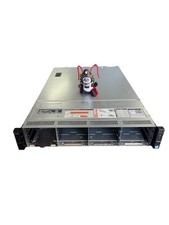
Dell Poweredge R730xd 12LFF + 2SFF 2x10/1Gbe H730 Mini 2x 750W Server
$348.00

Dell Poweredge R620 10x 2.5" bay with 256GB (16x16gb) DDR3, 2x E5-2690v2, H710
$349.99
Dell PowerEdge R740 E38S001 Server E38S
$660.00



 Reply With Quote