

 Reply With Quote
Check out this link.Originally Posted by Gregwithoneg

http://www.freenet.org.nz/misc/knoppix-install.html
Paul


Myself and my learned friend have embarked on a mission to try out Linux, and we have to say how significant Knoppix is as an addition to the catalogue of Opertaing Systems.
Just one question however, of many.
How does one install Knoppix to the systems Hard Drive?
If possible, can it be setup to dual boot.
Thats two questions soz.
Check out this link.
http://www.freenet.org.nz/misc/knoppix-install.html
Paul
Buy the way it is possible to dual boot.
Check out the doc's section of this site
paul
There is a guide here and a search of the forum will provide you with many of the answers you will need.
Whenever I have installed with Knoppix, the hdinstall script has automatically configured lilo to be able to boot operating systems on other partitions. I think this was broken in some previous versions of the hdinstall script, but I believe that it has been fixed for some time now.
As the heading suggests, we have succesfully installed, although not without problems.
First thing is that we now cannot see our hard drives except the partition that knoppix is on.
We cannot connect to the Internet via broadband.
We did however get a connection the first time we rebooted Linux but none since. It hangs when trying to configure the eth0 and then fails.
We are using an AEI fast ethernet adaptor.
Hope someone has a suggestion.
I am GregwithoneG's associate. I am posting immediately after G's post because whoever reads this might be suprised to learn that we have just done the first Linux boot this morning (UK Time) and guess what? We have net!
No idea whats going on here . I simply used Scroll/Lock to monitor the boot up and there was no mention of initializing the eth0.. (What we could see at least)
G has informed me that when he is in Linux (and searching for clues) he found a usb viewer under applications/tools and he sees this message-:
cannot open the file /proc/bus/usb/devices
Verify that you have usb compiled into your kernel,
have the usb modules loaded/ and haven the usbdevfs filesystem mounted.
In fact I copied it word for word as it appears right now. Yet I have access. I know I shouldn't complain cos we now have access, but the problem is that we have no idea if we are going to have access each boot.
Has anyone any suggestions?
 Posting Permissions


SK Hynix Server Memory 32GB (1x32GB) RAM DDR4 2400MHz HMA84GR7MFR4N Lot of 12
$1599.99

SK Hynix 64B PC4-2933Y Server Memory DDR4 RAM HMAA8GR7MJR4N-WM
$499.99
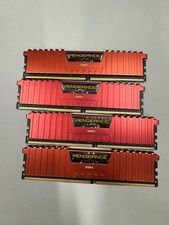
32GB (4x8gb) Corsair Vengeance LPX DDR4 2666MHz PC RAM CMK32GX4M4A2666C16R
$100.00

16GB KIT (2x8GB) DDR4 Gamer Desktop RAM PC4 MIXED BRANDS
$65.00
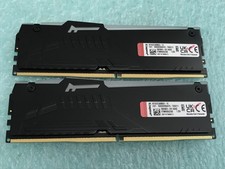
Kingston Fury Beast 32GB(2 x 16GB) KF552C36BBEA-16 DDR5 5200MHz RAM - R1031A
$299.95
![[ BULK LOT OF 10 ] UNITS of 8GB DDR4 Laptop RAM SAMSUNG, HYNIX etc. picture](/store/img/g/IKQAAeSwEK9qv9TG/s-l225/-BULK-LOT-OF-10-UNITS-of-8GB-DDR4-Laptop-RAM-SAMSU.jpg)
[ BULK LOT OF 10 ] UNITS of 8GB DDR4 Laptop RAM SAMSUNG, HYNIX etc.
$299.99
Major Brand 8 GB PC3L-12800 (DDR3-1600) 2Rx8 DDR3L Laptop Memory RAM
$10.99
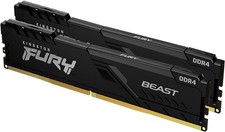
Kingston HyperX Fury 16GB 8GBx2 DDR4 2400MHz RAM HX424C15FB3/8
$79.99

LOT OF 23 Ram Sticks-Corsair Vengeance CMZ8GX3M2A1600C9 4GB (4GBx23=92GB Total)
$129.99
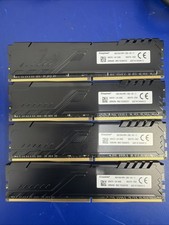
Kingston (HyperX Fury ) DDR4 64gb 4x16 2933 MHz (PC4-23400)
$375.00